
Participant
December 23, 2021
Question

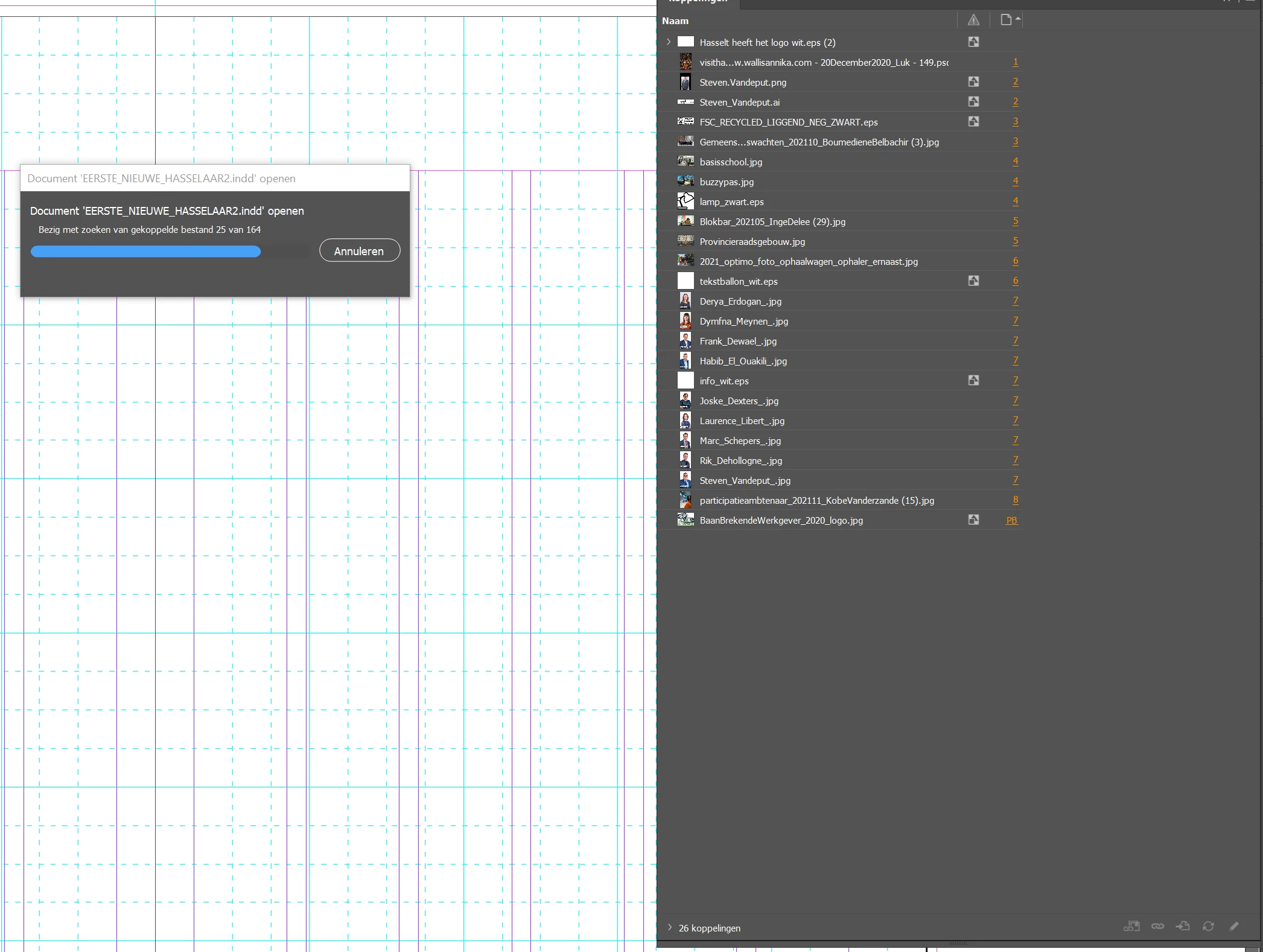
Indesign keeps searching for 164 linked files...there are only 17 linked images. Opening takes ages!

  • December 23, 2021
  • 2 replies
  • 149 views

I have a file that I use as a base. But when it opens Indesign starts searching for 164 linked files. That takes a lot of time. The thing is, that there are just 17 linked images in that file. Why does Indesign searches for those files and where can I see the links? I have no error message once its opened. I tried to unlink all images, but it doesn't help. What can I do?


Thanks
This topic has been closed for replies.

2 replies

Community Expert
December 23, 2021

Hi Luk,

could you run the following ExtendScript (JavaScript) code on the open document that will alert the number items in the Links panel; just to rule out that your InDesign does not show all links in the document:

alert( app.documents[0].links.length );

 Copy the code to a text file without formatting, save with the file extension *.jsx, place it in the User folder of the InDesign Scripts panel. You can open that User folder in the file system by using the menu command "Reveal in Finder" when you selected the User folder in the Scripts panel.


More details on this:

https://www.indiscripts.com/pages/help#hd0sb2

https://www.danrodney.com/scripts/directions-installingscripts.html


Another question:

Are there any hyperlinks to pages in external InDesign documents?

Check your Hyperlinks panel for that.


And ( speculative 😞

Open the Structure panel that is showing a possible XML structure that could contain any entries regarding images.


Regards,
Uwe Laubender

( ACP )

Willi Adelberger
Community Expert
Community Expert
December 23, 2021

Save as IDML.

Open the IDML.

Save the IDML as INDD on the same place.
Is the problem still a problem?


Look into the Link Panel. Are images embedded? Avoid this.


If that does not help: create a new document with the same paper size, same baseline grid, no styles (paragraph, character, table, cell, object) and 2 initial pages. In the old document: Menu > Layout > Move pages … (all) to the new document. Delete the 2 initial pages.