
andrewt2496474
Participant
October 9, 2018
Question

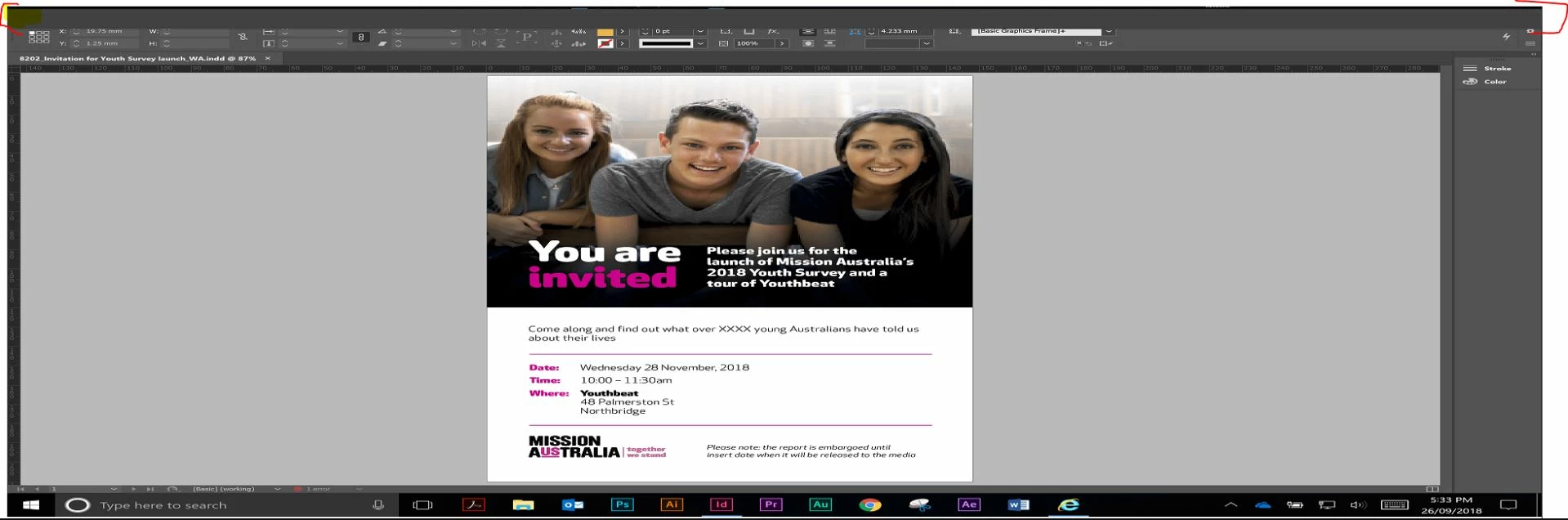
Indesign mystery grey bar???
  • October 9, 2018
  • 2 replies
  • 583 views

Sorry for the potentially bad quality picture in advanced.

Across the top of the screen highlighted with the red brackets is a grey bar, this has appeared out of nowhere in the last week and i am unsure how to get rid of it.

The user is running the latest Indesign CC on a Win10 64bit system, iv tried resting preferences by launching and holding Ctrl - Alt - Shift but this did not help.

I am not overly familiar with Indesign as it is not part of my day to day, any assistance would be appreciated.

Thank you.

    This topic has been closed for replies.

    2 replies

    Barb Binder
    Community Expert
    Community Expert
    October 9, 2018

    Hi Andrew:

    When you attempted Ctrl Alt Shift did the "Delete InDesign preference files" message appear? Did you click yes?

    Other ideas:

    • Window > Workspace > Reset XXXX (XXX=whatever workspace you are using)
    • Manually delete the preferences files*
    • Manually delete the cache folder**

    *Locations for these files are outlined in this file if you scroll down to "Restore all preferences and default settings":

    Set preferences in Adobe InDesign

    **Delete (or move) the folder at the end of this path:
    C:\Users\[User Name]\AppData\Local\Adobe\InDesign\Version [#]\<Language>\Cache

    ~Barb

    ~Barb at Rocky Mountain Training
    andrewt2496474
    Participant
    October 9, 2018

    Hi

    no i did not get prompted to "Restore all preferences and default settings":

    Barb Binder
    Community Expert
    Community Expert
    October 9, 2018

    Then it didn't reset your preferences. It's a timing issue. Press those keys down immediately upon starting InDesign and hold them until you see the message. Then choose yes.

    ~Barb

    ~Barb at Rocky Mountain Training
    Eugenio.NYC
    Participating Frequently
    October 9, 2018

    Hi there

    Sorry about your issue

    please reset your workspace and let me know if that works for you

    Regrads

    E

    Open the contextual menu all the way to the right, and double check this option is selected