
Participant
March 9, 2018
Answered

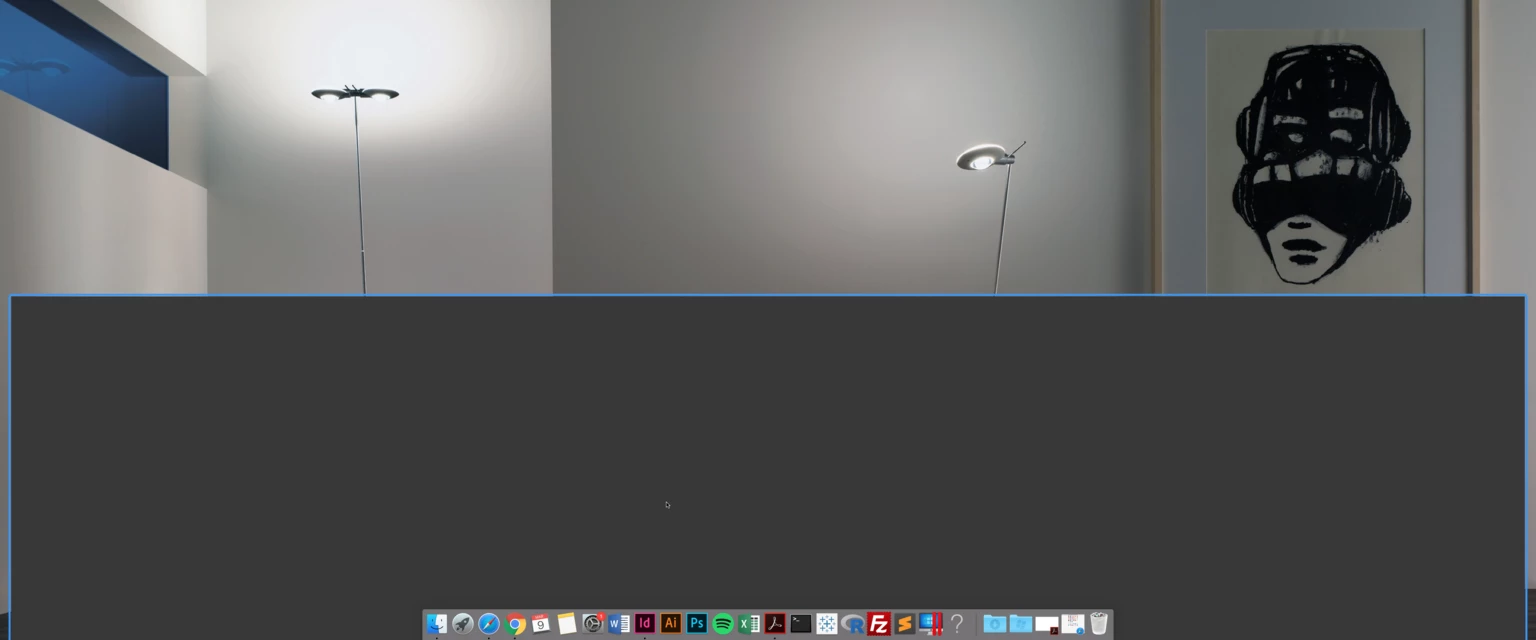
InDesign opens but is a blank grey screen

  • March 9, 2018
  • 3 replies
  • 8127 views

Hi all,

I would appreciate help on how to fix this error (picture attached). I can't fully open InDesign because it shows up like this. Clicking on the icon results in the correct ribbon showing up but nothing on the screen. I've tried opening different files and uninstalling/reinstalling the program, but nothing worked. Help would greatly be appreciated!
    Correct answer Steve Werner

    I would try to restore your InDesign preferences:

    Trash, Replace, Reset, or Restore the application Preferences

    3 replies

    Participant
    July 6, 2024

     shift e

    but to have to do that is annoying...

    Participant
    September 15, 2021

    I have exactly the same problem – yesterday it worked fine – today this weird grey window – tried everything also this solution nothing works, I even tried the CC Cleaner Tool. Newest version of InDesign and MAC 10.14.6.

    Any ideas? Photoshop works well.


    Diane Burns
    Inspiring
    September 16, 2021

    Not sure exactly what the CC Cleaner Tool is cleaning, but came across a post about deleting ID cache files, which is different from rebuilding pref files, see down in this thread: https://community.adobe.com/t5/indesign-discussions/need-to-clear-indesign-cc-2019-cache/m-p/10523739

    Participant
    September 16, 2021

    I cant find the file called “com.adobe.InDesign.plist”

    But i delited the preferences for InDesign bevore and also did the "Shift+Option+Command+Control" – no change 

    Derek Cross
    Community Expert
    Community Expert
    March 9, 2018

    Which version of InDesign and OS?

    Try unticking GPU Performance in InDesign Preferences.

    Participant
    November 2, 2023

    Unticking GPU Performance in Preferences absolutely worked for me, 11/1/2023.  Thank you!

    Participant
    November 21, 2023

    Worked for me too! 11/21/2023. Thank you!!!