Inspiring
October 2, 2024
Answered

indesign paragraph shading – shortcut not possible

  • October 2, 2024
  • 1 reply
  • 411 views

Hi, i have to change a lot of paragraph shades all day,  but it's not possible to assign this to a shortcut to fasten up workflow. There is no paragraph shading in the menu to select for the shortcut.

This topic has been closed for replies.
Correct answer waldemarker

You were very clear: I just suggested you to create a paragraph style including your paragraph shading options and add shortcut to be able to quickly access to the pargraph shading options.

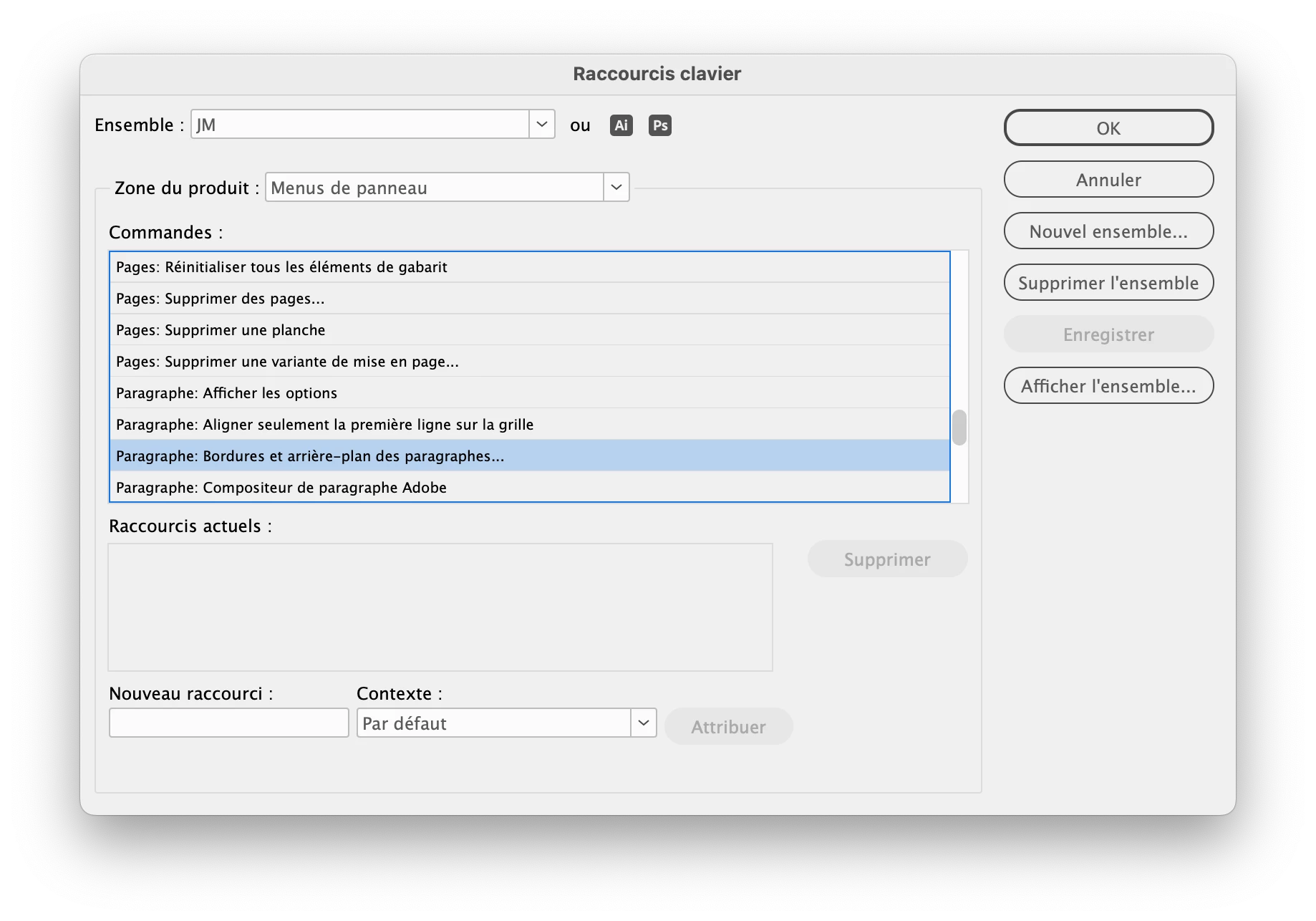
Anyway, you can also add directly a shortcut to the paragraph border and shading window by customizing your shortcuts set:

Hi, thank you. I would need to make a paragraph style for every new document, this is not a fine idea. 


Now I discovered the problem, it was the 'translation' of the main menu of the paragraph options, 'Bedienfeldoptionen' was not really logic for me. So I could assign a shortkey directly. 

 

1 reply

jmlevy
Community Expert
Community Expert
October 2, 2024

Create a paragraph style and assign a shortcut to this paragraph style.

Inspiring
October 2, 2024

Maybe it's not clear, I need a shortcut to open the paragraph shading window to edit, not to assign a predefined paragraph shading style

jmlevy
Community Expert
Community Expert
October 2, 2024

You were very clear: I just suggested you to create a paragraph style including your paragraph shading options and add shortcut to be able to quickly access to the pargraph shading options.

Anyway, you can also add directly a shortcut to the paragraph border and shading window by customizing your shortcuts set: