This topic has been closed for replies.

4 replies

rob day
Community Expert
Community Expert
May 29, 2021

Make sure you are not experiencing the recent color management bug that turns color management off in Color Settings —should not be Emulate InDesign 2.0 CM Off.


Then export using a PDF/X preset and view in Acrobat Reader or Pro. The PDF/X standards include the document’s Output Intent Profile which is used for the soft proof preview in Acrobat.

Frans v.d. Geest
Community Expert
Community Expert
May 29, 2021

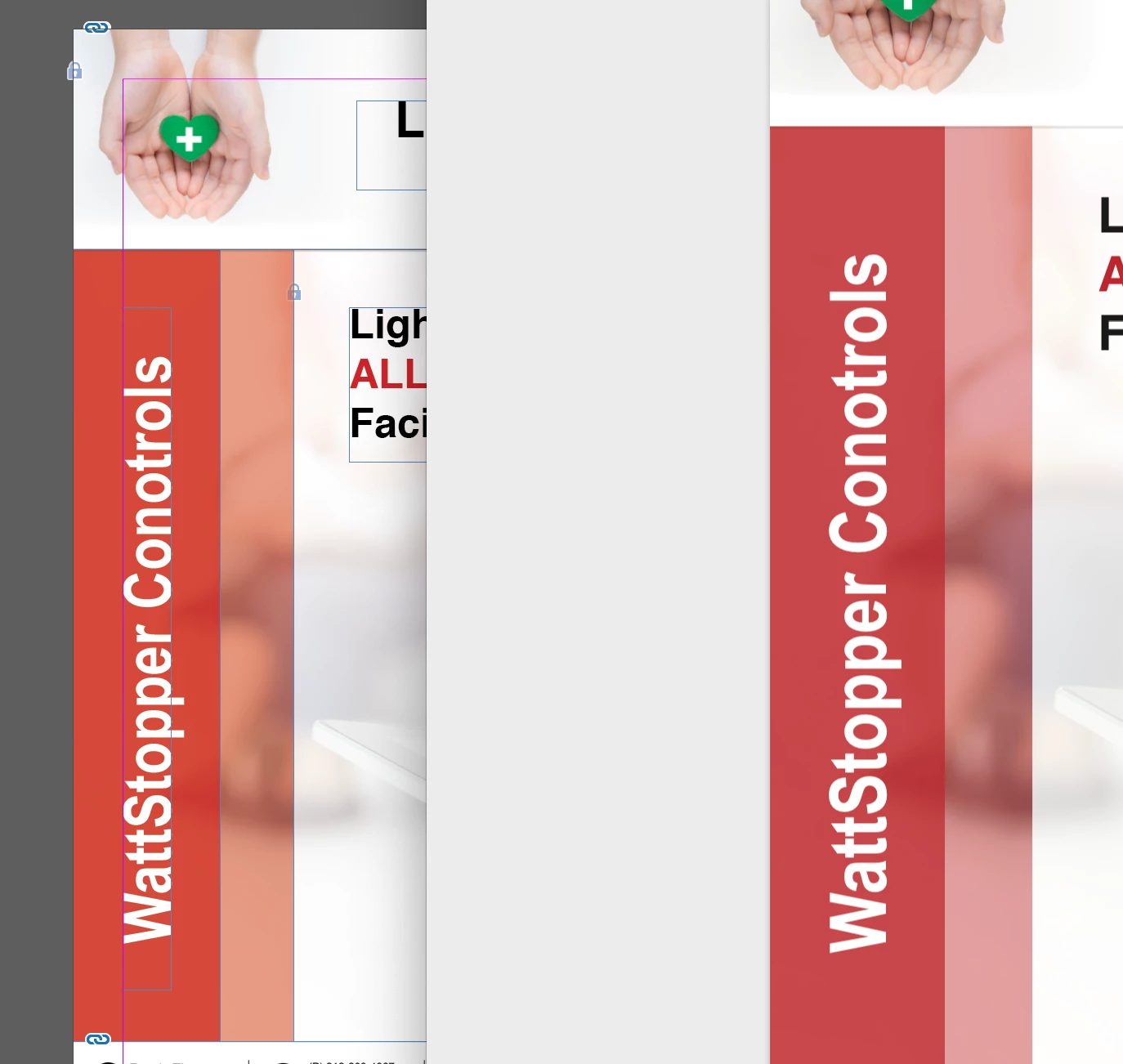
Yes, we can explain 😉 You are rendering to a different Gamut. 99% change you have a RGB color going to CMYK.

Brad @ Roaring Mouse
Community Expert
Community Expert
May 29, 2021

First: Check your ID Color Settings and make sure they are what you expect for your final destination (e,g, North American Prepress, etc). There was a bug (now supposedly fixed as of current versions) that had affected these settings across various CC apps.

Second: what are you using for your PDF export settings? Particularly check output destination.


If, however, things seem right to you, it could be you have a color in your document in RGB that cannot be rendered in CMYK, but based on your screen grab, your color seems in gamut to me, so I suspect one of the two issues I mentioned are at play.


Jumpenjax
Community Expert
Community Expert
May 28, 2021

Is the pdf setting set to CMYK and the InDesign set to RGB? Check your settings. CMYK will look duller.

Lee- Graphic Designer, Print Specialist, Photographer