
Participant
October 30, 2023
Answered

InDesign PDF export body copy changing - please help

  • October 30, 2023
  • 1 reply
  • 642 views

Hello All,


This is my first post and I am in dire need of assistance. I am having an issue with the body copy in a print magazine I am self-publishing about performance cars.


Basically whenever I export to PDF, the body copy is changing and "fattening" whilst also losing definition. Best illustrated by these images of a direct print out of ID vs a print from the exported pdf;
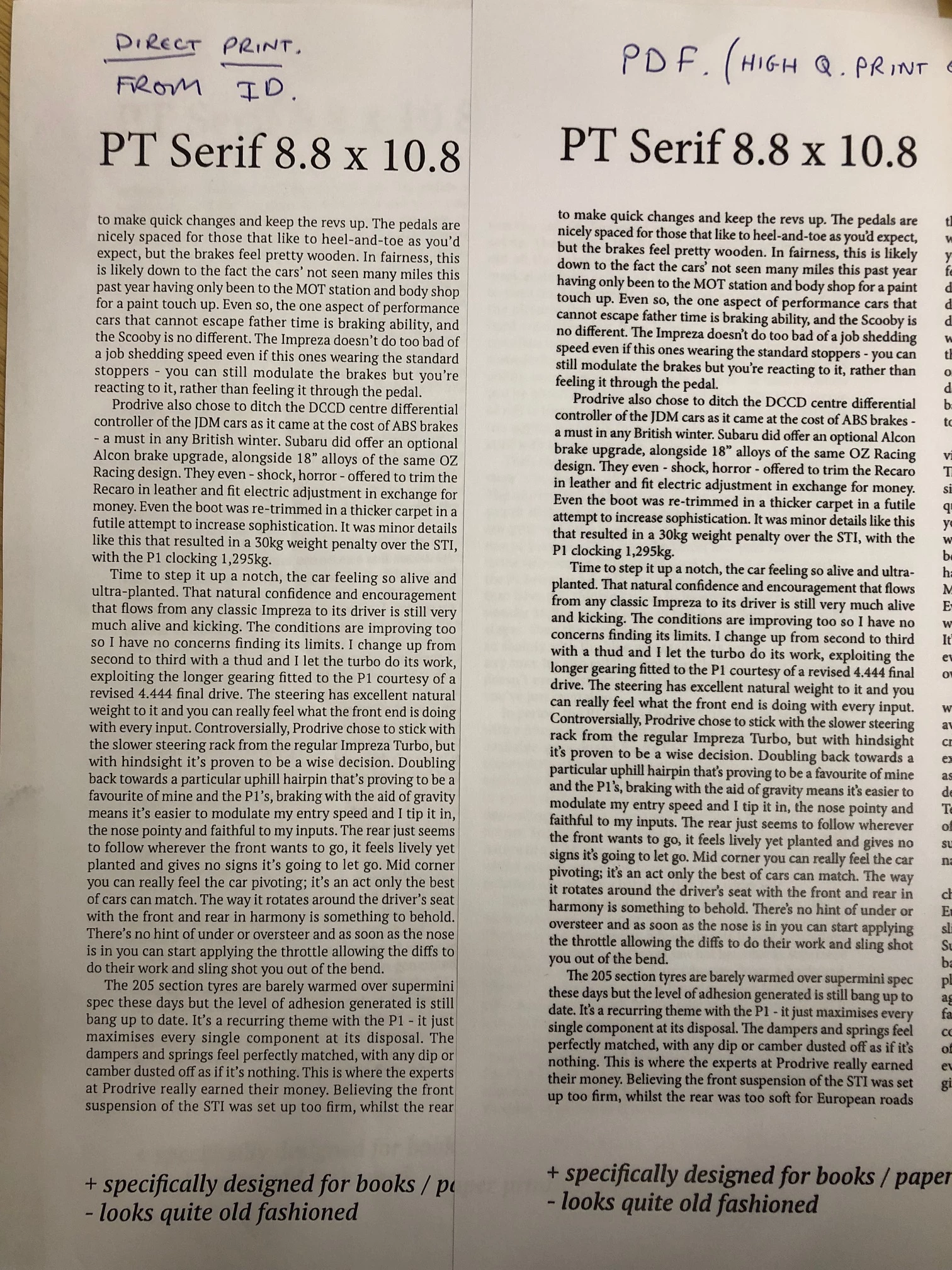
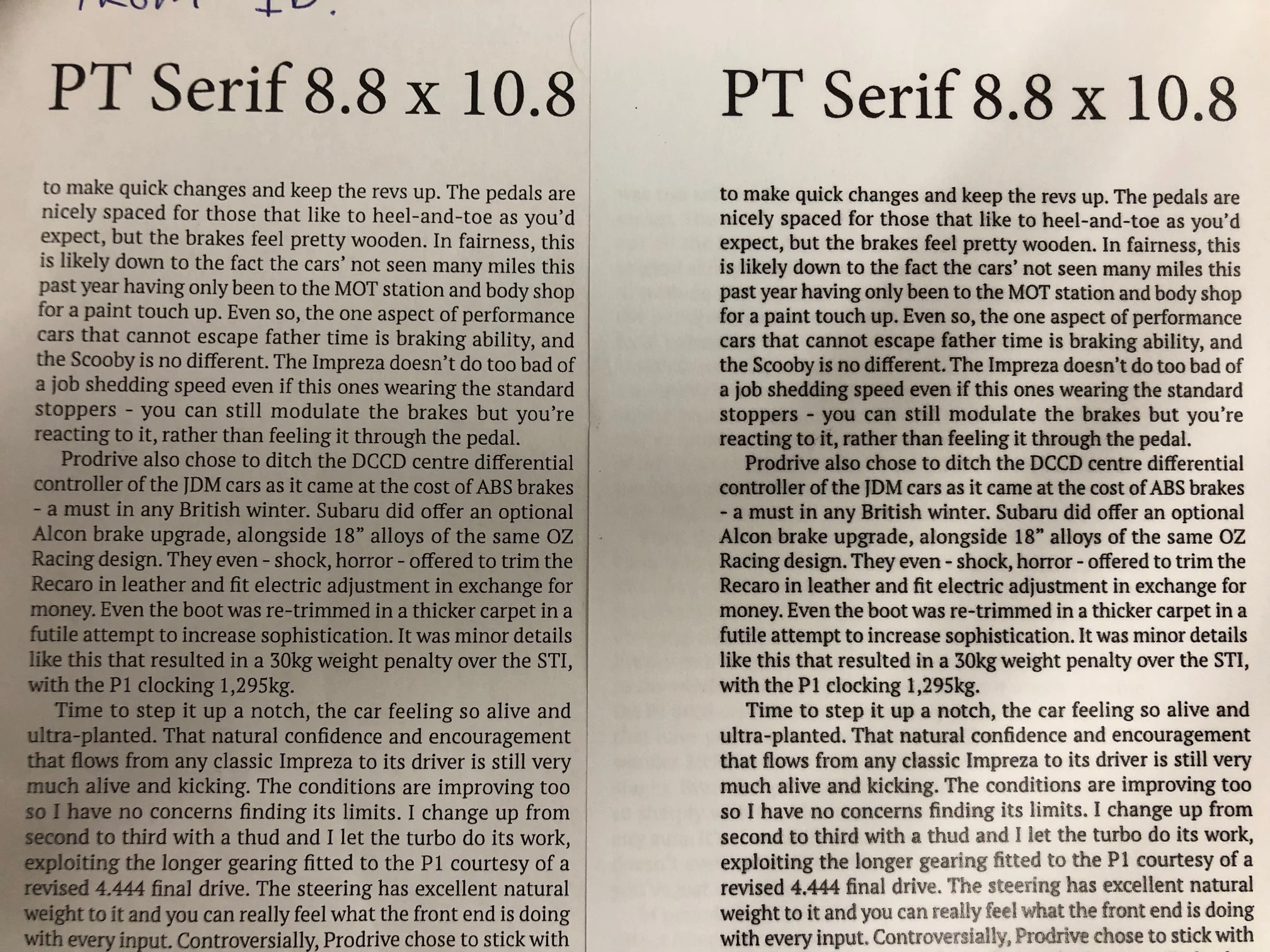


I had a 5 dummy issues of the magazine made up and printed off at a not insignificant cost and they all featured the fatter body copy. 


However...if I right click the exported file and open it with Acorbat DC, then print out of that, the body copy prints off as it should...


I am by no means an expert, and with the magazine pages being uploaded to the printers via an online portal, I need to find a solution to the dilemma to ensure the correct file is sent. Please forgive me if this is a simple fix, I am not a professional/an expert...this is a passion project. I would be happy to share any required files


Many thanks in advance,


Craig

This topic has been closed for replies.
Correct answer mk-will

Hi, Craig ( @Craig273343164k6b ),

the problem is that your MS Edge(?) browser is rendering a (lousy) bitmap for printing.

I just noted problem with a clients PDF who is using MS Office 365 (cloud based).

Any PDF done from Word 365 hasn't real text in the resulting PDF, all text is rendered to bitmap.

Regards

Stephan

1 reply

Community Expert
October 31, 2023
quote

However...if I right click the exported file and open it with Acorbat DC, then print out of that, the body copy prints off as it should...


I don't get it - you open it in Acrobat and print it and it's fine. 


But when you print it from an online portal it's not fine?
There's something wrong with their online portal then.


Send them your photos of the difference. 

Participant
October 31, 2023

Thanks for replying @Eugene Tyson 


Sorry for any confusion but the problem lies with the pdf itself. If I double-click directly onto the pdf, it opens in an internet/cloud window. If I print a page from here, the text fattens and darkens, as is it's been bolded.


However, if i right click > open with Acrobat DC, the page appears identical as above on the screen. Yet if I print off the page, the text renders perfectly. I'm wondering what could be causing the difference and how I can ensure the Acrobat version of the PDF can be uploaded onto the portal?


I guess it should be as simple as "save as" the acrobat PDF as something new and upload that, but I'd love to know if there is a reason for this so i don't have to constantly navigate around it all the time. Please forgive any ignorance, but I am not a computer expert


Thanks


Craig


mk-willCommunity ExpertCorrect answer
Community Expert
October 31, 2023

Hi, Craig ( @Craig273343164k6b ),

the problem is that your MS Edge(?) browser is rendering a (lousy) bitmap for printing.

I just noted problem with a clients PDF who is using MS Office 365 (cloud based).

Any PDF done from Word 365 hasn't real text in the resulting PDF, all text is rendered to bitmap.

Regards

Stephan