

Harribone100
Participating Frequently
February 5, 2024
Answered

Indesign RGB colour

  • February 5, 2024
  • 3 replies
  • 564 views

Hi
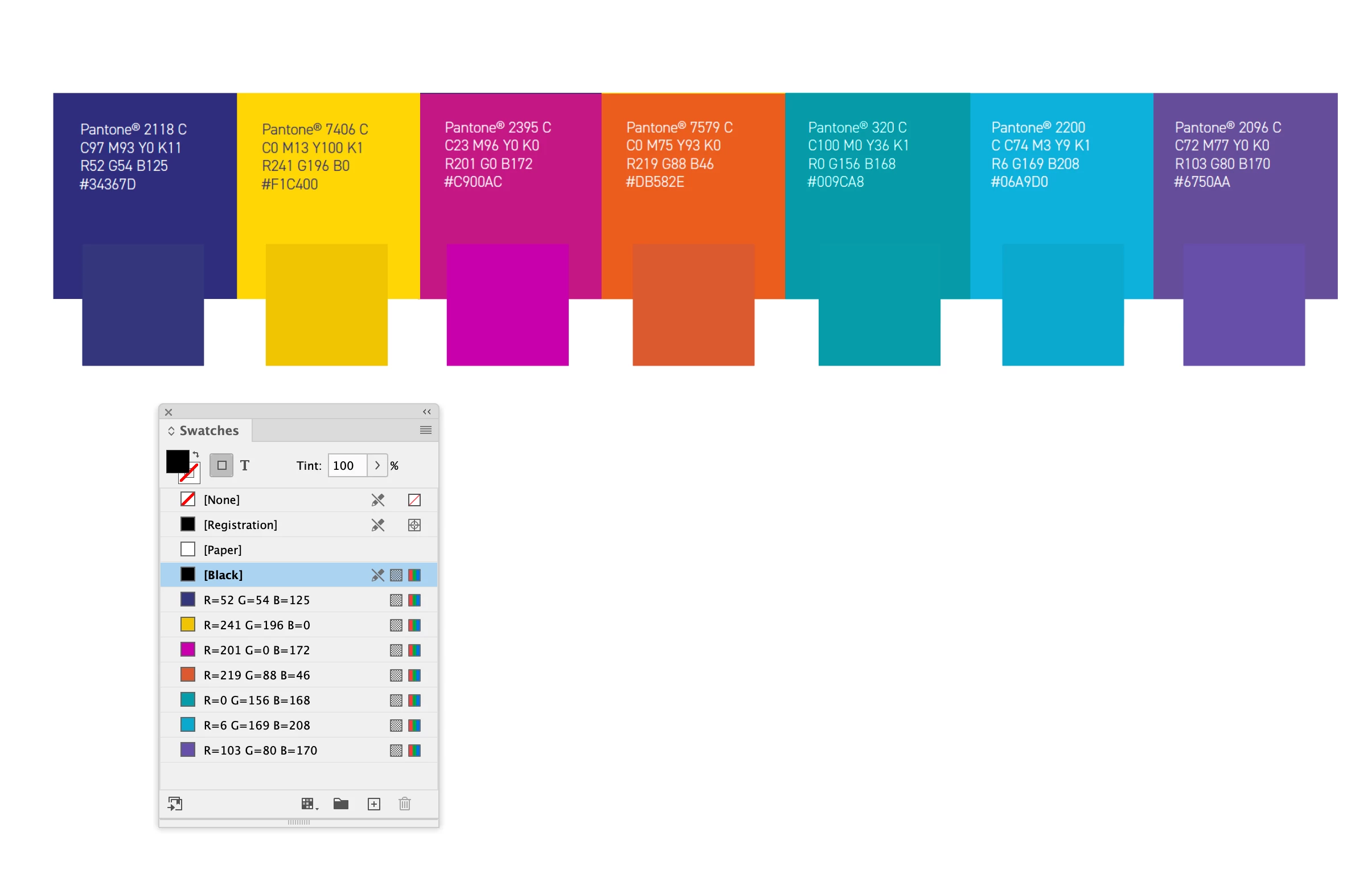
A client has sent us their brand style guide and quite rightly insists we use their brand colours but when I mix up the RGB colour values or sample from their brand style guide my RGB colours are different to theirs, even though my swatch palette says they are the same. You can see this clearly in the screengrab attached (my swatches are the smaller squares). Can anyone please explain why this is and what I am doing wrong? Thank you.


This topic has been closed for replies.
Correct answer rob day

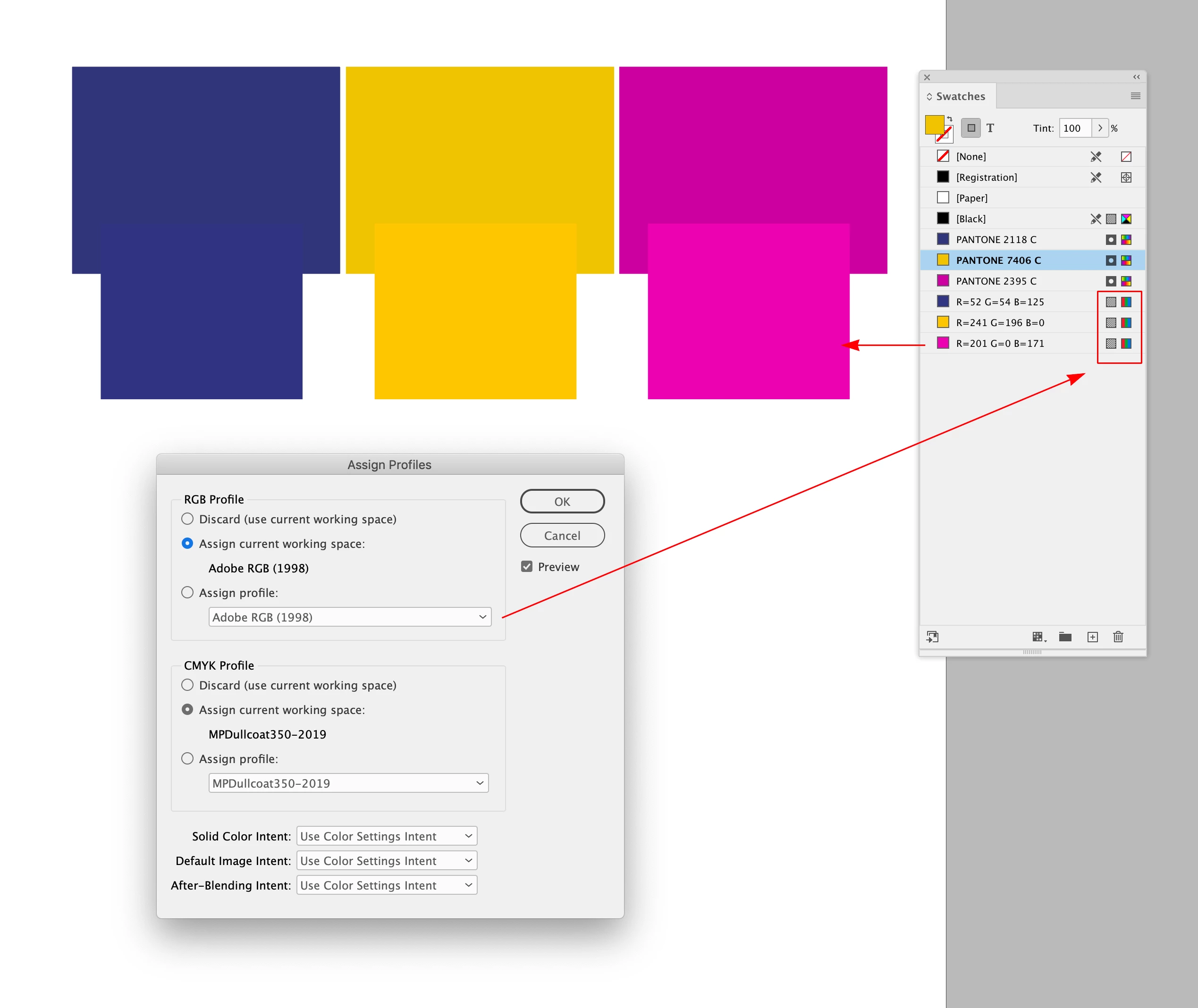
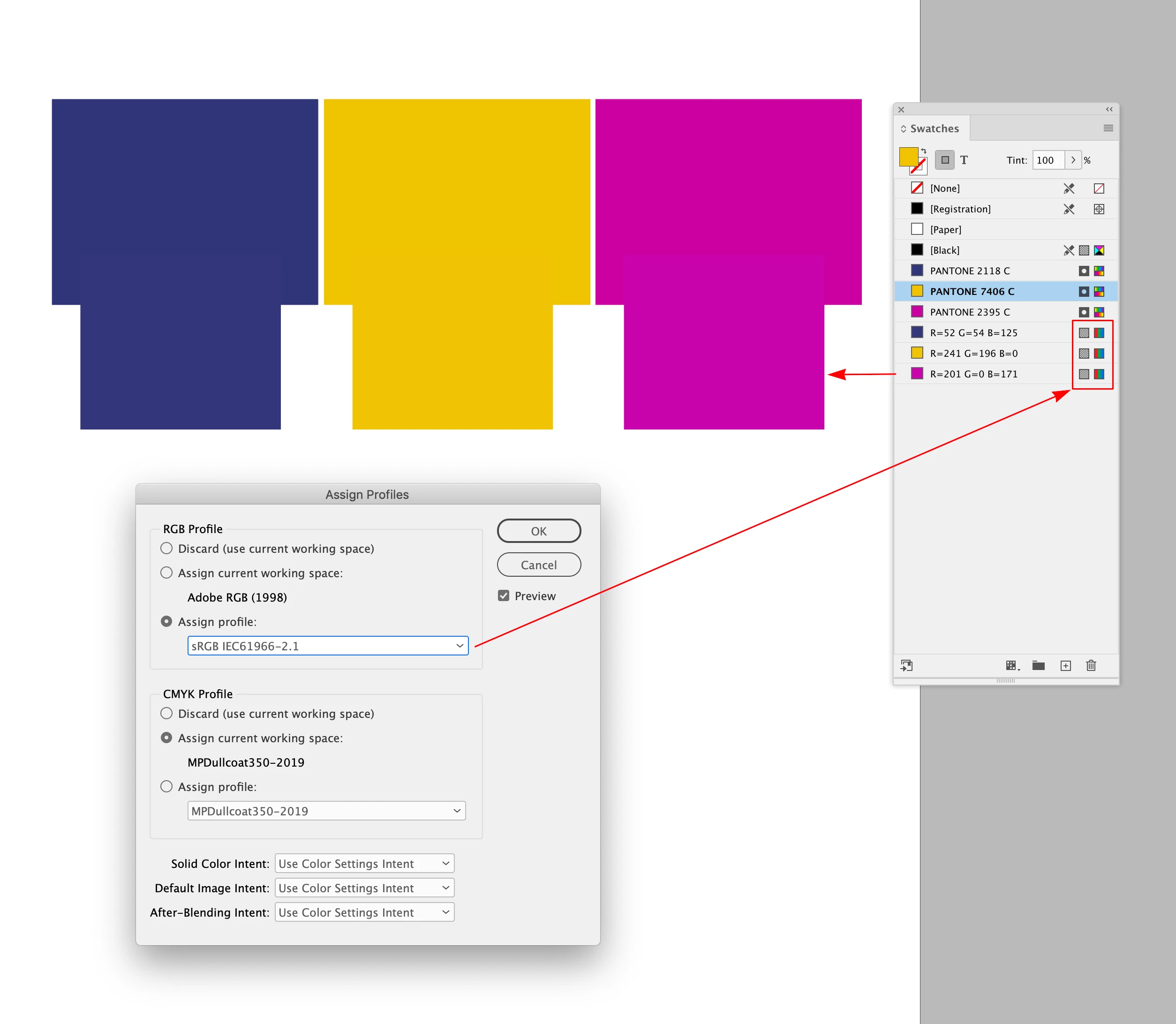
Hi @Harribone100 , "Branding Guides" typically assume the profile for Hex/RGB values would be sRGB, make sure your document’s RGB Profile Assignment is set to sRGB. Pantone Solid Ink swatches are defined as Lab—a Lab color’s appearance is not affected by color profiles:


More on branding values here:

https://community.adobe.com/t5/indesign-discussions/branding-color-guide/td-p/10818696


3 replies

rob day
Community Expert
rob dayCommunity ExpertCorrect answer
Community Expert
February 5, 2024

Hi @Harribone100 , "Branding Guides" typically assume the profile for Hex/RGB values would be sRGB, make sure your document’s RGB Profile Assignment is set to sRGB. Pantone Solid Ink swatches are defined as Lab—a Lab color’s appearance is not affected by color profiles:


More on branding values here:

https://community.adobe.com/t5/indesign-discussions/branding-color-guide/td-p/10818696


Harribone100
Participating Frequently
February 6, 2024

Thank you all. My document's profile was S RGB but the screen grab I took of the client's brand guide colours wasn't set to s RGB. Proof colours and overprint were both off. All good now:

Frans v.d. Geest
Community Expert
Community Expert
February 5, 2024

We can not see if the examples from your client are in fact the PMS swatches, (or even 'screenshots'?) not the RGB. RGB and CMYK values are a approximation of the PMS. Nor do we know what your Colour settings (Colour profiles) are nor if you are having proof colours or Overprint on. Anyway: RGB values are just a approximation of the PMS...

Willi Adelberger
Community Expert
Community Expert
February 5, 2024

Do they have the same color profile?