


- Home
- InDesign
- Discussions
- Indesign screen distortions when scrolling
- Indesign screen distortions when scrolling

Copy link to clipboard
Copied
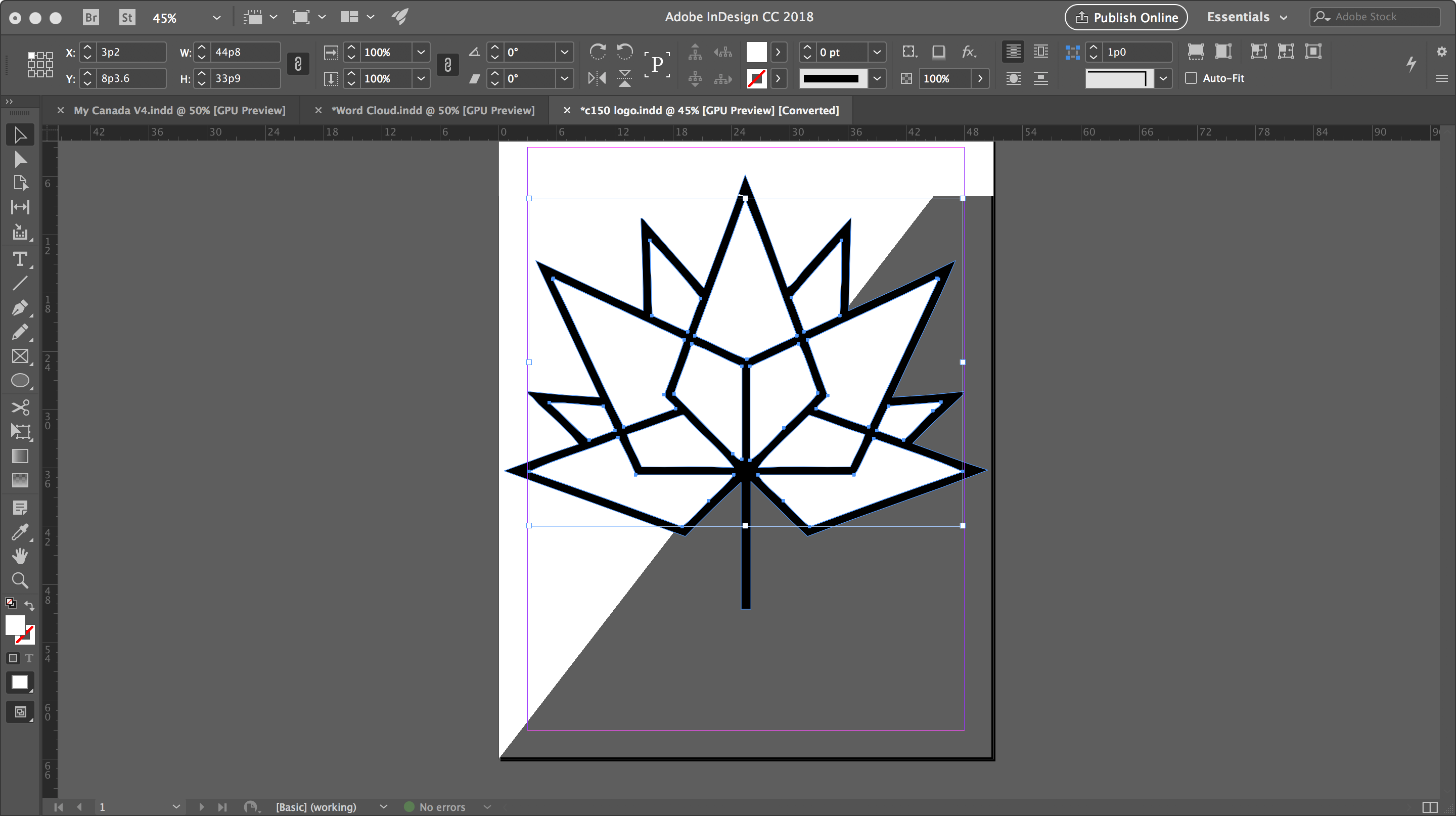
I'm using InDesign CC 2018, and as I work between pages, scroll or zoom-in/out, screen distortions appear on the page. A sample image is attached.
In this example, the grey in the bottom right-half of the document isn't supposed to be there. It appears to be an artefact from the background. Changing pages or scrolling more will typically make the issue move to a different part of the page or disappear.
Any suggestions?


 1 Correct answer


What should help: Turn off GPU Acceleration.
Best,
Uwe

 9
Replies
9
9
Replies
9

Copy link to clipboard
Copied
What should help: Turn off GPU Acceleration.
Best,
Uwe
Copy link to clipboard
Copied
Thanks! That seemed to fix the problem.

Copy link to clipboard
Copied
Hi,
I seem to be having a similar problem, however I am using a Windows machine. All specs seem to be fine on the laptop including the graphics card. I'm using Indesign version 17.4 x64. When I scroll my Indesign distorts as per the image attached, the only way to rectify it is to change to preview mode or scroll off the page and bring it back down again. The longer I specd on a design the more often it happens. I don't have the option to disable the GPU. Does anyone know what the problem could be and how to resolve it?

Copy link to clipboard
Copied
That's screen tearing. Your hardware may be too weak to run at the resolutuion you are running. Hard to say without knowing your environment. Make sure drivers are updated, and that your CPU and GPU are not running hot- which would bottleneck performance by automatically throttling to prevent overheating.
Copy link to clipboard
Copied
Thank you, it helps to know what it is, now just to try and identify why it is happening.

Copy link to clipboard
Copied
I am also having this issue with InDesign. I can toggle off GPU Performance and Animated Zoom and it gets marginally better, but it still happens. When I scroll or move items, they distort. I have had this issue since moving to new BenQ monitors. There are a LOT of settings within these monitors, so maybe that is the issue? My machine is brand new - I'll attach the spec sheet.


Copy link to clipboard
Copied
Hello @Krista26520851qyto,
I'm sorry to hear about your experience. Could you try to increase the refresh rate to a higher value to see if it helps? Also, try performing a clean reinstallation of the GPU(s) drivers (Intel / NVIDIA / AMD) and setting the Graphics Preference to High-Performance for Illustrator (https://adobe.ly/46XLstP) and share your observations.
Looking forward to hearing from you.
Anubhav
Copy link to clipboard
Copied
I can't adjust my screen refresh any higher without having to downgrade my
resolution. I literally just got this PC two days ago, so I don't think the
drivers are the problem, especially because I was having this issue on my
older PC as well. And since I'm having issues with InDesign, I don't see
why a completely separate app would be causing issues with my display in
InDesign. I'm not on a laptop, and you could see from my original post that
my graphics card is NVIDIA and not AMD.
Krista Rider
Media & Branding Manager
Sports, Inc.
[personal info removed by moderator]
Copy link to clipboard
Copied
Hello @Krista26520851qyto,
Thanks for confirming. Could you confirm if the problem started happening after getting these new BenQ monitors or if you had this problem with previous versions of InDesign as well? If this is new, could you try disconnecting one of the monitors to check if the problem persists? Also, kindly share the system report (https://adobe.ly/3TYsbRp) and a small screen recording of the problem, so I can check this with the team.
Looking forward to hearing from you.
Anubhav


Get ready! An upgraded Adobe Community experience is coming in January.
Learn more
 AdChoices


