
InDesign Script - Dynamically Resize Text Frame Width Based on Template Variable
Hi All,
Turning to you after spending a good deal of time with Claude and ChatGPT.
I have an InDesign script that processes txt data to create labels using different templates. For my "stone_acres" case, I need to dynamically resize the ingredients text frame width based on which background template is used:
- When currData["template"] == "STNAC_OG": ingredients text frame should be 2.6268 inches wide (189 points)
- When currData["template"] == "STNAC_CV": ingredients text frame should be 3.5403 inches wide (254 points)
The text frame contains ingredient information and needs to wrap around logos placed from a "Logos" layer. The script processes the template AFTER text replacement has occurred, so the original placeholder <ingredient_concat> has been replaced with actual ingredient text starting with "Ingredients:".
Issues: They are not sizing correctly- text widths appear too large and run off the page.
Current Code:
Text replacement happens early in the script:
javascript
for (var prop in currData) {
if (currData[prop] == undefined) currData[prop] = "";
app.findTextPreferences.findWhat = "<" + prop + ">";
app.changeTextPreferences.changeTo = currData[prop];
docRef.changeText();
}
Current stone_acres case (problematic):
javascript
case "stone_acres":
var backLayer = docRef.layers.itemByName("Background");
makeVisible("@" + currData["template"], backLayer.pageItems);
var logoLayer = docRef.layers.itemByName("Logos");
var logoData = getLogoData(currData).split(logoSeparator);
var allPics = [];
for (var logoIndex = 0; logoIndex < logoData.length; logoIndex++) {
var currLogoName = logoData[logoIndex];
var currLogo = logoLayer.pageItems.itemByName("@" + currLogoName);
if (currLogo.isValid) {
currLogo.visible = true;
allPics.push(currLogo);
// Enable text wrap around this logo
currLogo.textWrapPreferences.textWrapMode = TextWrapModes.BOUNDING_BOX_TEXT_WRAP;
currLogo.textWrapPreferences.textWrapOffset = [3, 3, 3, 3]; // 3pt offset on all sides
}
}
// Find and resize the ingredient field
var ingredientField = null;
for (var i = 0; i < docRef.textFrames.length; i++) {
var frame = docRef.textFrames[i];
try {
if (frame.contents.indexOf("Ingredients:") == 0) {
ingredientField = frame;
break;
}
} catch (e) {}
}
if (ingredientField) {
var currentBounds = ingredientField.geometricBounds;
if (currData["template"] == "STNAC_OG") {
ingredientField.geometricBounds = [
currentBounds[0], // top
currentBounds[1], // left
currentBounds[2], // bottom
currentBounds[1] + 189 // right = left + 189 points (2.6268 inches)
];
}
if (currData["template"] == "STNAC_CV") {
ingredientField.geometricBounds = [
currentBounds[0], // top
currentBounds[1], // left
currentBounds[2], // bottom
currentBounds[1] + 254 // right = left + 254 points (3.5403 inches)
];
}
}
if (allPics.length) {
allPics.sort(function(a, b) {
var aHeight = a.geometricBounds[2] - a.geometricBounds[0];
var bHeight = b.geometricBounds[2] - b.geometricBounds[0];
if (aHeight > bHeight) return -1;
return 1;
});
var rightX = allPics[0].geometricBounds[3];
for (var logoIndex = 1; logoIndex < allPics.length; logoIndex++) {
rightX = Math.max(rightX, allPics[logoIndex].geometricBounds[3])
}
for (var p = 0; p < allPics.length; p++) {
allPics[p].move(undefined, [rightX - allPics[p].geometricBounds[3], 0]);
rightX = allPics[p].geometricBounds[1] - 3;
}
}
// Remove invisible logos AFTER setting text wrap and resizing text box
for (var logoIndex = logoLayer.pageItems.length - 1; logoIndex >= 0; logoIndex--) {
if (!logoLayer.pageItems[logoIndex].visible)
logoLayer.pageItems[logoIndex].remove();
}
break;
Questions:
- Is there a better way to resize text frames dynamically based on data variables?
- Are there issues with my geometric bounds calculations?
InDesign Version: 19.5.5
Template Setup: Text frames have no assigned names (this is a concatenated field), content is replaced via find/change, logos positioned on a separate layer with text wrap enabled.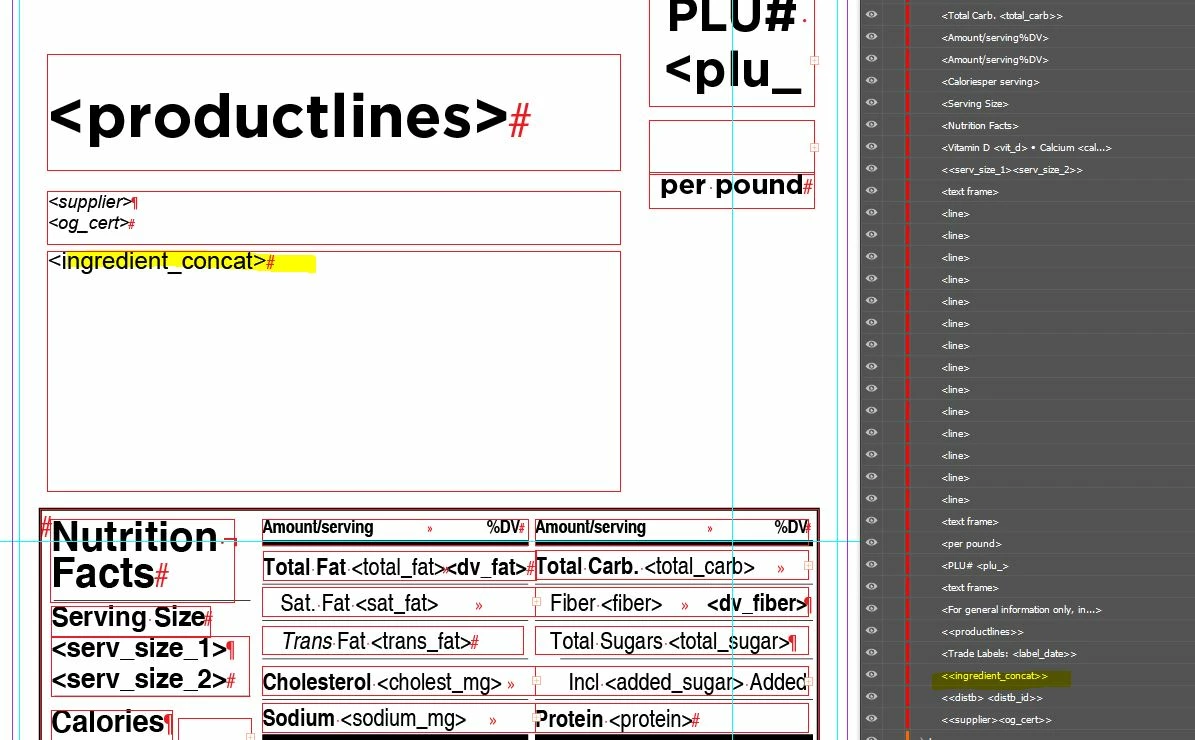
 AdChoices