
Question
indesign scripts not working
Hi guys,
I am very new, and am trying to get ANY script to run inside of inDesign.
My first script looks like this:
//@target indesign
//@targetengine "session"

(function() {
if (typeof app === "undefined") { return; }

try {
var doc = app.documents.add();

with(doc.documentPreferences) {
pageSize = "a4";
facingPages = false;
}

var textFrame = doc.pages[0].textFrames.add();
textFrame.geometricBounds = [50, 50, 500, 500];
textFrame.contents = "my content";

var file = new File("~/Desktop/Generated_Document_1738124549947.indd");
doc.save(file);
} catch(error) {
if (typeof alert !== "undefined") {
alert("Error: " + error);
}
}
})();
when i try to run this litterally nothing happens at all.
Then i tried a "hello world" and get the following:
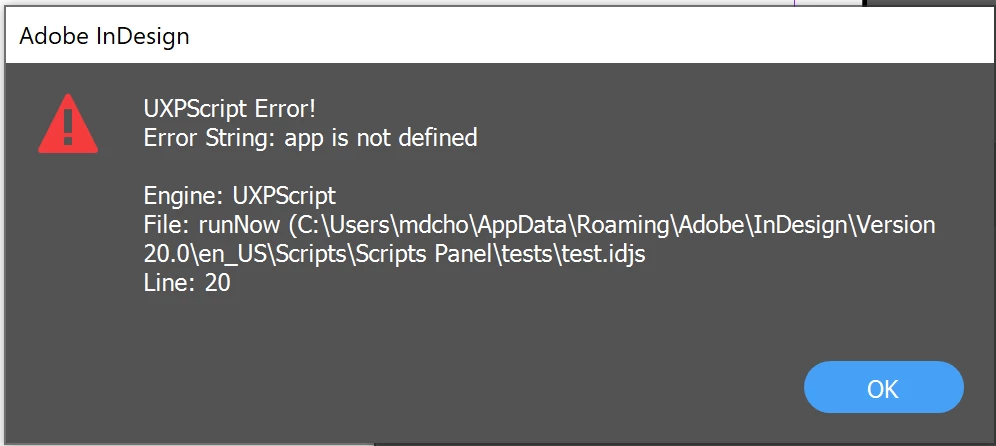
that code was this:
//@target indesign

(function runNow() {
    try {
        if (typeof app === "undefined") {
            throw new Error("InDesign is not available.");
        }

        var doc = app.documents.add();
        var textFrame = doc.pages[0].textFrames.add();
        textFrame.geometricBounds = [50, 50, 250, 500];
        textFrame.contents = "Hello World from InDesign!";

        var filePath = new File(Folder.desktop + "/HelloWorld.indd");
        doc.save(filePath);

        app.alert("Document created and saved at: " + filePath.fullName);

    } catch (error) {
        app.alert("Error: " + error.message);
    }
})();
I am running inDesign cloud v20 on a windows pc.
 AdChoices