
Participant
October 30, 2020
Answered

InDesign: Share for review - Different feedback tools for different users??

  • October 30, 2020
  • 2 replies
  • 628 views

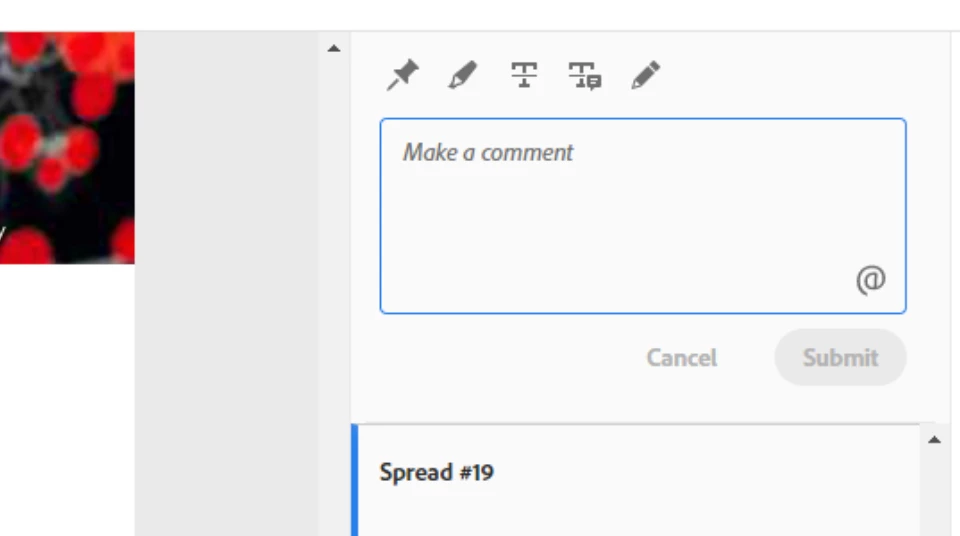
I'm not sure if this is just me, or if I have accidentally turned off some feature? But yesterday I had the ability to strikethrough text, replace text, and the usual pin/draw when reviewing a documet (this was amazing for implementng changes/edits in inDesign.) Loved it!

Tools available to me yesterday:

Tools available to me today... (why did it get worse?!)
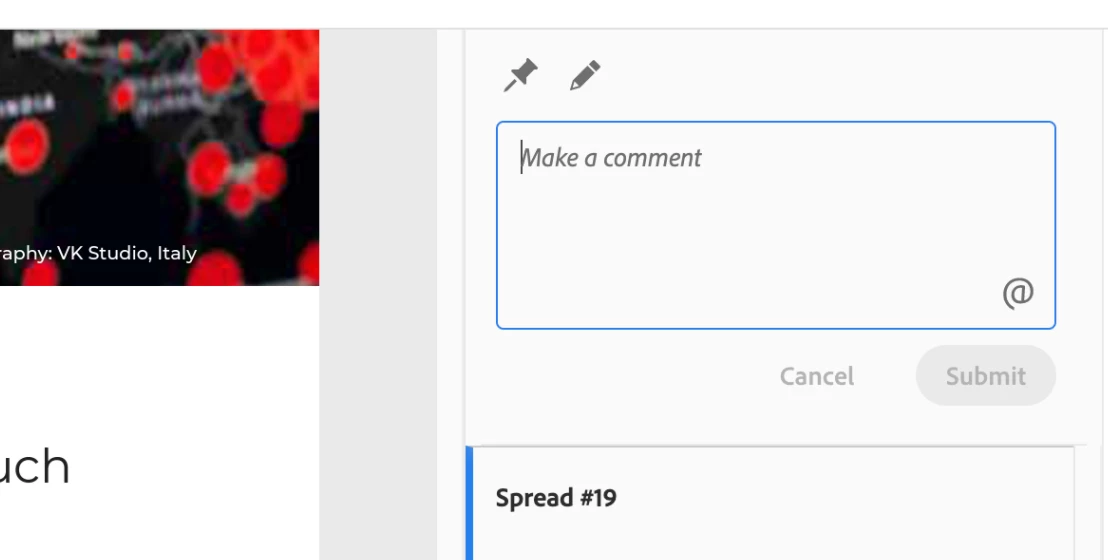


Why did it seem to go back, or have I done something incredibly supid and turned them off? I got a whole team to leave feedback using the strike through comments and record all the text edits in this manner but now the functionality isn't there? Awkwardly enough, a colleague of mine still has this functionality but they don't translate to my view in inDesign anymore? S all her work has to be redone in a regular PDF viewer.

What features do you have available to you? Maybe it's being A/B tested to differnt users? Was this an unintentional preview of whats "there" but is currently hidden until some bugs are ironed out?

This topic has been closed for replies.
Correct answer RaviKiran

Kevin,

Which browser are you using?

Can you try to reset the browser setting once, clearing cookies, caches, etc.?

--

If you had created Share for Review using InDesign 2020 (v 15.1/v15.1.1/v15.1.2), then you will see only 2 Tools in the browser - Pin and Draw.

The new Text Tools in Share for Review - Highlight, Strikethrough, and Replace are available only if :
1) You initiate Share for Review from InDesign 2021.
2) You open a document that was created in an earlier version and initiate Share for Review from InDesign 2021.
3) For Share for Review created from InDesign 2020 (v 15.1/v15.1.1/v15.1.2), you click on the Update Link button in the Share for Review panel in InDesign 2021. (You may have to hit the Refresh button in the browser if the Review was already open there).

--

2 replies

Community Expert
October 30, 2020

Hi Kevin,

amazing. And you still use InDesign 2021 version 16.0.0.77 ?

And not the version before?


Regards,
Uwe Laubender

( ACP )

Participant
October 31, 2020

Hi Uwe,


Yes, I can confirm I'm using inDesign 2021(Mac), "About inDesign" says it's v16.0 and the Creative Cloud app states that it is 'up to date'. I had never used the share for review feature in ID'20, but with the additional features in ID'21 it was a no brainer! Really did improve my workflow, hence the surprise when (from my perspective) it went back a step.

Hope that helps with figuring out what the issue is.

All the best!
Kev

RaviKiran
Adobe Employee
RaviKiranCorrect answer
Adobe Employee
October 31, 2020

Kevin,

Which browser are you using?

Can you try to reset the browser setting once, clearing cookies, caches, etc.?

--

If you had created Share for Review using InDesign 2020 (v 15.1/v15.1.1/v15.1.2), then you will see only 2 Tools in the browser - Pin and Draw.

The new Text Tools in Share for Review - Highlight, Strikethrough, and Replace are available only if :
1) You initiate Share for Review from InDesign 2021.
2) You open a document that was created in an earlier version and initiate Share for Review from InDesign 2021.
3) For Share for Review created from InDesign 2020 (v 15.1/v15.1.1/v15.1.2), you click on the Update Link button in the Share for Review panel in InDesign 2021. (You may have to hit the Refresh button in the browser if the Review was already open there).

--

Derek Cross
Community Expert
Community Expert
October 30, 2020

Try: Windows > Control.

Participant
October 30, 2020

Hi Derek,


Thanks you for replying. Hmmm I don't think toggeling the control bar affects the Share for Review feature, or at least I'm not sure what to look out for? For me that just collapses and expands the top tool bar. Will that 'reset' soemthing?

Kev