Exit
  • Global community
    • Language:
      • Deutsch
      • English
      • Español
      • Français
      • Português
  • 日本語コミュニティ
  • 한국 커뮤니티
0

InDesign skewing work layout.

Community Beginner ,
Jan 18, 2023 Jan 18, 2023

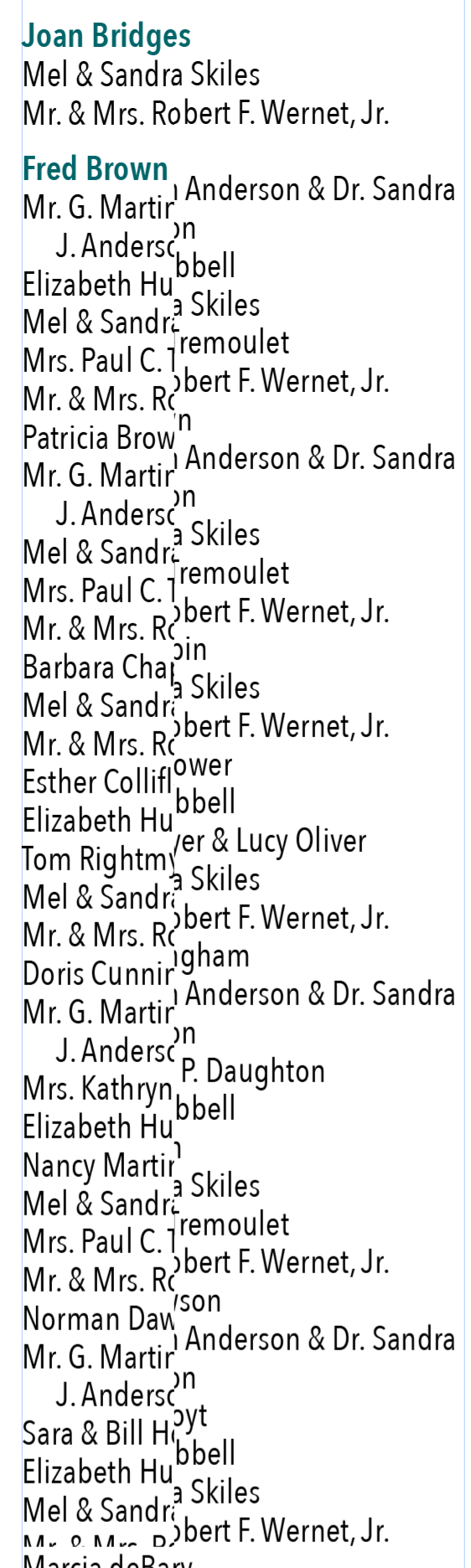
Has anyone had issues with indd skewing their work? Please see sample screenshot. Thanks!

TOPICS
Performance , Type
1.1K
Translate
Report
Community guidelines
Be kind and respectful, give credit to the original source of content, and search for duplicates before posting. Learn more
community guidelines
Community Expert ,
Jan 18, 2023 Jan 18, 2023

Hi @twin2aileen ,

when on macOS try to disable GPU preview for InDesign.

You could do that in InDesign's Preferences. When done restart InDesign.


Regards,
Uwe Laubender
( Adobe Community Expert )

Translate
Report
Community guidelines
Be kind and respectful, give credit to the original source of content, and search for duplicates before posting. Learn more
community guidelines
Community Beginner ,
Jan 18, 2023 Jan 18, 2023

My preferences under GPU Performance on has: FGPU Performance > Animated Zoom

Translate
Report
Community guidelines
Be kind and respectful, give credit to the original source of content, and search for duplicates before posting. Learn more
community guidelines
Community Expert ,
Jan 18, 2023 Jan 18, 2023

Try unchecking the GPU Performance altogether:
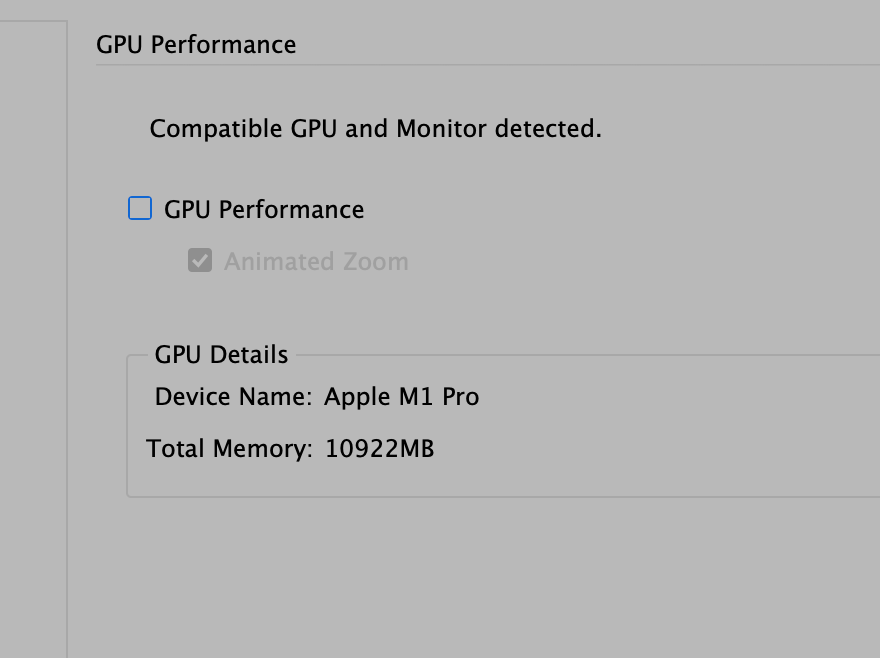
 

Screenshot 2023-01-18 at 6.47.58 AM.png

Translate
Report
Community guidelines
Be kind and respectful, give credit to the original source of content, and search for duplicates before posting. Learn more
community guidelines
Community Beginner ,
Jan 18, 2023 Jan 18, 2023

Thanks, I'll try that.

Translate
Report
Community guidelines
Be kind and respectful, give credit to the original source of content, and search for duplicates before posting. Learn more
community guidelines
Community Beginner ,
Jan 21, 2023 Jan 21, 2023

That did not fix my issue, if anything it is doing it more. Every change I make has this affect on my layout. Also, changing any size, color, etc won't take affect until I touch my text box again.

Translate
Report
Community guidelines
Be kind and respectful, give credit to the original source of content, and search for duplicates before posting. Learn more
community guidelines
Community Expert ,
Jan 23, 2023 Jan 23, 2023

Hi @twin2aileen ,

did you restart InDesign or your machine after unchecking option GPU Performance?

I'd try that…


Regards,
Uwe Laubender
( Adobe Community Expert )

Translate
Report
Community guidelines
Be kind and respectful, give credit to the original source of content, and search for duplicates before posting. Learn more
community guidelines
Community Beginner ,
Jan 23, 2023 Jan 23, 2023

Yes, I shut down indd and restarted my computer. That didn't help. Any other ideas? 🙂

Translate
Report
Community guidelines
Be kind and respectful, give credit to the original source of content, and search for duplicates before posting. Learn more
community guidelines
Community Beginner ,
Jan 27, 2023 Jan 27, 2023
LATEST

I am still haveing issues in indd with skewing artwork. Here is another screen shot. Any update on a fix?

Translate
Report
Community guidelines
Be kind and respectful, give credit to the original source of content, and search for duplicates before posting. Learn more
community guidelines