
Participant
December 6, 2024
Answered

InDesign Stretching Illustrator Vector Image on Epub Export

  • December 6, 2024
  • 1 reply
  • 675 views

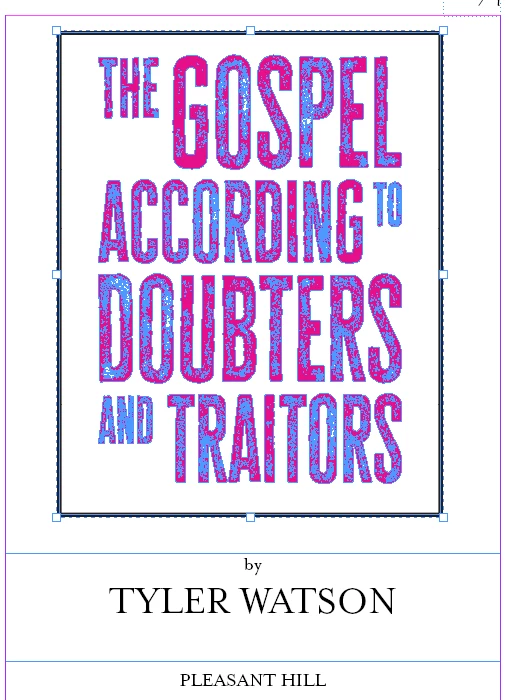
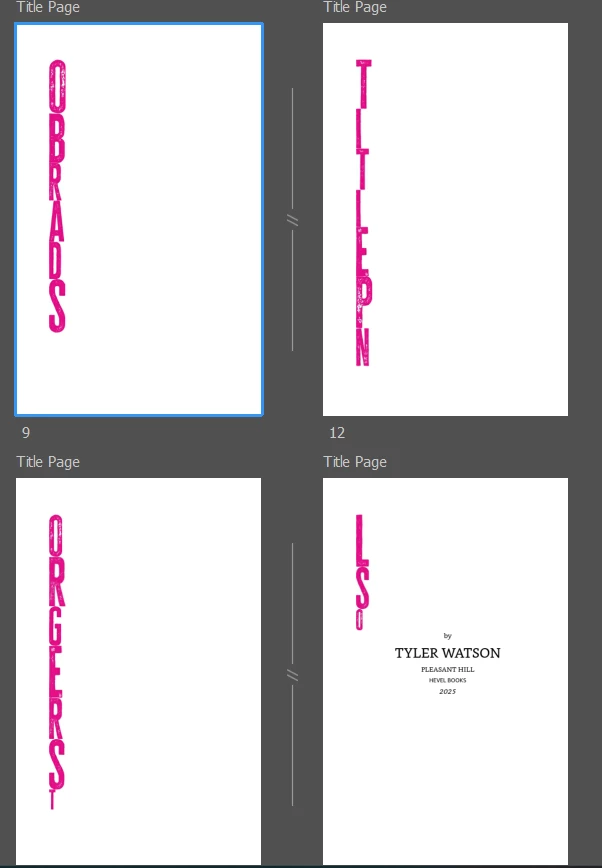
I want to create an epub in InDesign of my book. On my title page (not my cover), I have a vector image of the title I brought over from Illustrator. When I publish the epub, the image is essentially reoriented vertically across several pages. (I use Amazon's Kindle Previewer to check my epub.)


Here is how it's supposed to look:
Here is how the image is distorted upon export:


This topic has been closed for replies.
Correct answer James Gifford—NitroPress

Don't use PNG, for EPUBs use SVG, for Print AI files.


SVG has no real advantage for this purpose; PNG or even JPEG is not much larger in most cases and the resolution of most EPUB readers is fairly limited. SVGs also bring a host of compatibility problems that are (IMHO) best avoided. Placing an AI file is good; letting the export process render it to 150 or 300ppi loses very little in most cases.


The exception might be things like flowcharts and diagrams where maximum resolution of lines, arrows etc. is an asset.

1 reply

Scott Falkner
Community Expert
Community Expert
December 6, 2024

How was the image brought into InDesign? It should be saved as an Illustrator file then placed.

Participant
December 6, 2024

When you say it should be saved as an Illustrator file, do you mean PNG? Thanks for the quick response.

Participant
December 6, 2024

I placed as a PNG, and it keeps the right orientation, but the image is now blurry, both in InDesign and Kindle Previewer.