DrycreekDesign
Participating Frequently
September 8, 2020
Answered

Indesign Text Box Space Before doesn't seem to work

  • September 8, 2020
  • 2 replies
  • 495 views

I am working with text in a text box and wanted to increase the margin above the first line (space before).  I am increasing it, but nothing happens in the text box.  

This topic has been closed for replies.
Correct answer Barb Binder

There are a few ways to move the text off of the top of the frame. You provided a closely cropped image so I can't see the big picture. The one I would pick depends on the context. 
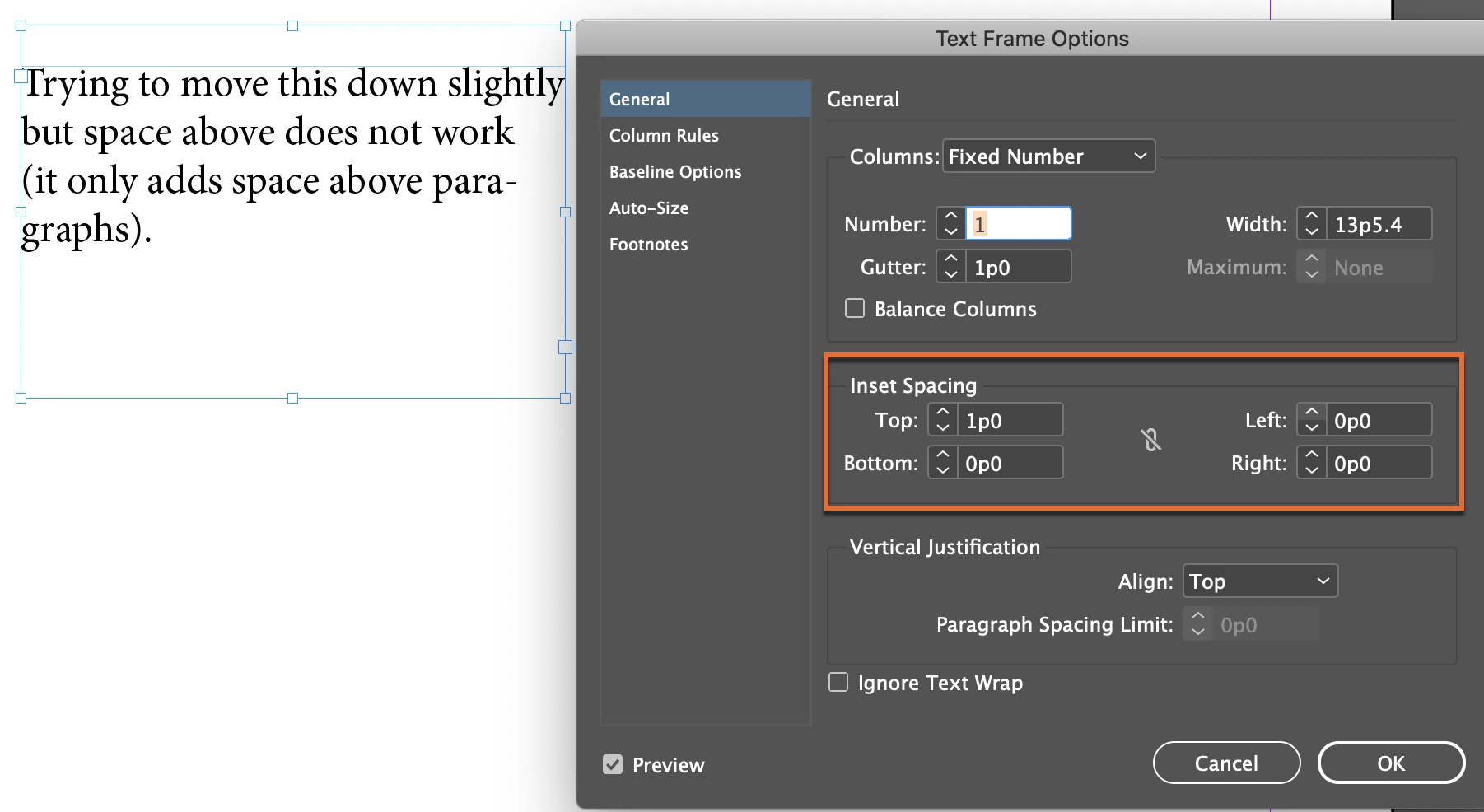
 

  1. Add Inset Spacing to the top of the frame (this is JMLevy's answer, just with an English language screen shot):
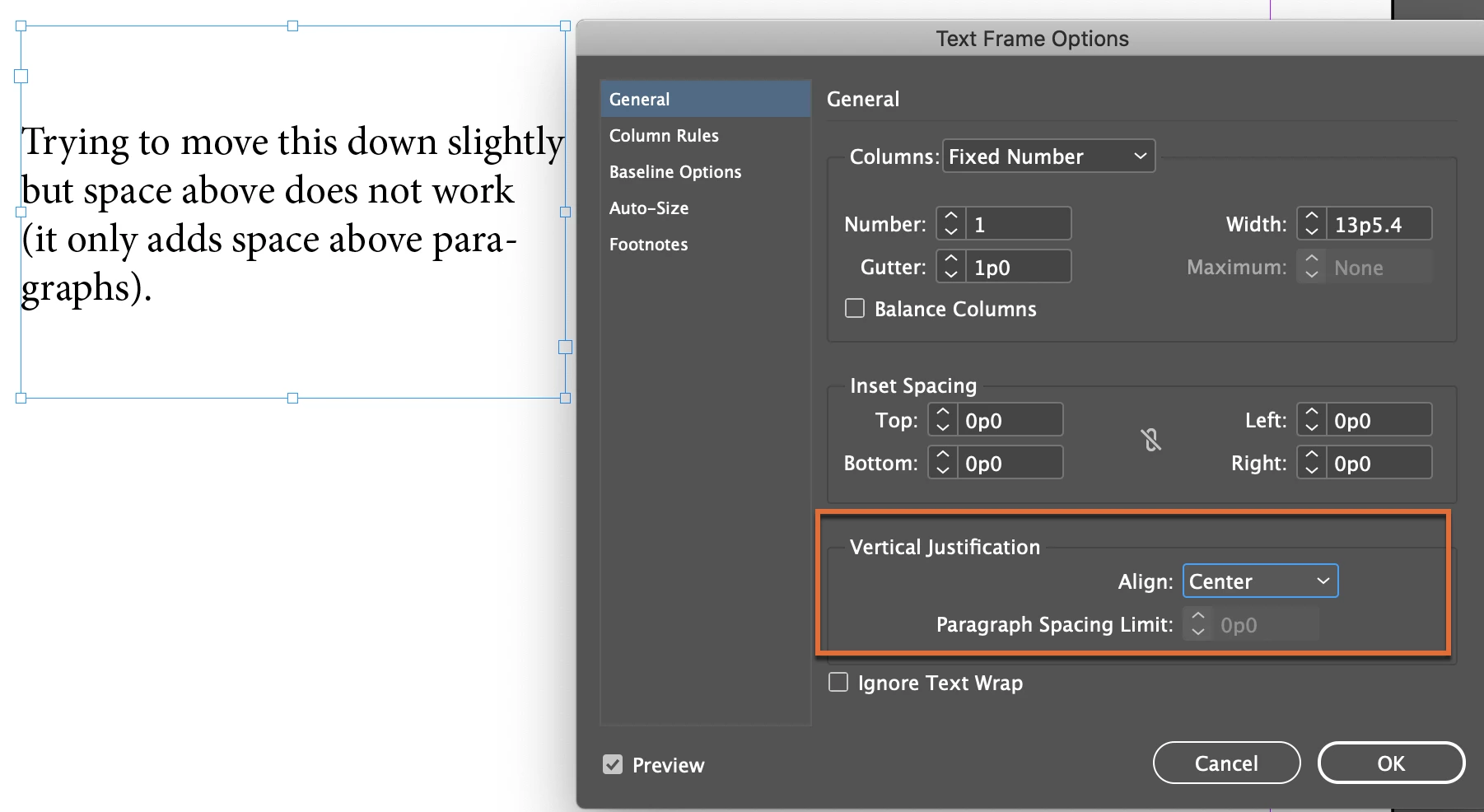
  2. Set the vertical alignment to center:
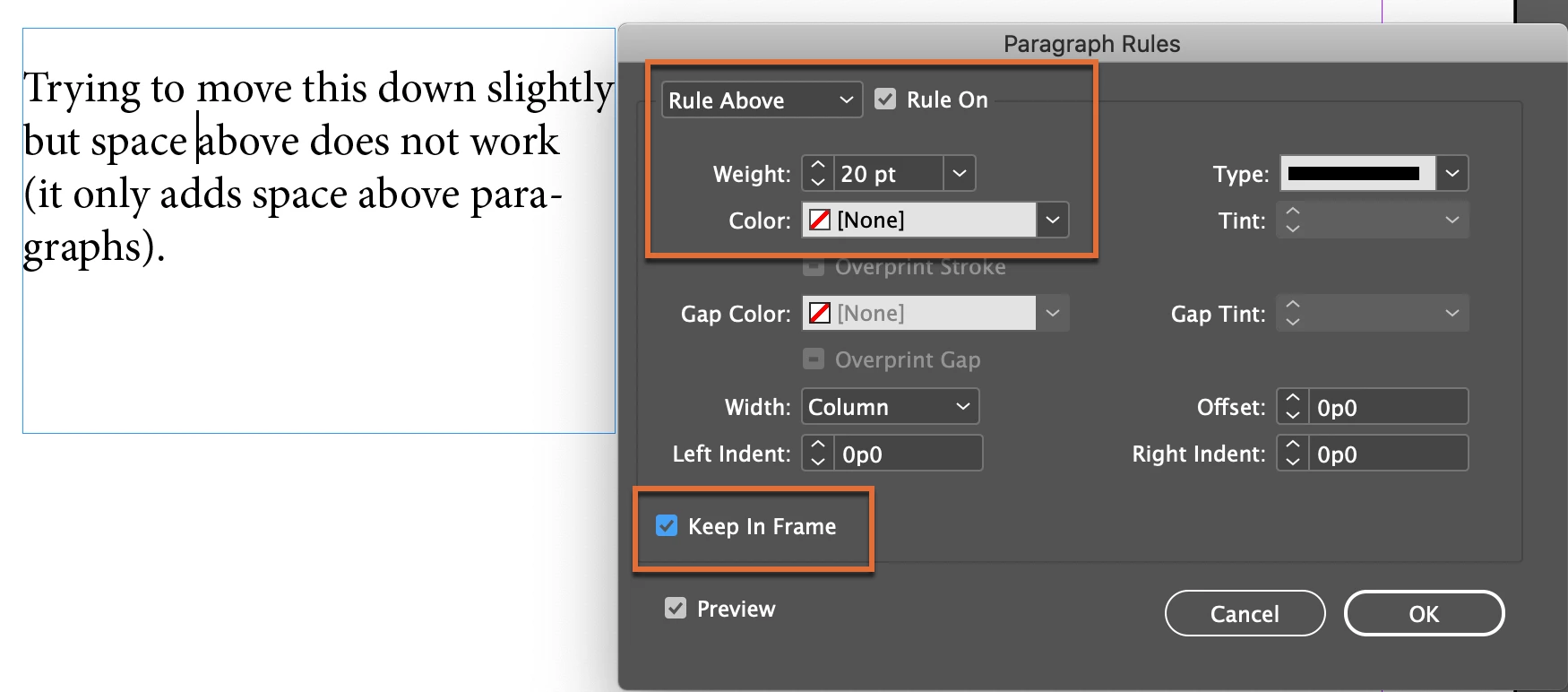
  3. Add a paragraph rule above with the color set to none:


~Barb


2 replies

Barb Binder
Community Expert
Barb BinderCommunity ExpertCorrect answer
Community Expert
September 8, 2020

There are a few ways to move the text off of the top of the frame. You provided a closely cropped image so I can't see the big picture. The one I would pick depends on the context. 
 

  1. Add Inset Spacing to the top of the frame (this is JMLevy's answer, just with an English language screen shot):
  2. Set the vertical alignment to center:
  3. Add a paragraph rule above with the color set to none:


~Barb


~Barb at Rocky Mountain Training
jmlevy
Community Expert
Community Expert
September 8, 2020

If you try to use “space before” in the paragraph attributes, it won't work: there is nothing before…  You must use an inset (not sure of theEnglish term, I have a French version) in the text frame options