Participant
August 10, 2020
Answered

Indesign to pdf colour setting error

  • August 10, 2020
  • 1 reply
  • 20175 views

When exporting my Indesign document to pdf I get the following error: 

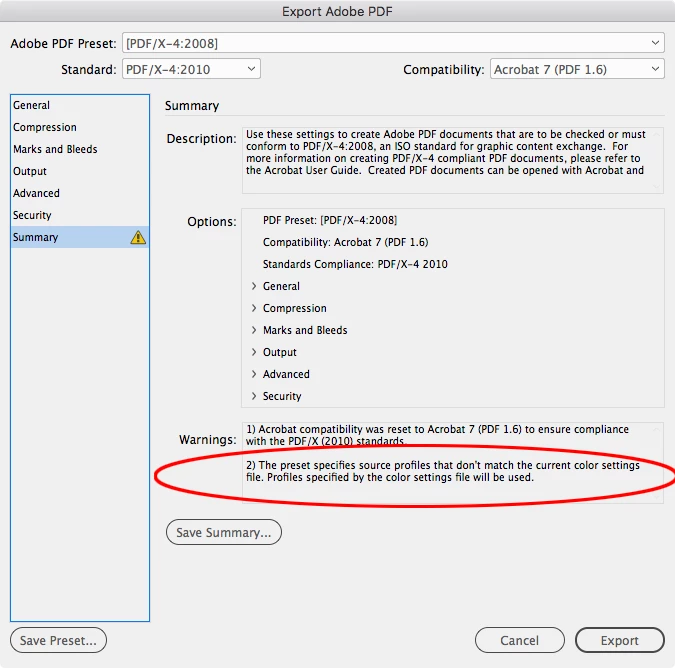
"The preset specifies source profiles that don't match the current colour settings file. Profiles specified by the colour settings file will be used" 


When looking at the exported pdf there is a clear difference between the greys. The first two images is how they look in Indesign (and how I want them), the second two what they show as pdf: 
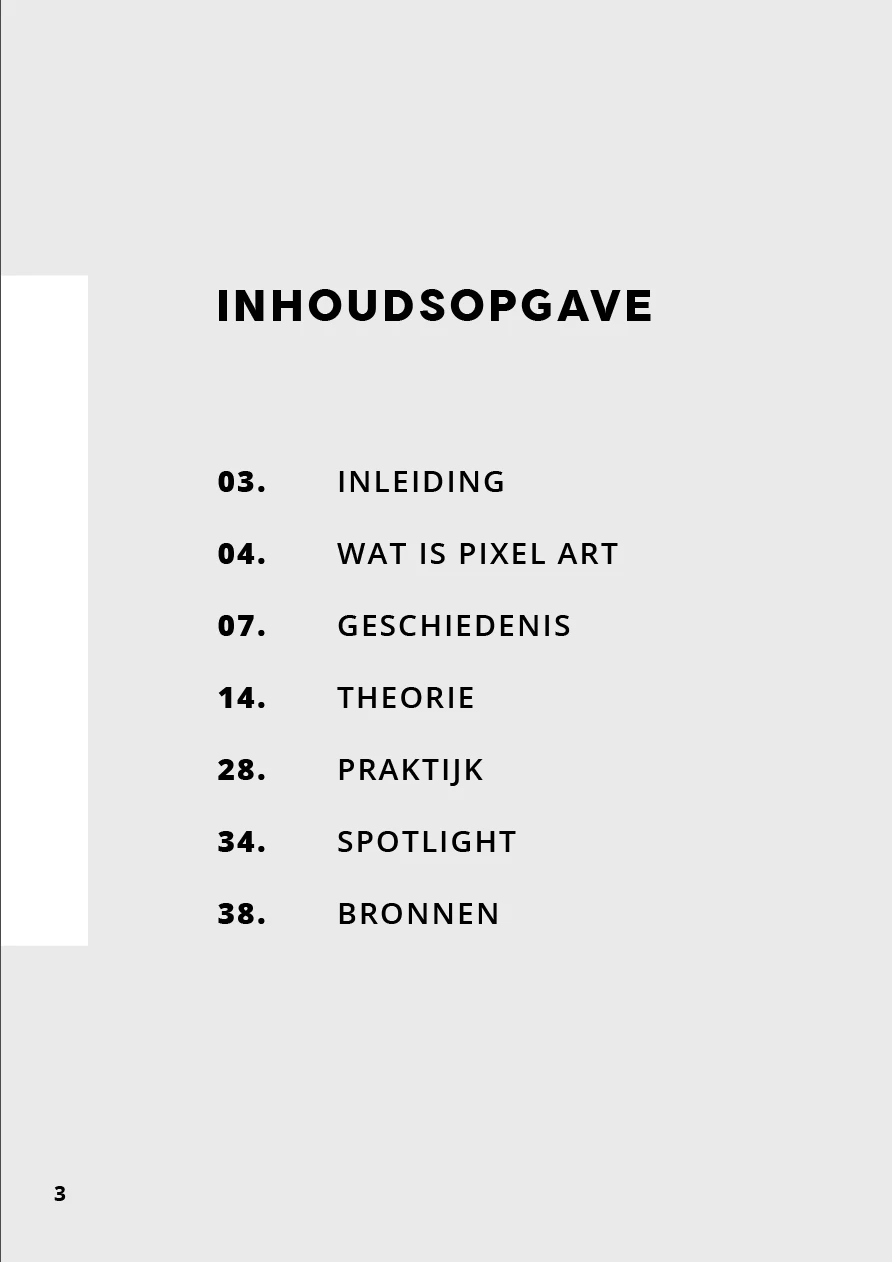


I tried looking around on how to fix this and I can't find anything besides that colour conversion needs to be off (which it is). If anyone knows how to fix this I would be very grateful! 
Correct answer rob day

The warning and the different color are two separate issues.


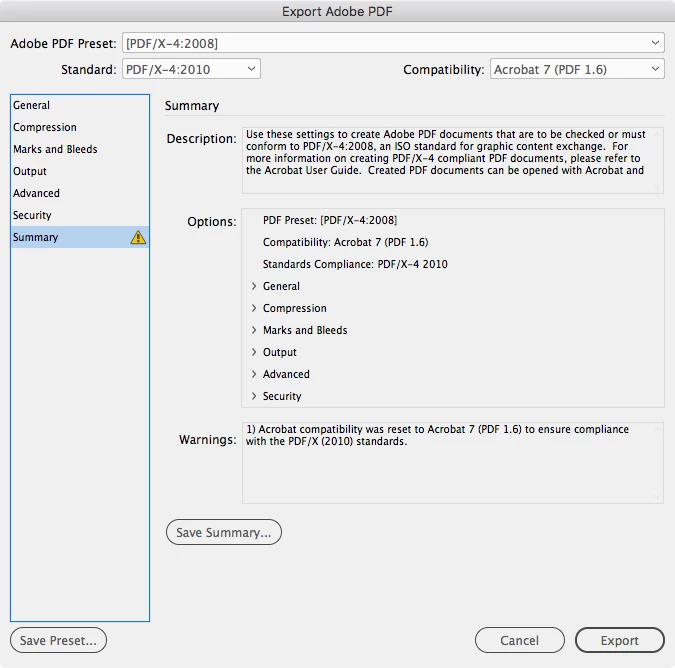
The Summary tab warning—The preset specifies source profiles that don't match the current colour settings file. Profiles specified by the colour settings file will be used happens when the document’s RGB profile assignment is something other than sRGB. The warning can be safely ignored, because there would be no problem with using a larger RGB space like AdobeRGB—sRGB is a poor choice for print output because it clips significant portions of a typical CMYK color space.


With the document’s RGB assignment set to ProPhoto RGB. Use Edit>Assign Profiles and not Color Settings to assign the profile:


Set to sRGB:


On the color shift, does it happen if you export using the default PDF/X-4 preset with no changes? And are you viewing in AcrobatPro?

1 reply

rob day
Community Expert
rob dayCommunity ExpertCorrect answer
Community Expert
August 10, 2020

The warning and the different color are two separate issues.


The Summary tab warning—The preset specifies source profiles that don't match the current colour settings file. Profiles specified by the colour settings file will be used happens when the document’s RGB profile assignment is something other than sRGB. The warning can be safely ignored, because there would be no problem with using a larger RGB space like AdobeRGB—sRGB is a poor choice for print output because it clips significant portions of a typical CMYK color space.


With the document’s RGB assignment set to ProPhoto RGB. Use Edit>Assign Profiles and not Color Settings to assign the profile:


Set to sRGB:


On the color shift, does it happen if you export using the default PDF/X-4 preset with no changes? And are you viewing in AcrobatPro?