shaunna-gracem60908023
Participant
February 5, 2019
解決済み

InDesign Tool Bar Missing

  • February 5, 2019
  • 返信数 5.
  • 3322 ビュー

Need help!!!

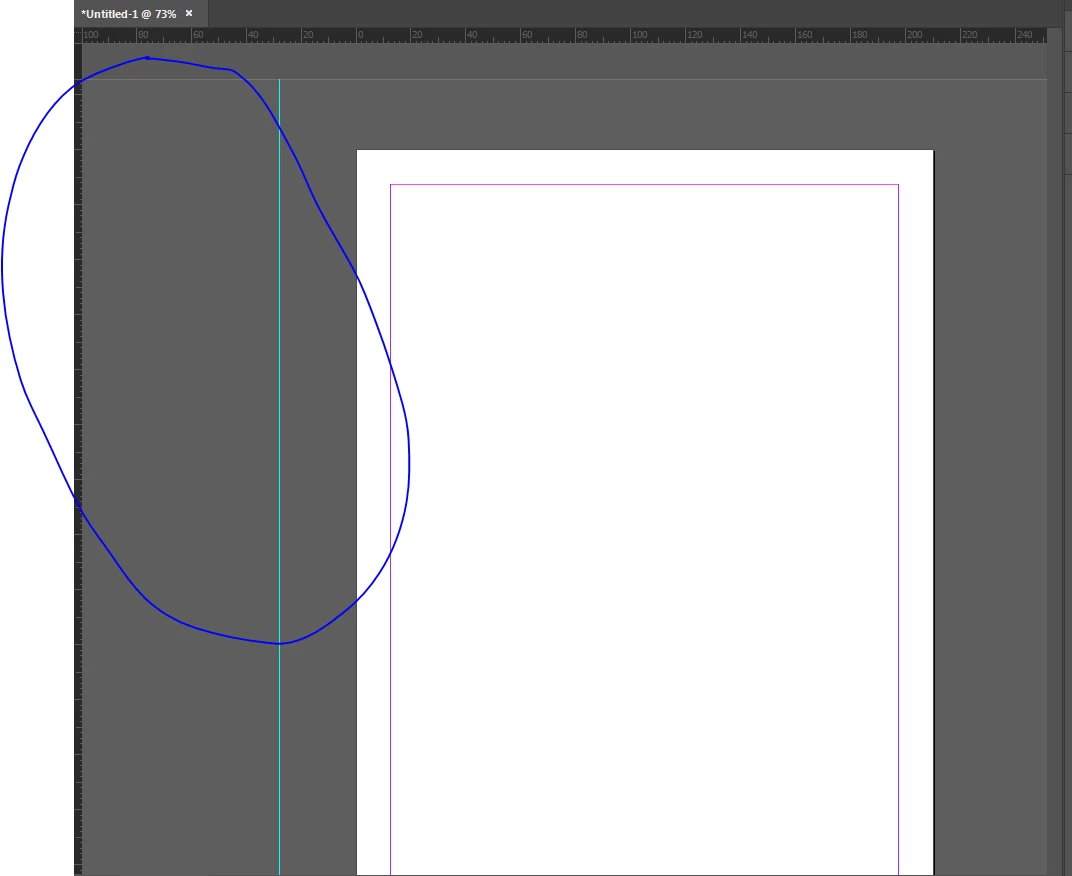
As you can see by the side my menu / tool bar has gone, it wont come back!

Anyone know how to get it back up?
このトピックへの返信は締め切られました。
解決に役立った回答 Steve Werner

Choose Window > Tools, or go to Window > Workspace > Reset [current workspace name]

返信数 5

dscofc
Participant
December 1, 2021

Thank you.  So helpful!

Participant
April 17, 2020

I had this happen recently, and the "reset workspace" or even changing the workspaces had no effect. Note I was trying to do this while a document was open. I found the only solution was to close the dociument I was trying to work on, then open up a new blank document. This seemed to open up the InDesign window, a document within that window, as well as the normal woprkspace windows (tools included). I then double clicked on the document I was originally working on and having problems with. That document window then opened up within the currently open InDesign window as a tab, alongside the new blank document window. I saved the document I was trying to work on, which seemed to override whatever panel preferences the problematic document seemed to have adopted. I closded the document and reopened it, and tools and other windows were where they should be.

michellem99965966
Participant
June 6, 2019

THANKS!!!

Jongware
Community Expert
Community Expert
February 5, 2019

What happens when you press Tab? (The default behavior is to toggle between opening and closing all windows & panels.)

shaunna-gracem60908023
Participant
February 5, 2019

This is what happens when i press tab

Steve Werner
Community Expert
Steve WernerCommunity Expert解決!
Community Expert
February 5, 2019

Choose Window > Tools, or go to Window > Workspace > Reset [current workspace name]

Derek Cross
Community Expert
Community Expert
February 5, 2019

Tab
