Answered
Indesign transparent text box
We are trying to create a text box with a 50% transparent background without effecting the transparency of the text.

We are trying to create a text box with a 50% transparent background without effecting the transparency of the text.
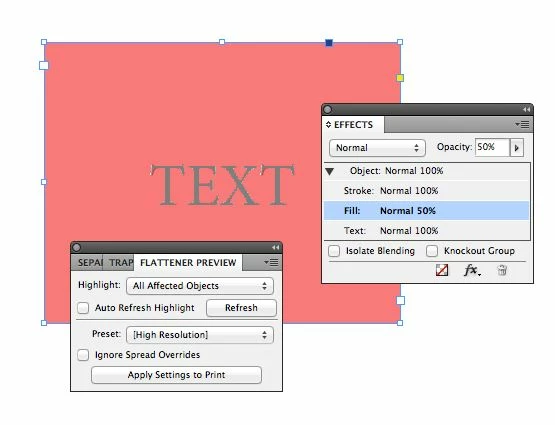
The Effects panel lets you set the fill of the text frame independent of the text itself. In the illustration below, text is not transparent, but the frame's fill is 50% transparent.
I've also opened the Flattener Preview to show that the text (gray) is not affected by the transparency because it's above the fill of the frame (pink).
Already have an account? Login
Enter your E-mail address. We'll send you an e-mail with instructions to reset your password.
 AdChoices