



Answered
InDesign unnessarily highlighting text
Within my Compostion preferences, I have H&J Violations, Custom Tracking/Kerning, and Substituted Fonts checked.
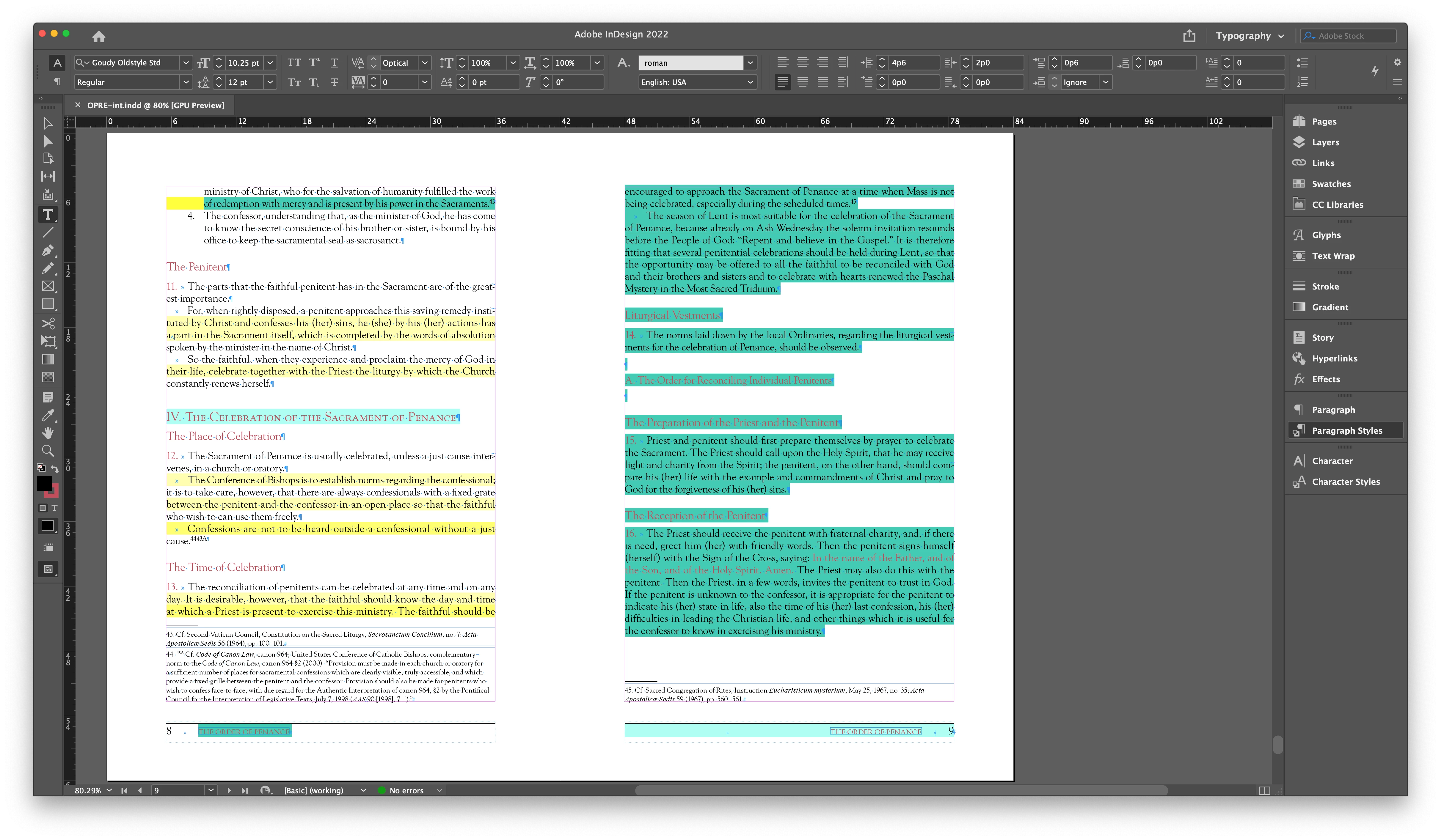
As you can see on the left page, it's highlighting my custom kerning and H&J violations. On the right page, everything is highlighted in green. Now I can't see any of my composition preferences on that page. And it's always random text; there's no rhyme or reason to it. (It doesn't help to turn off my preferences.)
For me, this has been a problem in InDesign for years. It doesn't matter if I'm working on a Mac or PC. Is there a solution that I'm missing? It's incredibly frustrating!
 AdChoices