Answered
InDesign Update 20.0 Performance Issues: Spinning Wheel and Delays
I thought my iMac had all the right specifications. Does anyone have any idea what the problem might be?
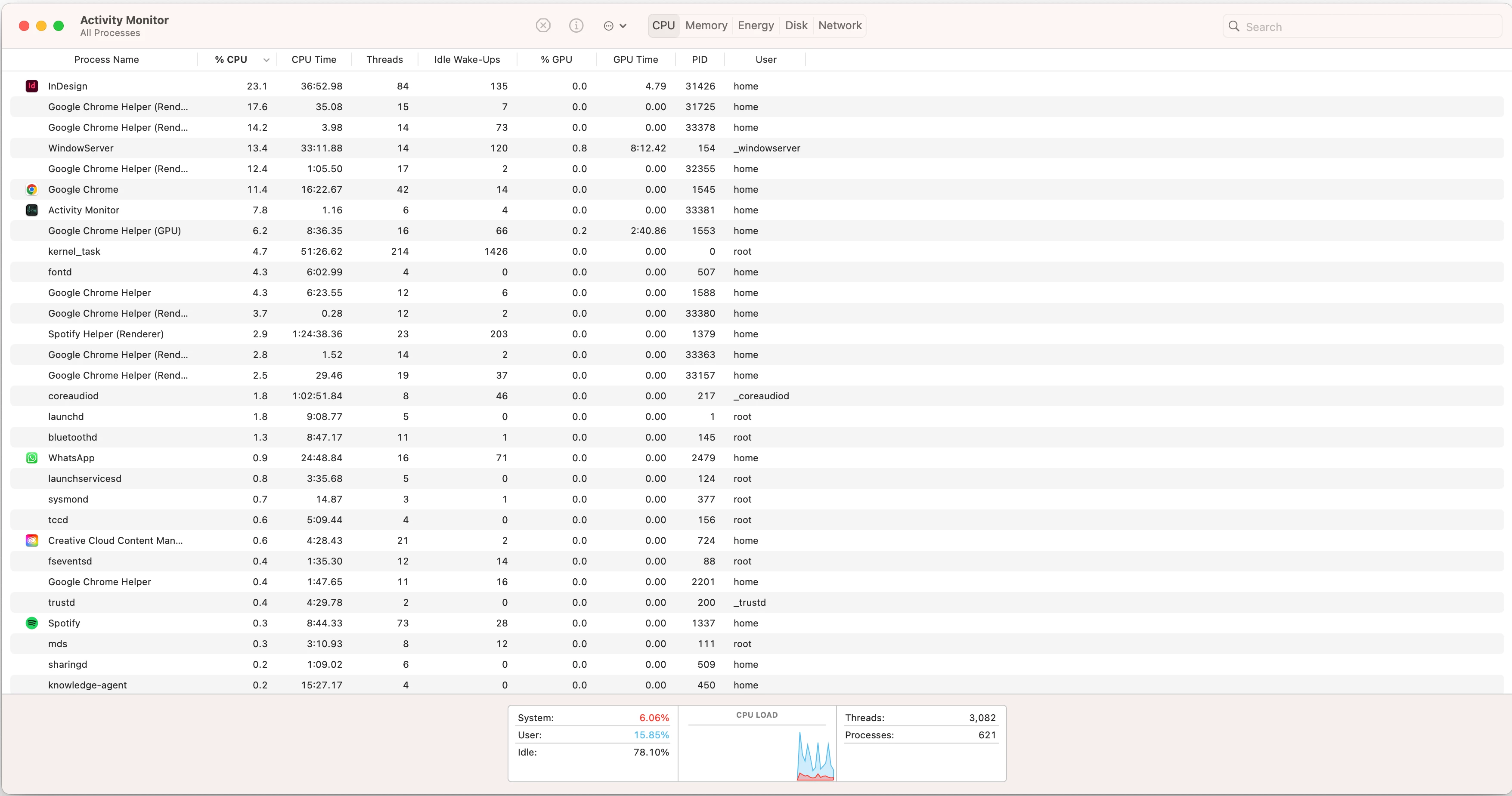
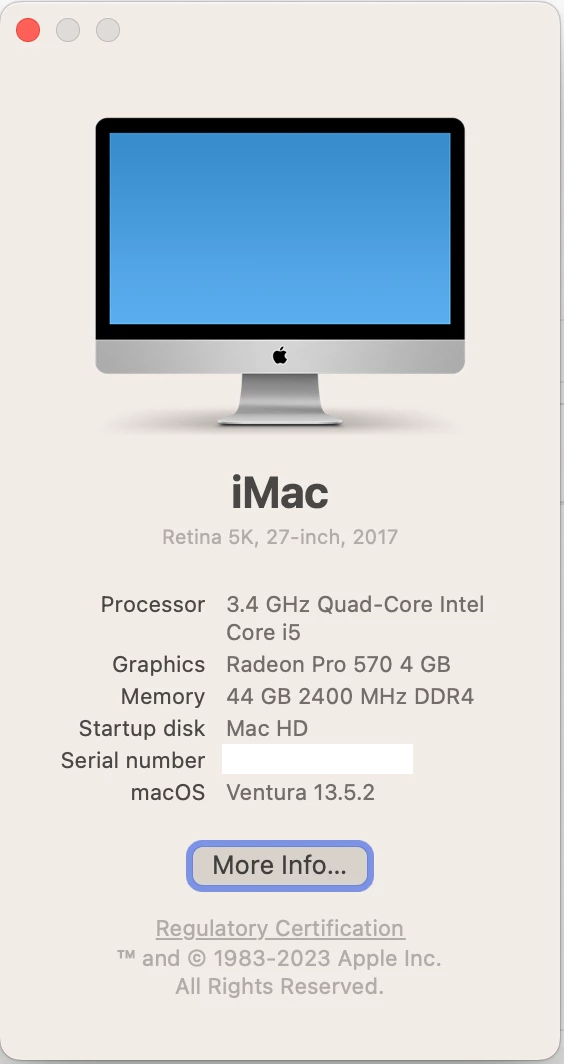
<Title renamed by MOD>

I thought my iMac had all the right specifications. Does anyone have any idea what the problem might be?
<Title renamed by MOD>
Hey @Lauren31415629us32,
Thanks for the update! Just checking-did you get a chance to go through the other thread I shared earlier? A few folks there mentioned that updating to version 20.1 improved their performance quite a bit. Maybe give that a shot and see if it helps?
Also, where are your files stored—locally, on a remote server, cloud, or external drive? The beachball symbol often indicates a process delay. Storing the file locally might speed things up—worth testing!
Also, about the cache path—it's a directory on your Mac where you manually go and delete stuff. For example, on my Mac, I’d navigate to something like:
~/Library/Caches/Adobe InDesign
Note: Location starting with this “~” sign indicates the User Library, which is hidden. So, you need to copy & paste the exact path in spotlight search or from Finder Menu > Go > Go to Folder > Paste the location in the dialog box like this:
Let me know how it goes or if you’re stuck-I’m here to help!
Best,
Abhishek
Hello,
I updated to the new version and it fixed all my problems! It must've been the bugs with the original udpate.
Thanks for your help! I'll keep this in mind whenever I do need to clear my cache.
Already have an account? Login
Enter your E-mail address. We'll send you an e-mail with instructions to reset your password.
 AdChoices