

lo_
Participant
August 9, 2021
Answered

Information's link are not imported

  • August 9, 2021
  • 2 replies
  • 549 views

I've imported photos from Bridge to InDesign.


All the pictures have a date of creation but this information is not imported in Indesign with each picture.

The link panel shows sometime the date and sometime not.

I've tried to change the date of the pics in Bridge manually but it doesn't bring a solution.


I would use this data to place caption under the pics.


Someone have face this problem before?
 

This topic has been closed for replies.
Correct answer Steve Werner

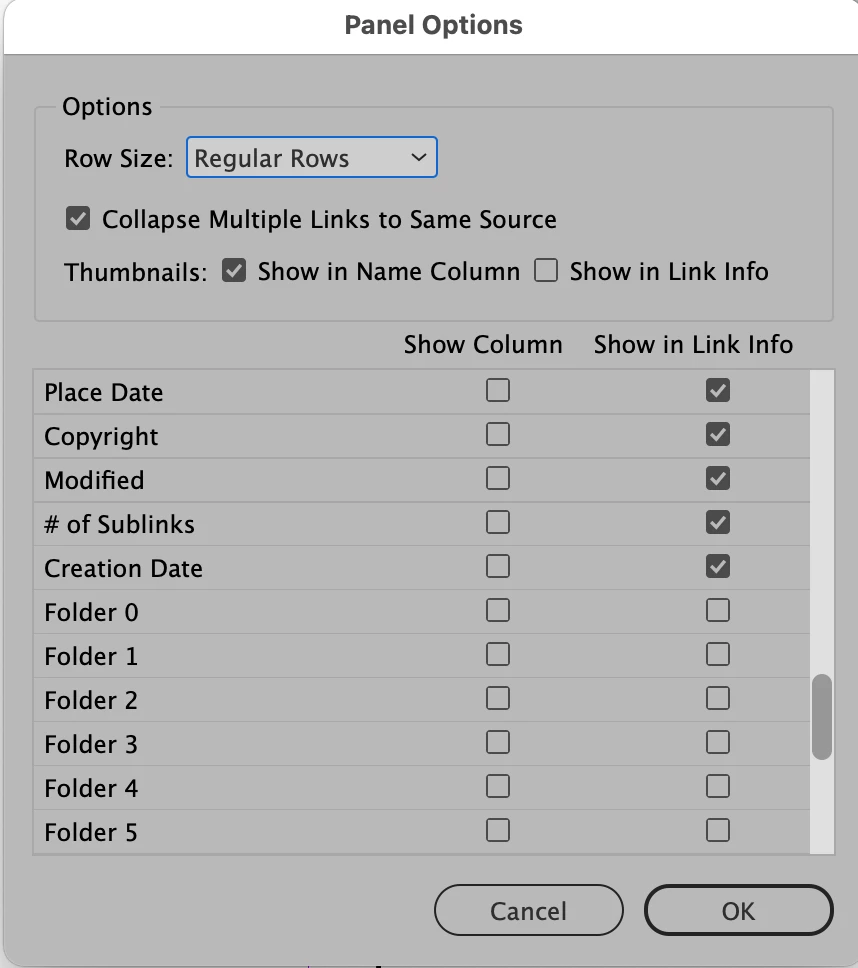
I've never NOT seen the Creation Date appear in the Links panel unless it had not been turned on in Links Panel Options.


Perhaps you forgot to turn it on in Links Panel Options?


2 replies

Steve Werner
Community Expert
Steve WernerCommunity ExpertCorrect answer
Community Expert
August 9, 2021

I've never NOT seen the Creation Date appear in the Links panel unless it had not been turned on in Links Panel Options.


Perhaps you forgot to turn it on in Links Panel Options?


lo_
lo_Author
Participant
August 10, 2021

Thank you. That isn't a problem with the panel.


The problem is with the link.

The images have been shot with the same camera and processed in the same flow.

But datas are imported with some images but not others.


lo_
lo_Author
Participant
September 26, 2022

Ok the problem is still here and nobody can explain it.

Even if Steve Werner thinks it has. 

Steve Werner
Community Expert
Community Expert
August 9, 2021

It's working for me.

You should be able to see Creation Date as one of the fields in the Caption Setup.

When I enter it, the Creation Date showing in Bridge appears