
Participant
July 31, 2019
Answered

Insert single page into spreads

  • July 31, 2019
  • 3 replies
  • 1475 views

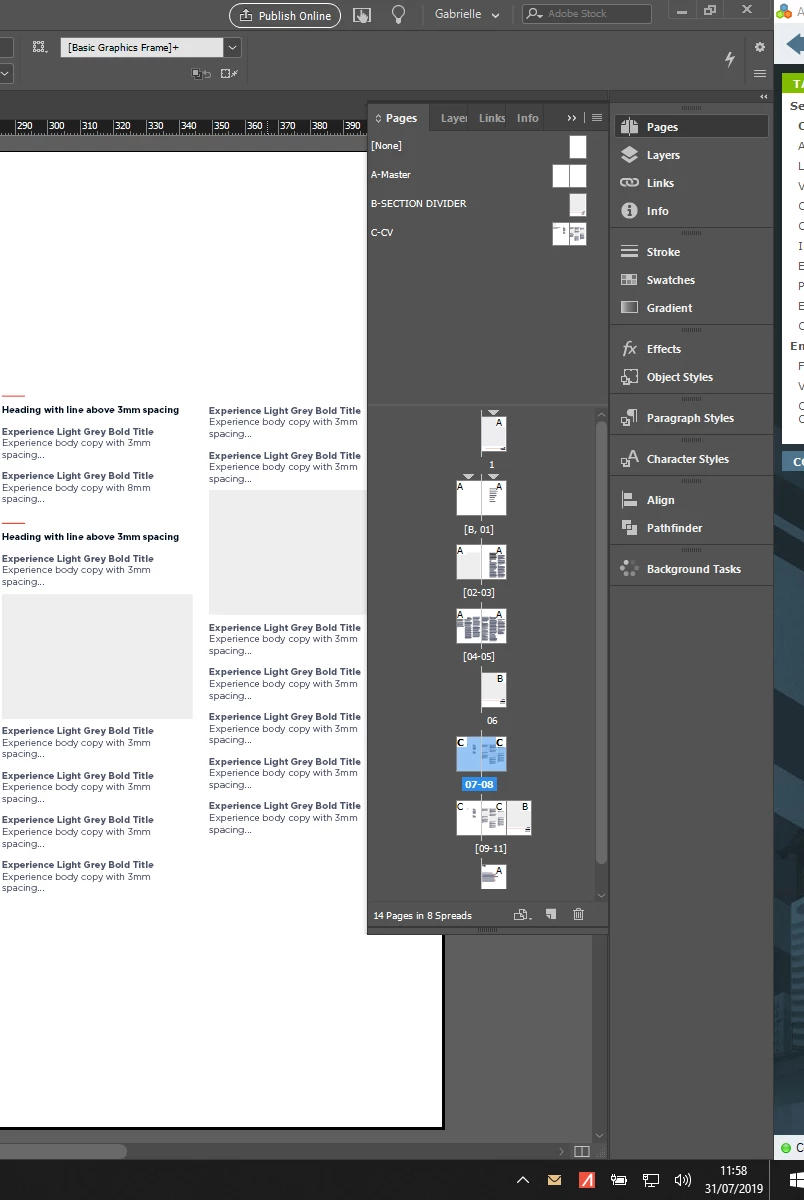
How do I insert a single page into a document that's set up as spreads? When I insert one page it adds it onto the nearest spread so there are three pages in the spread.

The below screenshot better explains - I want to insert a new B page after page 11, but on its own, as per page 6, not attached to page 11.
This topic has been closed for replies.
Correct answer Barb Binder

Gabrielle:

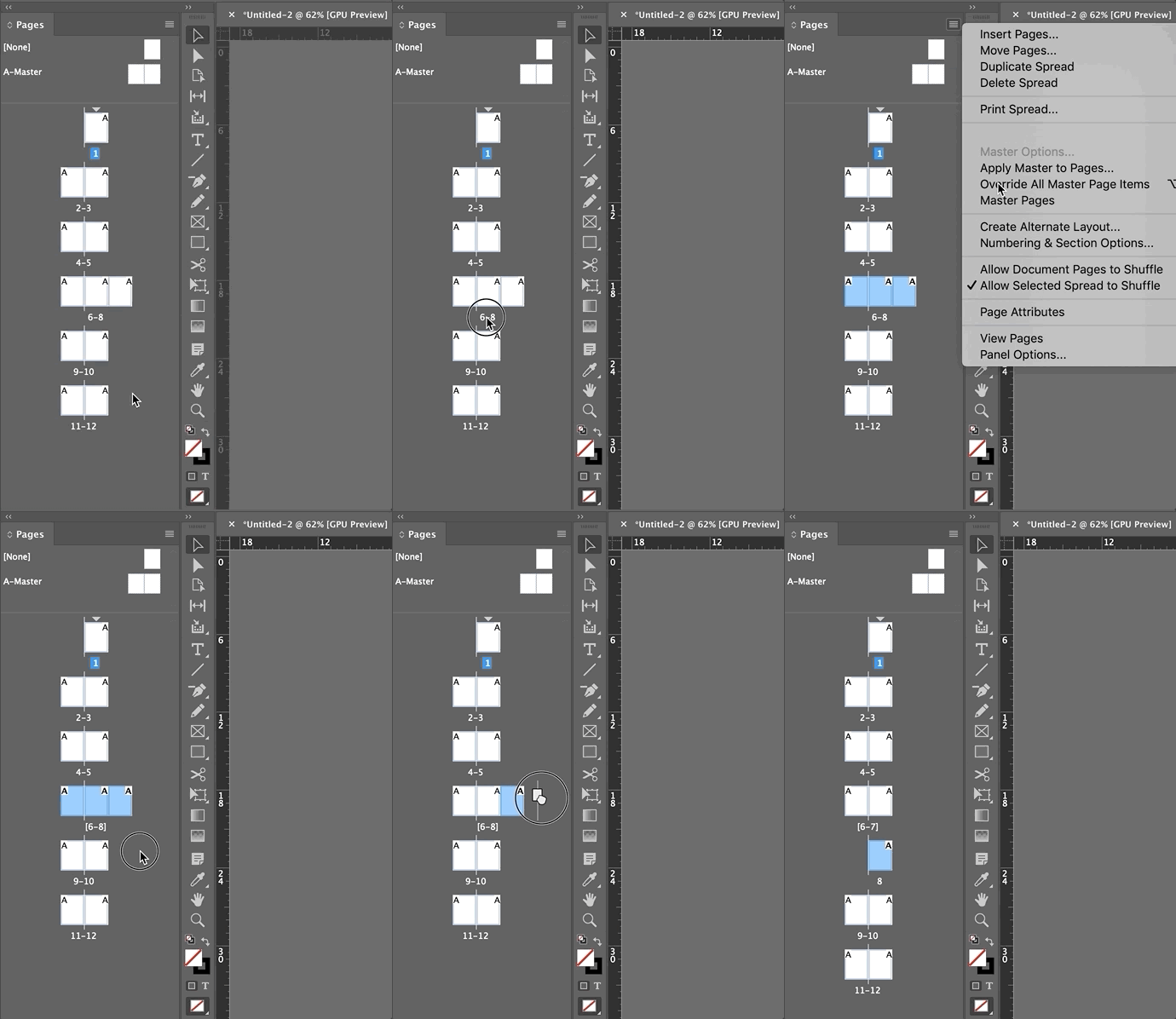
From your screen shot, all you need to do is click once on page 11 to select it, then drag it to the right. Here is the whole process, but it appears you are almost all the way there.

~Barb

3 replies

Barb Binder
Community Expert
Barb BinderCommunity ExpertCorrect answer
Community Expert
July 31, 2019

Gabrielle:

From your screen shot, all you need to do is click once on page 11 to select it, then drag it to the right. Here is the whole process, but it appears you are almost all the way there.

~Barb

~Barb at Rocky Mountain Training
Participant
August 1, 2019

Love this - thanks Barb

Barb Binder
Community Expert
Community Expert
August 1, 2019

You are welcome, Gabrielle. We are always happy to help.

~Barb

~Barb at Rocky Mountain Training
BobLevine
Community Expert
Community Expert
July 31, 2019

Select the spread and from the pages panel menu select "allow select spread to shuffle."

Eric Dumas
Community Expert
Community Expert
July 31, 2019

Hi can you confirm the version of InDesign you are using?

It would help if you could explain why you are trying to do this. You will run into difficulties if you plan to print this document.

Participant
July 31, 2019

Hi Eric - CC2019. It's for a client proposal. It will mainly be viewed on screen so I wanted the spread as it gives more viewing space, but the section dividers need to be single pages.

It may be printed on an office printer but not professionally.