Exit
  • Global community
    • Language:
      • Deutsch
      • English
      • Español
      • Français
      • Português
  • 日本語コミュニティ
  • 한국 커뮤니티
0

Interactive button - publish online

Explorer ,
Apr 20, 2021 Apr 20, 2021

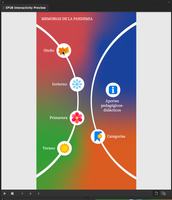
Hello! I've had some problems with button and interactivity when I publish online a Indesign 2021 project.
I've created a button (text and graphic group) and added an action. *Image below.Screen Shot 2021-04-20 at 13.01.31.png
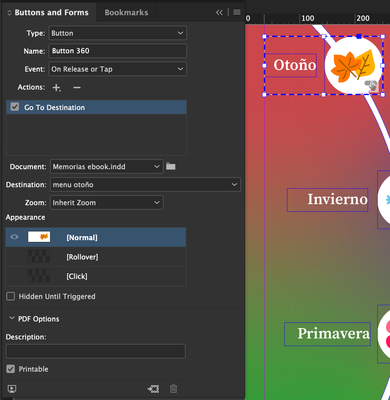
The issue is that when I plublish it online, button don't works.
Or simply, button don't have interactivity on its entire area/surface, just on a extreme.
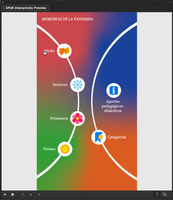
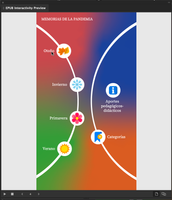


Screen Shot 2021-04-20 at 13.09.32.pngScreen Shot 2021-04-20 at 13.09.48.pngScreen Shot 2021-04-20 at 13.09.58.png

Other elements loose their interactivity or effect (drop shadow) when it's publish online.
I thought this was due to file size or connection demand, but it's not something that happens with all the elements.

Someone have had a trouble like this?

TOPICS
EPUB , Publish online
454
Translate
Report
Community guidelines
Be kind and respectful, give credit to the original source of content, and search for duplicates before posting. Learn more
community guidelines

correct answers 1 Correct answer

Community Expert , Apr 20, 2021 Apr 20, 2021

Have you organised your interactive objects to be on top or in a separate layer that is on top of the stack?

Translate
Community Expert ,
Apr 20, 2021 Apr 20, 2021

Have you organised your interactive objects to be on top or in a separate layer that is on top of the stack?

Translate
Report
Community guidelines
Be kind and respectful, give credit to the original source of content, and search for duplicates before posting. Learn more
community guidelines
Explorer ,
Apr 20, 2021 Apr 20, 2021
LATEST

Well, I've re organize the layers on the file and it works!!!
Thanks you so much @Eric Dumas for your help.
I had tried many other things, but this one was correct!

Translate
Report
Community guidelines
Be kind and respectful, give credit to the original source of content, and search for duplicates before posting. Learn more
community guidelines