

Intersecting Crop Marks: Are they a thing? If so, how do I make them? If not, why?
Every time I export a layout and select the option to include crop marks...

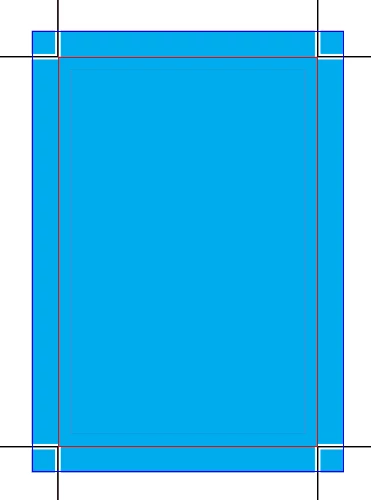
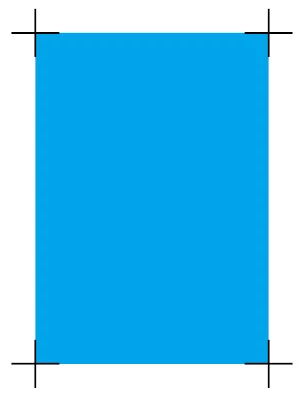
I get the same style of crop mark: 2 small lines at a 90 degree angle to one another in each corner of the page that DO NOT come to a point or intersect one another, and that (if continued) would come to a point that faces in towards the center of the document, as pictured below.
Top

Bottom

The issue I keep running into is this: no matter what order I trim the sides in, trimming any 2 sides cuts-off the marks indicating the edge of the other 2 sides. This problem would be fixed if...
A. The lines intersected and continued into an X shape.
B. The point where they would intersect faced out towards the edge of the page.
Basically, if you imagine both lines continue until they form an X, it is giving me the top of the X and I need the bottom. Is there a different option or setting I should be selecting to accomplish crop marks that will allow me to trim all 4 sides without cutting off the mark for an adjacent side?
 AdChoices