
Invisible characters in Bengali Unicode text hindering correct display
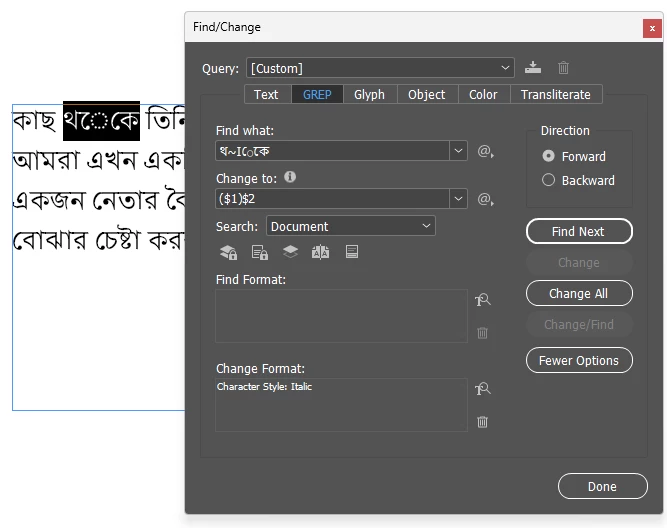
I'm an experienced InDesign & GREP user, and experienced in Bengali typesetting. But I've encountered an issue I can't solve. I have some Unicode Bengali text (converted from ANSI encoding) with some invisible characters hindering the correct formation of the characters. When I cut & paste the problem word into Find/Change, it renders it as ~I in GREP (or ^I in 'Text'). But when I search for either of these characters, or even for the text I just copied, it cannot find it. When I copy the offending text into another software and then cut & paste it back, the offending characters are removed. My questions are:
1. What are these invisible problematic ~I/^I characters?
2. How can I remove them with InDesign's Find/Change?
I've included a screenshot here and attached a sample file.


 AdChoices