
Participant
October 10, 2025
Answered

Is it better to use PSD or TIFF file when adding to my InDesign doc?

  • October 10, 2025
  • 3 replies
  • 363 views

Hi, I was taught (many years ago) to do my work in Photoshop and then save the final file as a tiff to include in my page layout program. It seems like InDesign files that have a lot of Photoshop files added to them are very large and take a long time to load. Is there a good reason to do one over the other? 
Correct answer rob day

It seems like InDesign files that have a lot of Photoshop files added to them are very large and take a long time to load


Are you linking or embedding your images? Any placed image format that is Linked would be previewed with a low res flattened preview image. If your linked PSDs are creating load or file size problems it’s probably some other problem like excess metadata.

https://community.adobe.com/t5/photoshop-ecosystem-discussions/inflated-jpg-file-size-photoshop-document-ancestors-metadata/td-p/8055434


Is there a good reason to do one over the other?
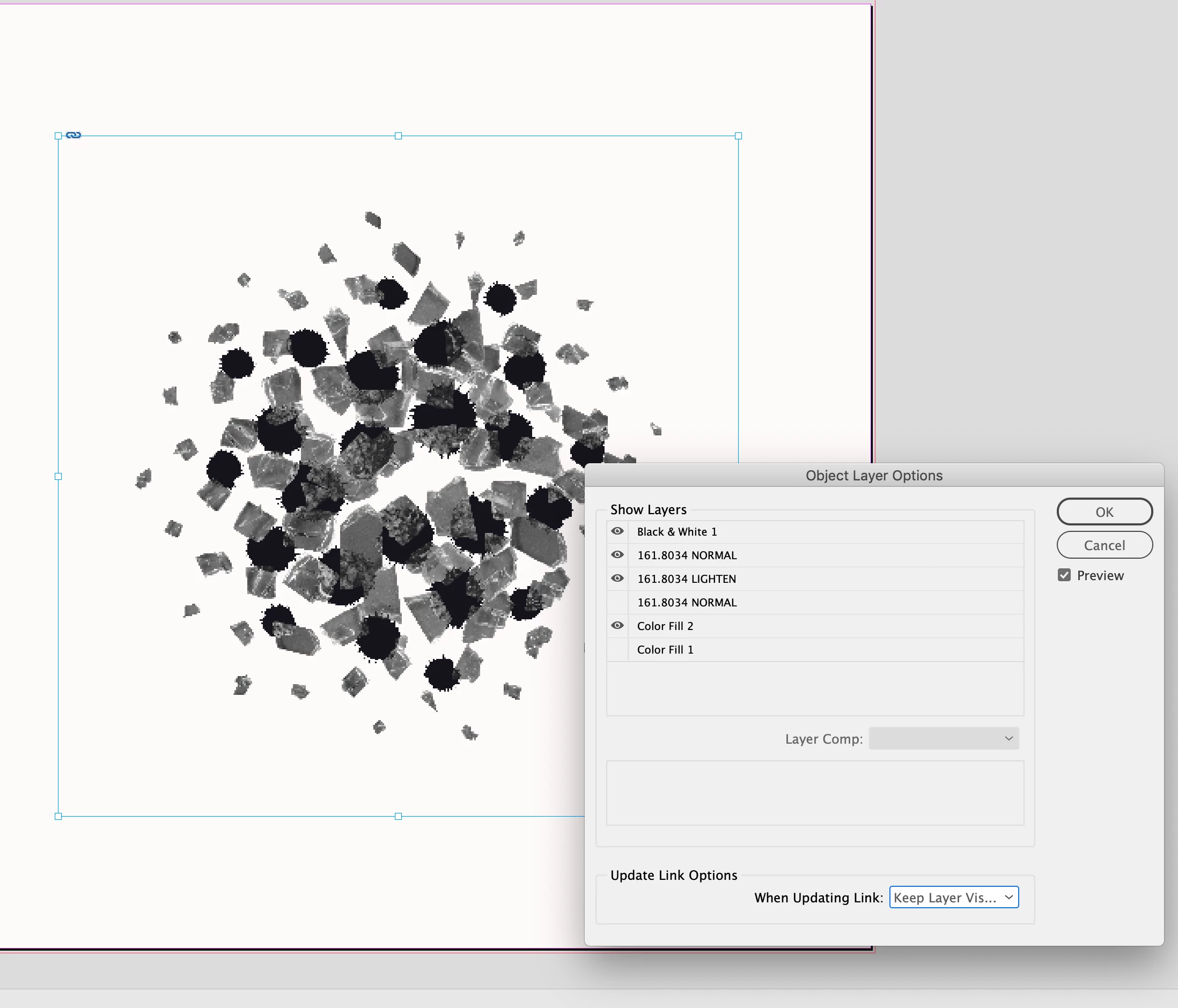
 

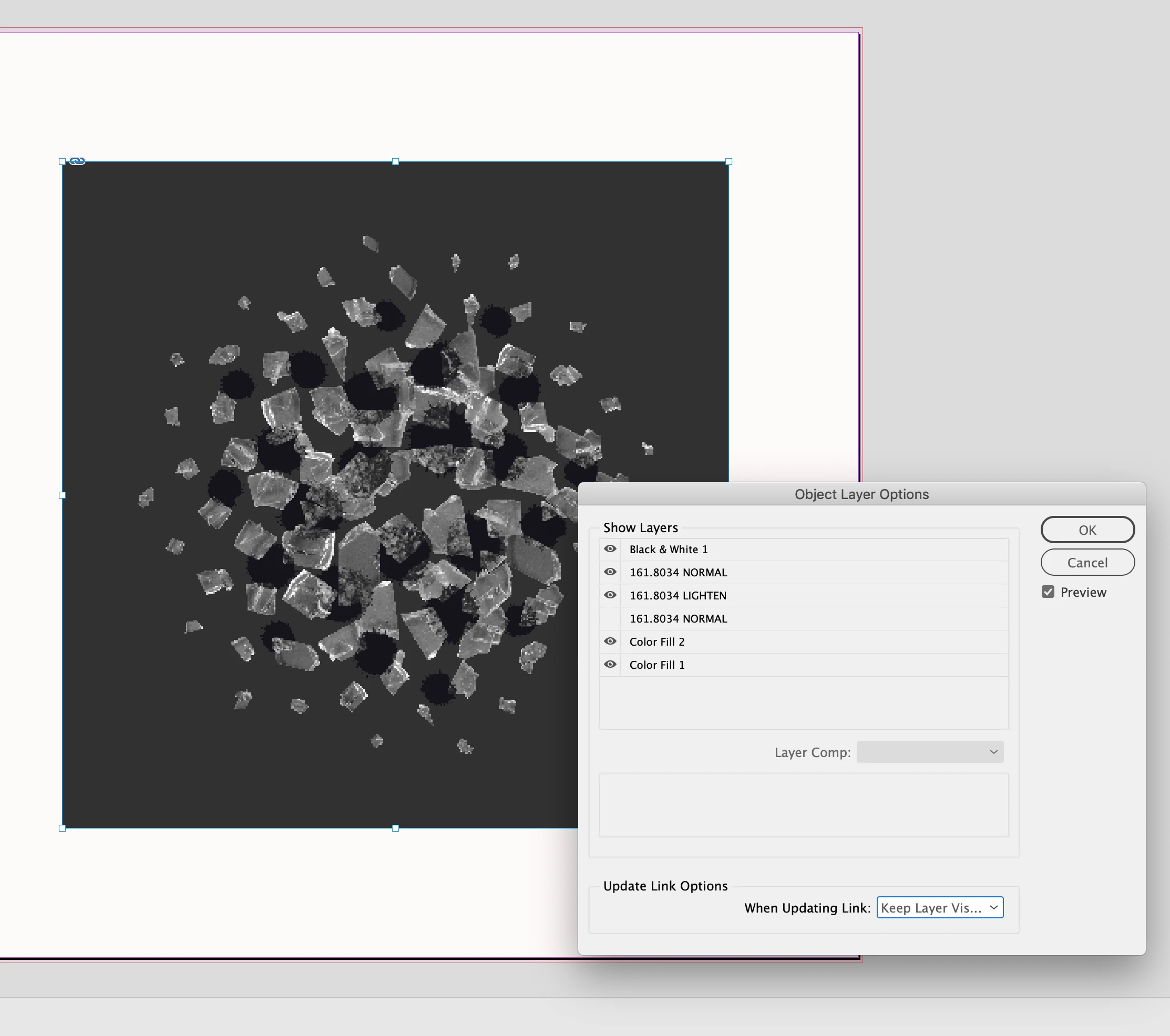
PSD’s have the Object Layer Options feature, which lets you turn the PSD’s layers on and off without leaving InDesign.


3 replies

rob day
Community Expert
rob dayCommunity ExpertCorrect answer
Community Expert
October 10, 2025

It seems like InDesign files that have a lot of Photoshop files added to them are very large and take a long time to load


Are you linking or embedding your images? Any placed image format that is Linked would be previewed with a low res flattened preview image. If your linked PSDs are creating load or file size problems it’s probably some other problem like excess metadata.

https://community.adobe.com/t5/photoshop-ecosystem-discussions/inflated-jpg-file-size-photoshop-document-ancestors-metadata/td-p/8055434


Is there a good reason to do one over the other?


PSD’s have the Object Layer Options feature, which lets you turn the PSD’s layers on and off without leaving InDesign.


Willi Adelberger
Community Expert
Community Expert
October 10, 2025
  • TIFF and PSD can be placed, but TIFF. support larger files than 30.000 px as PSD do. PSB (Photoshop Big Files) is also supported for larger files.
  • TIFF and PSD support  the Layer file option.
  • Both support Layer Compositions, I. recommend to use that in Photoshop as you have the possibility to move AND to turn off and on layers AND to use different transparency settings on different places. It gives also higher security if you work on the. image file that exact those settings are not change in IbDesign. It makes sense not to embed images if. you use. that function.
rob day
Community Expert
Community Expert
October 11, 2025

Both support Layer Compositions,


Hi @Willi Adelberger , I'm not using the latest ID version, but if I place a TIFF Object Layer Options... is grayed out


Community Expert
October 10, 2025

There is no quality difference between tif and psd. Tif does have LZW compression, but in today's disk and cloud space, saving file size is not a big deal. Tif can be read by more apps/utilities than psd having a limited choice of apps to view or edit the file.

Peter Spier
Community Expert
Community Expert
October 10, 2025

InDesign supports importing native .psd files, and those file support more features than the older .tif format. You may not use all of those extras, but it's nice to have that ability, and I haven't bothered to save anything as .tif to be placed into InDesign in many years.

As for file size, you should be using File > Place... to link your images rather than embedding them in the file. This adds only a few bytes to the file size for each link, and is far less likely to cause problems wirth your file later.