Inspiring
May 14, 2024
Answered

Is it possible to remove background in InDesign only?

  • May 14, 2024
  • 7 replies
  • 6181 views

Hello,

In Indesign, if I open a multipage PDF, is it possible to remove its background (by using Indesign only) ?

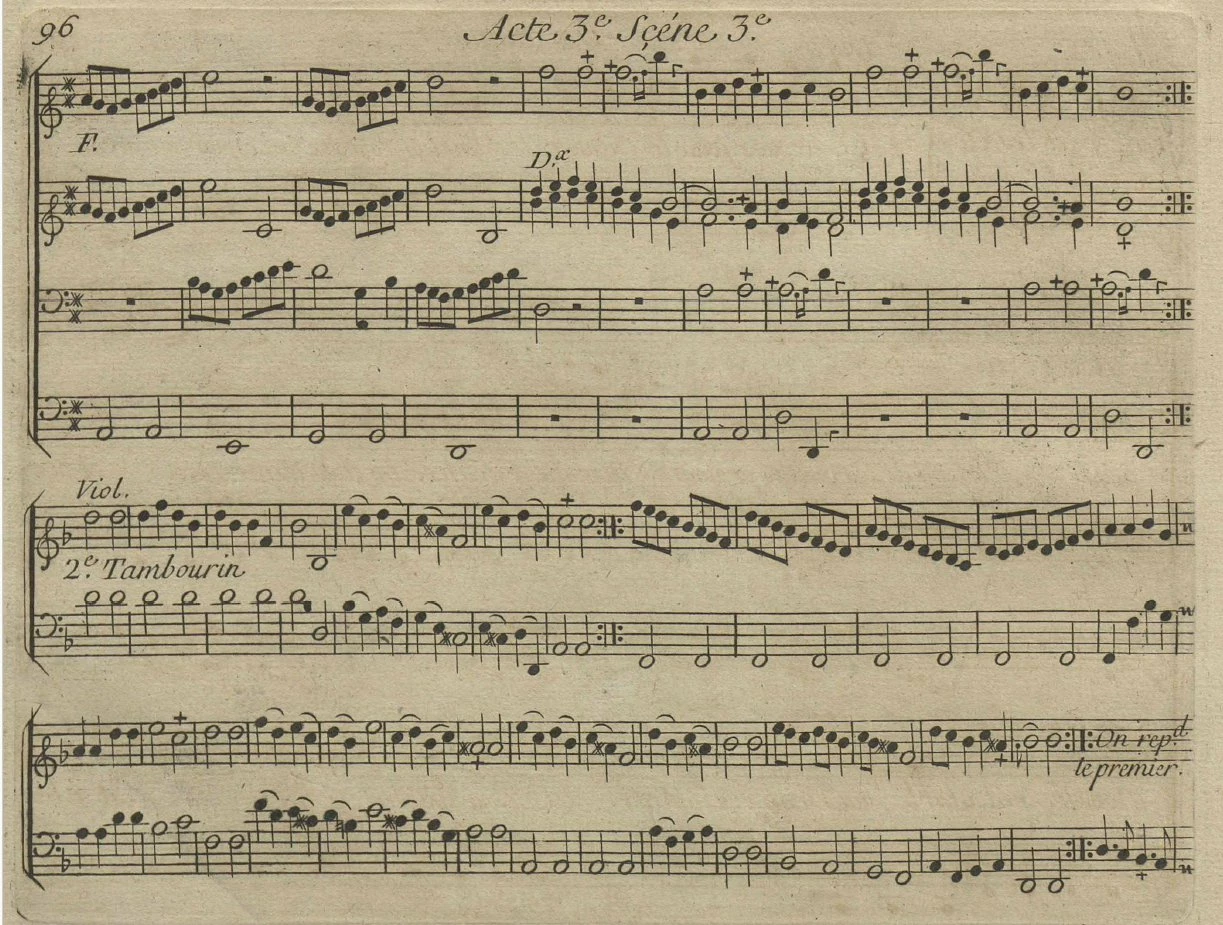
In that case, I would like to remove this yellow background :


<Title renamed by moderator>

This topic has been closed for replies.
Correct answer Marc Autret

Hi @pierret18811376 


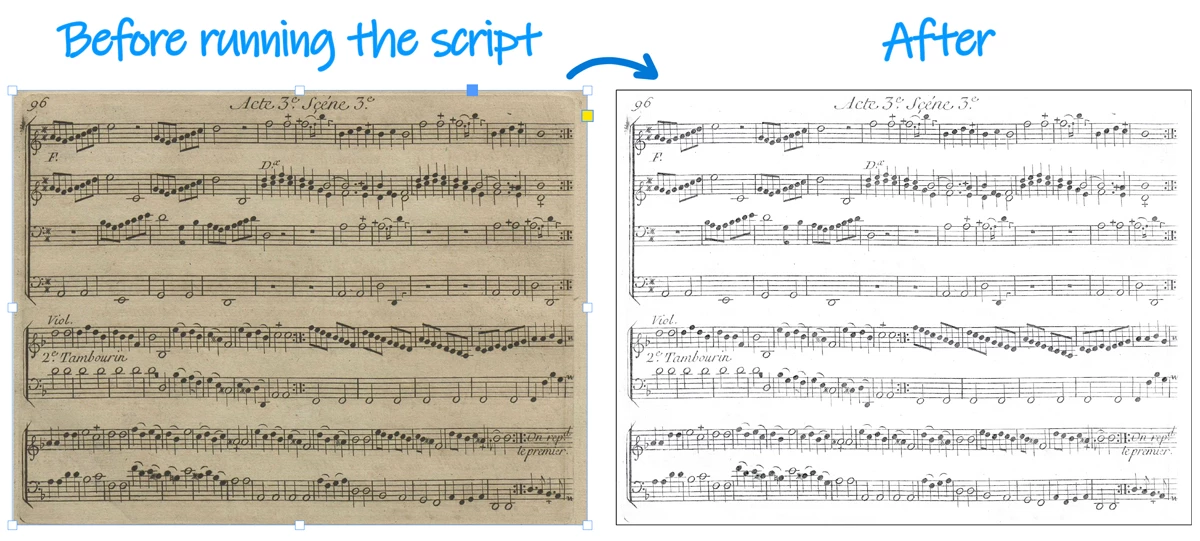
Image processing is the way to go, but here you might fake it using SCREEN blending mode on a BLACK background.


Simple demo script:


(function(  orig, dup,g)
//----------------------------------
// Assuming a simple image container is selected on the page.
{
   // 1. Basic enhancer.
   (orig=app.selection[0]).properties =
   {
      strokeColor: "Black",
      transparencySettings: {blendingSettings:{blendMode:+BlendMode.SCREEN}},
   };
   with( dup=orig.duplicate() )
   {
      graphics.everyItem().remove();
      fillColor = "Black";
      sendToBack();
   }
   
   // 2. Increase the B/W contrast if needed.
   g = orig.parent.groups.add([orig,dup]);
   (dup=g.duplicate()).properties =
   {
      transparencySettings: {blendingSettings:{blendMode:+BlendMode.COLOR_BURN}},
   };
})();


Result:
 

Best,

Marc


EDIT: Sorry for my intervention: I thought we were in the Scripting branch of the forum! Others have answered the substance of the question before me. My mistake.

7 replies

Marc Autret
Marc AutretCorrect answer
Legend
May 16, 2024

Hi @pierret18811376 


Image processing is the way to go, but here you might fake it using SCREEN blending mode on a BLACK background.


Simple demo script:


(function(  orig, dup,g)
//----------------------------------
// Assuming a simple image container is selected on the page.
{
   // 1. Basic enhancer.
   (orig=app.selection[0]).properties =
   {
      strokeColor: "Black",
      transparencySettings: {blendingSettings:{blendMode:+BlendMode.SCREEN}},
   };
   with( dup=orig.duplicate() )
   {
      graphics.everyItem().remove();
      fillColor = "Black";
      sendToBack();
   }
   
   // 2. Increase the B/W contrast if needed.
   g = orig.parent.groups.add([orig,dup]);
   (dup=g.duplicate()).properties =
   {
      transparencySettings: {blendingSettings:{blendMode:+BlendMode.COLOR_BURN}},
   };
})();


Result:


Best,

Marc


EDIT: Sorry for my intervention: I thought we were in the Scripting branch of the forum! Others have answered the substance of the question before me. My mistake.

Inspiring
May 16, 2024

@Robert at ID-Tasker 

I send you the original PDF file in order you could have the best quality file.

Robert at ID-Tasker
Legend
May 17, 2024
quote

@Robert at ID-Tasker 

I send you the original PDF file in order you could have the best quality file.


By @pierret18811376


Sorry for no reply.


I think @Marc Autret's reply is spot on and you should go with it.


Robert at ID-Tasker
Legend
May 15, 2024

It is possible to do it in InDesign:


No external software has been used.


Frans v.d. Geest
Community Expert
Community Expert
May 15, 2024

Ah, that is HIDING the colour background, not removing it 😉


Peter Spier
Community Expert
Community Expert
May 15, 2024
quote

Ah, that is HIDING the colour background, not removing it 😉


By @Frans v.d. Geest


The biggest bonus - no need to waste time on editing AND you keep the original intact - just place, apply ObjectStyle, duplicate few times, done - easy to automate with my tool - either on a current selection or multiple links already placed or when placing from a folder. 


That's certainly clever, but the results from converting to grayscale and adding a levels layer in Photoshop are far superior, in my opinion. You've lost a fair number of edge pixels and hairline segments, and it's still in color so printing is gioing to be less crisp.

Inspiring
May 15, 2024

In fact, I have not Photoshop to do the job. Personally, I would prefer to do it completely in Acrobat (as the score is in a PDF), but I was wondering if InDesign could do it. It seems that it is not possible in Indesign

Community Expert
May 15, 2024

Are there layers in the pdf?


If so and the background layer is the yellow then you can turn off that layer in the pdf in InDesign.


https://community.adobe.com/t5/indesign-discussions/import-layers-of-pdf-in-indesign/m-p/11913142

Inspiring
May 15, 2024

Unfortunately, there is no layers in the PDF :


Peter Spier
Community Expert
Community Expert
May 14, 2024

As said, not in InDesign, but it should be realtively easy to do in Photoshop with either a levels or threshhold adjustment layer.

Luke Jennings3
Community Expert
Community Expert
May 14, 2024
Robert at ID-Tasker
Legend
May 14, 2024
quote

Related post:

https://community.adobe.com/t5/acrobat-discussions/remove-background-in-acrobat-pro/m-p/14617509#M463723


By @Luke Jennings3


You mean posted by the OP in Acrobat forum - using exactly the same image?


Frans v.d. Geest
Community Expert
Community Expert
May 14, 2024

No.

BobLevine
Community Expert
Community Expert
May 14, 2024

You'll need Photoshop for that.