Participating Frequently
February 4, 2025
Answered

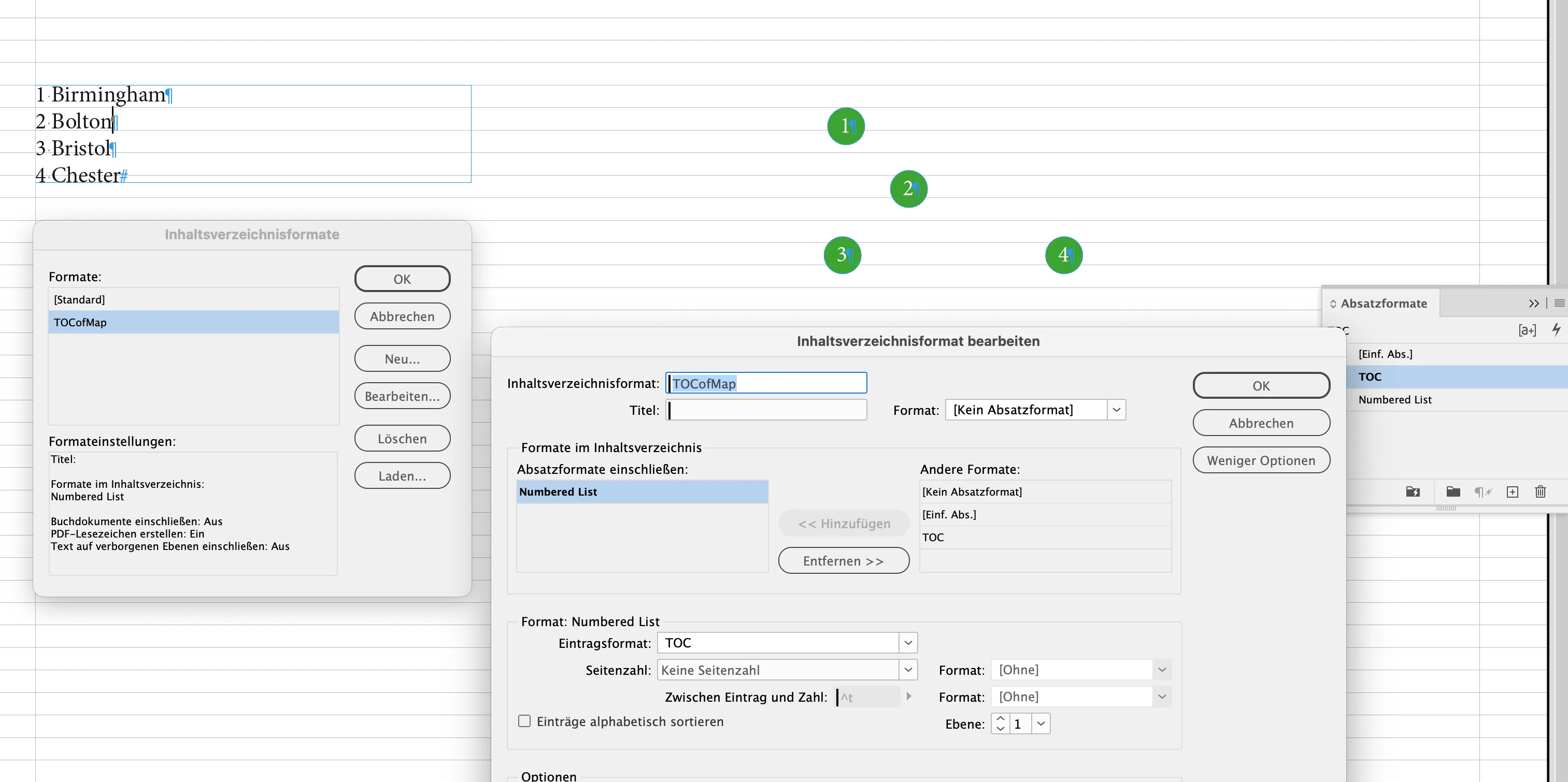
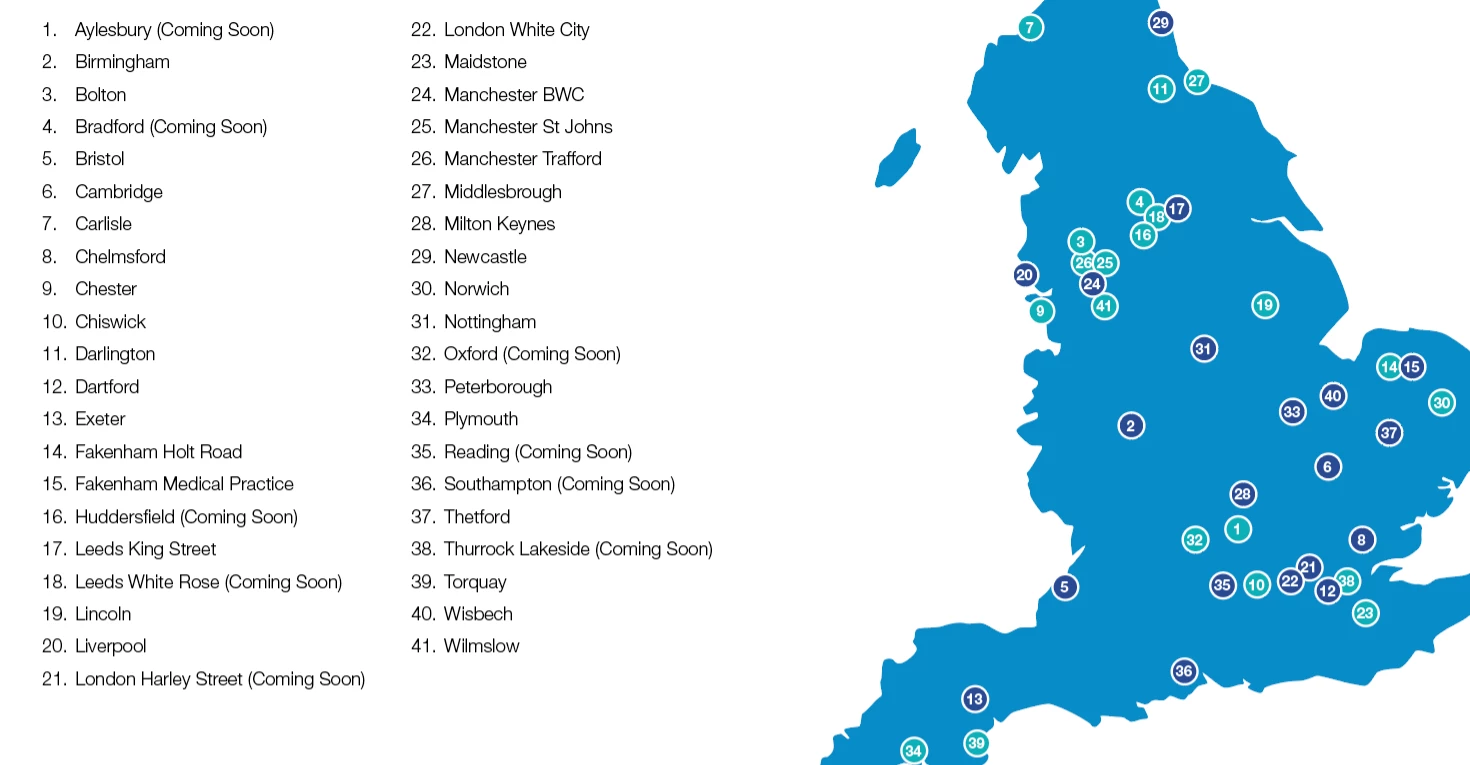
Is it possible to to link to a map on the same page and have it auto update?

  • February 4, 2025
  • 4 replies
  • 1381 views

I have a map that gets updated by location. I've been asked to make the locations alpahbetic and whenever a new place gets added it messes up the structure.


Is it possible to link these locations below to the numberical points on the map, so that it will keep the format structured after editing? It would save me a lot time in future  🙏


Correct answer Laubender

Hi @Jambo_88 ,

to add something to @Robert at ID-Tasker 's wonderful solution:


I can see a set-up of elements on the page where the "legend" of the map can be updated semi-automatically with an InDesign menu command:


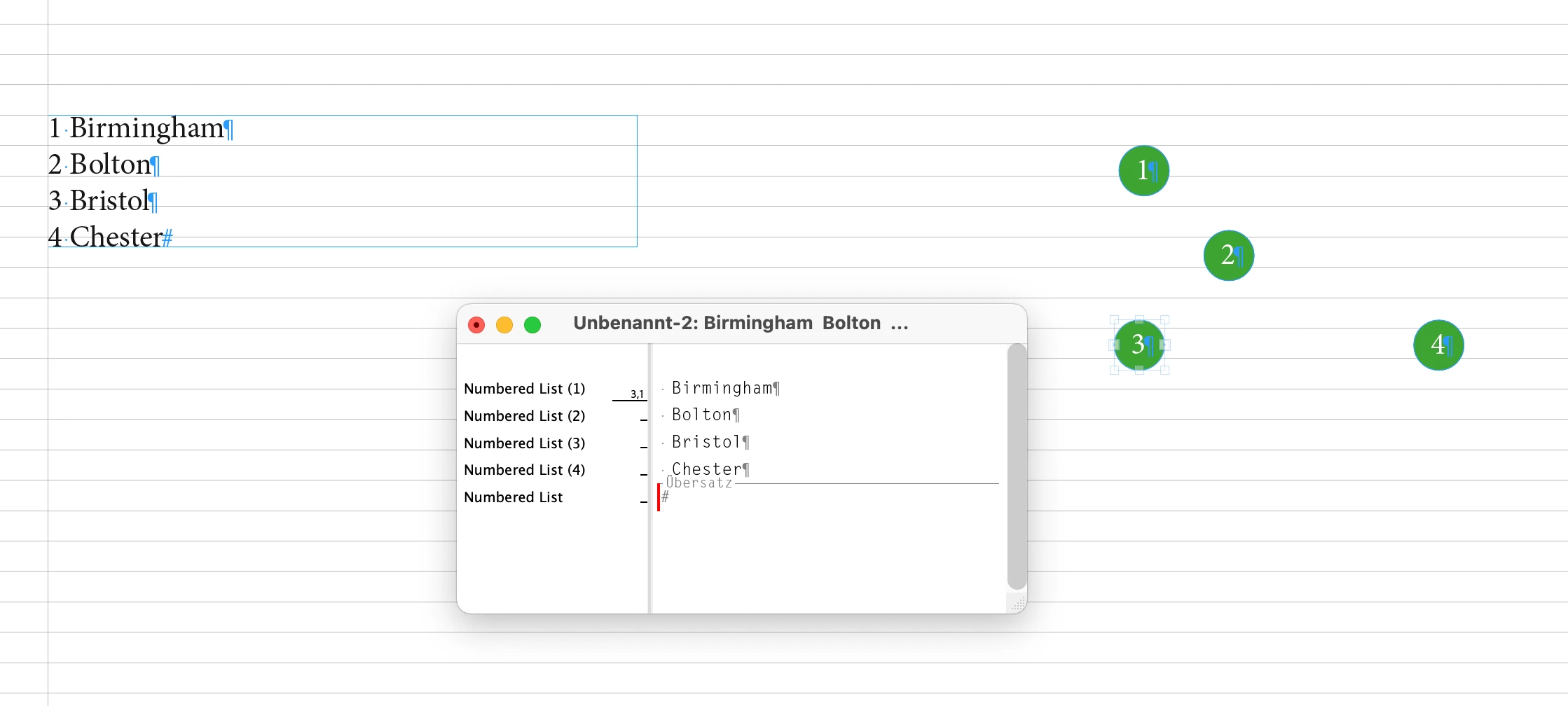
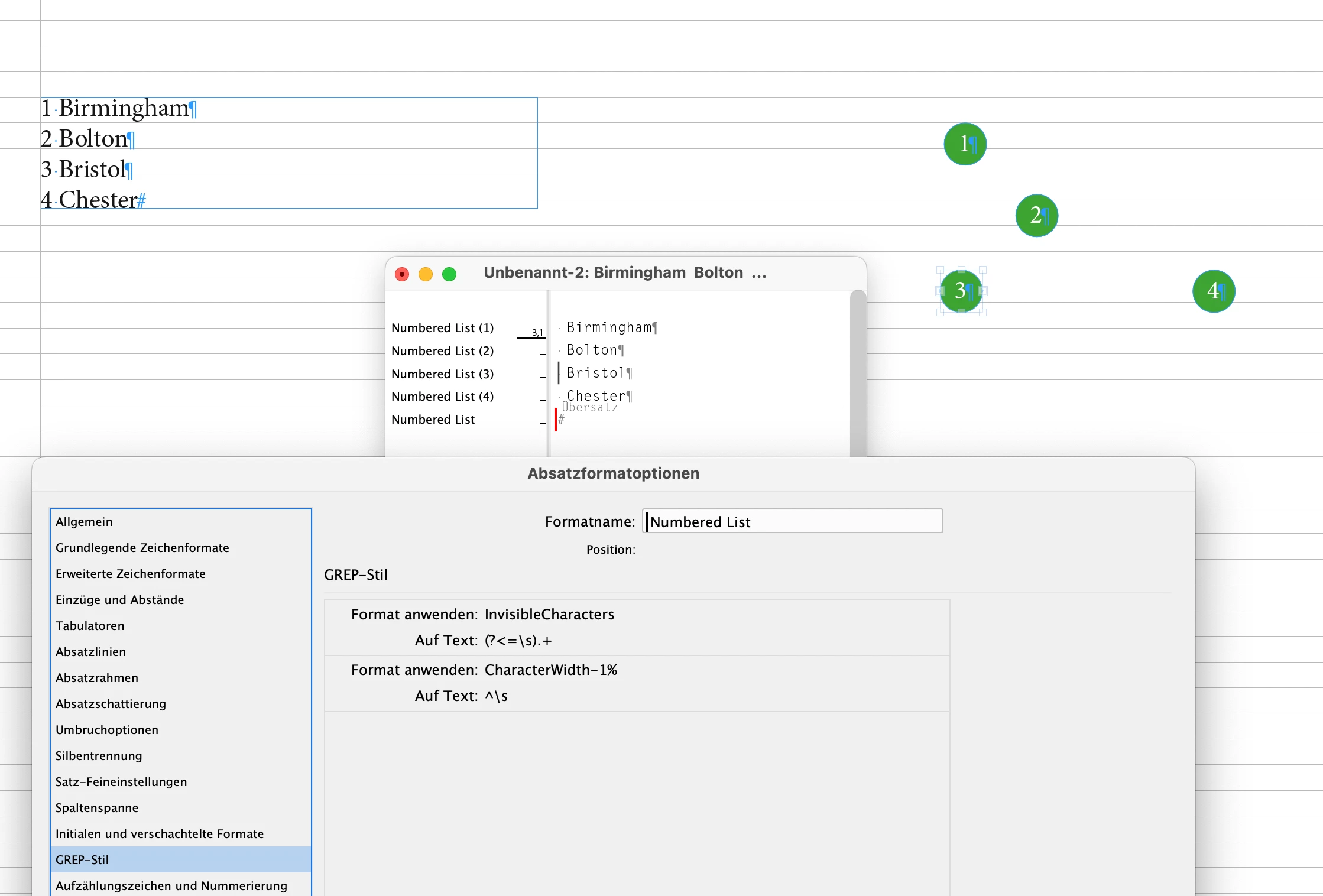
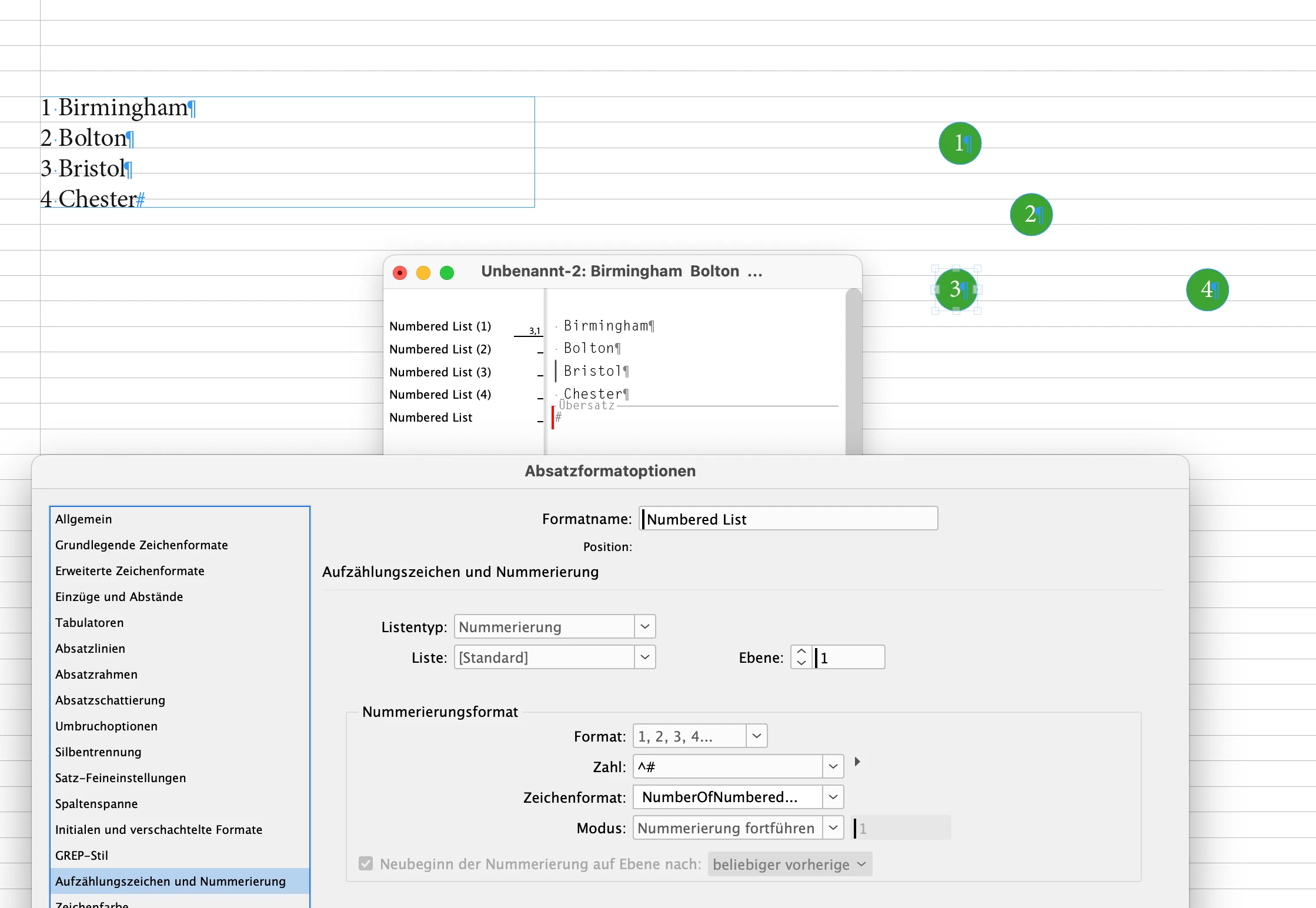
First of all think of full paragraphs in every circle element that contain the whole information. The auto number of a list plus the location in plain text. The location part is formatted as "invisible" with a GREP style in the applied paragraph style. Point size 0.1 Pt, character scaling set to 1% and fill color "None" of the applied character style.


To edit an item use the Story Editor window.


Then do a Table of Contents with a distinct TOC Style that uses a separate paragraph style that pulls all the information to a TOC that you can update after making changes to the threaded text frames on your map.


See screenshots in no particular order from my German InDesign and the attached file MapLegend-SemiAutoUpdateWithTOC.idml.


Regards,
Uwe Laubender
( Adobe Community Expert )


4 replies

LaubenderCommunity ExpertCorrect answer
Community Expert
May 20, 2025

Hi @Jambo_88 ,

to add something to @Robert at ID-Tasker 's wonderful solution:


I can see a set-up of elements on the page where the "legend" of the map can be updated semi-automatically with an InDesign menu command:


First of all think of full paragraphs in every circle element that contain the whole information. The auto number of a list plus the location in plain text. The location part is formatted as "invisible" with a GREP style in the applied paragraph style. Point size 0.1 Pt, character scaling set to 1% and fill color "None" of the applied character style.


To edit an item use the Story Editor window.


Then do a Table of Contents with a distinct TOC Style that uses a separate paragraph style that pulls all the information to a TOC that you can update after making changes to the threaded text frames on your map.


See screenshots in no particular order from my German InDesign and the attached file MapLegend-SemiAutoUpdateWithTOC.idml.


Regards,
Uwe Laubender
( Adobe Community Expert )

 

Robert at ID-Tasker
Legend
May 20, 2025

@Laubender 


That's way better than my idea 😉


m1b
Community Expert
Community Expert
May 16, 2025

Hi all, I've come from the future to say that I've recently written a script that handles exactly this situation. You can see it at my github repo, where you will find the script as well as instructions, or you can download the script directly.

- Mark

m1b
Community Expert
Community Expert
February 10, 2025

Hi @Jambo_88 can you share a sample document? Showing before and after what it should look like? Are the map locations text frames in Indesign?

- Mark

Robert at ID-Tasker
Legend
February 4, 2025

You have to do it as two separate Stories: 


1) that will hold numbers on your map - linked TextFrames, 

2) list with places - left on your screenshot. 


When you need to add a new "item" in between existing numbers - you'll have to click out port of the TextFrame with "previous" number and create a new TextFrame - InDesign will keep threading intact.


Then, do "the same" on the left list - and a new entry in the correct place. 


Robert at ID-Tasker
Legend
February 4, 2025

Of course both Stories need to have Bullets & Numbering turned ON. 


Jambo_88Author
Participating Frequently
March 3, 2025

@Jambo_88


Those are two separate threads - that you need to keep "synchronised" manually.


Thanks Robert, apologies if I have become an annoyance but if you had time (as a last resort for me) to share a quick screen recording of the process of how it's done that would really help. I think I get how to connect the number roundels which have been converted to TextFrames but then my small brain is not understanding how to connected it to each location name as the final link?