Vittoria B.
Known Participant
August 18, 2022
Answered

Issue Exporting PDF (gibberish font)

  • August 18, 2022
  • 6 replies
  • 5557 views

Hello, 
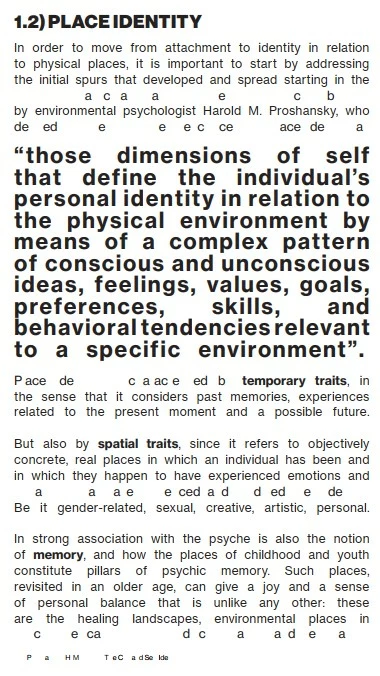
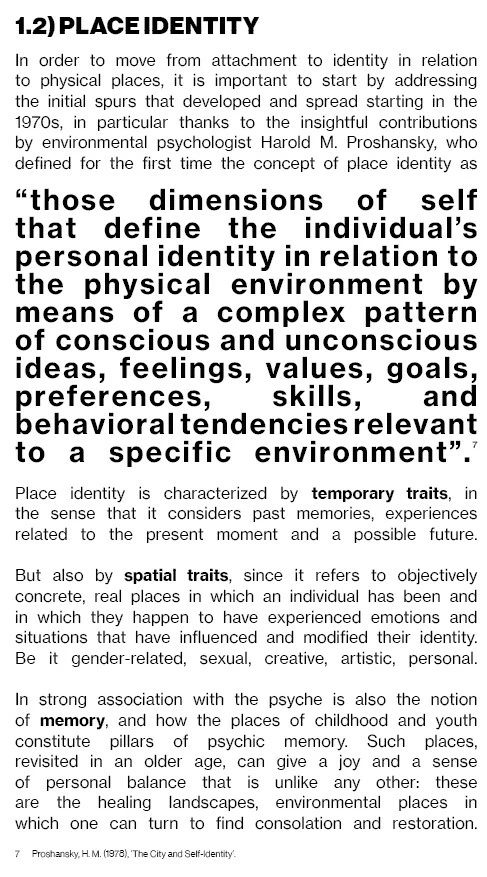
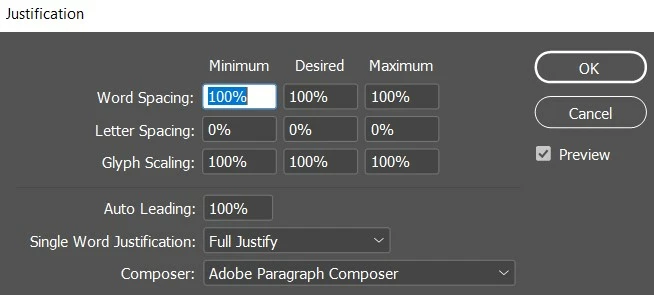
I have been having major issues in exporting a PDF version of my InDesign thesis. When I export a package or PDF, the text appears as gibberish, with missing letters. I will attach a screenshot of what it looks like when I export, what it's actually supposed to look like and the current justification settings. 

- My workspace is set to: Book
- The font is Neue Haas Grotesk Text Pro (OTF)
- I open the PDF with Acrobat DC
- All the apps are updated 

I am very frustrated and pretty desperate at this point. Any help will be greatly appreciated, thank you in advance.
This topic has been closed for replies.
Correct answer Laubender

Hi Brad,

thank you for this analysis of the issue.

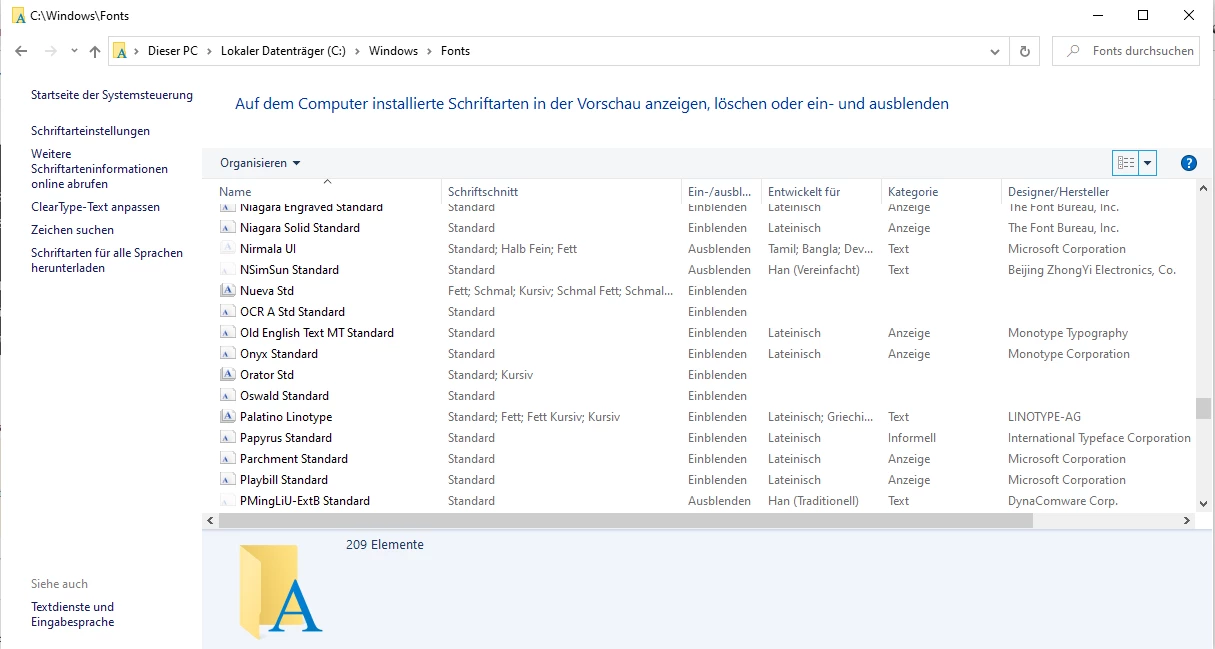
I'm on Windows 10 and in my Windows system the font family is not installed:


The thing is that InDesign 2022 did not indicate that the missing font is available on Adobe Fonts when I opened the sample file from @Vittoria B. . So I did not look after the font at Adobe Fonts. Neue Haas Grotesk family is indeed at Adobe Fonts and I activated it to test the activated fonts against the sample document.


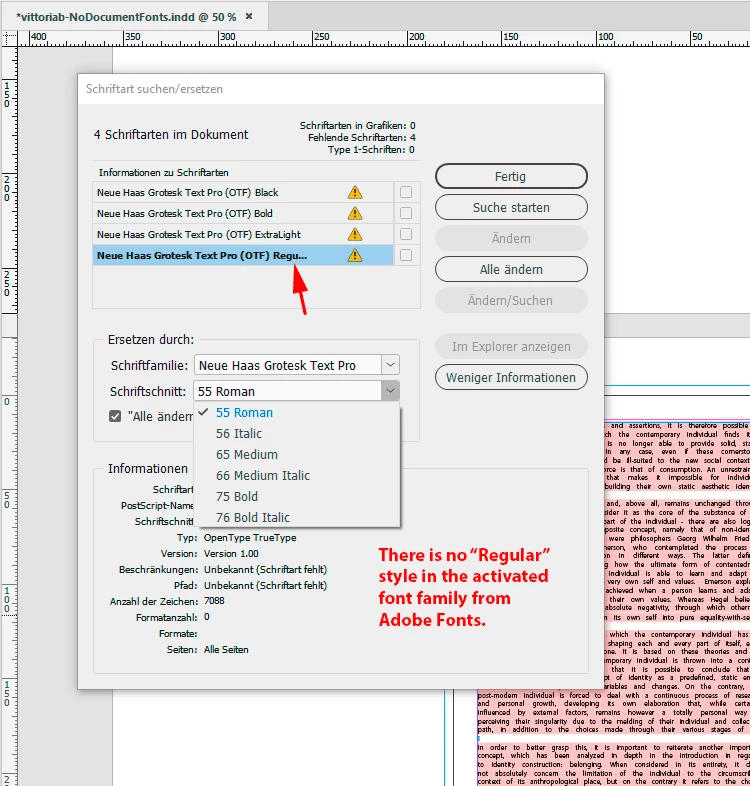
Problem is, the Find Fonts… all the used styles are not available in the activated font family:

Now I could substitute the missing "Regular" with "55 Roman" and "Bold" with "75 Bold", but "Black" and "Extra Light" are still missing. But wait, there is a second Neue Haas family at Adobe Fonts, the Neue Haas Grotesk Display Pro.

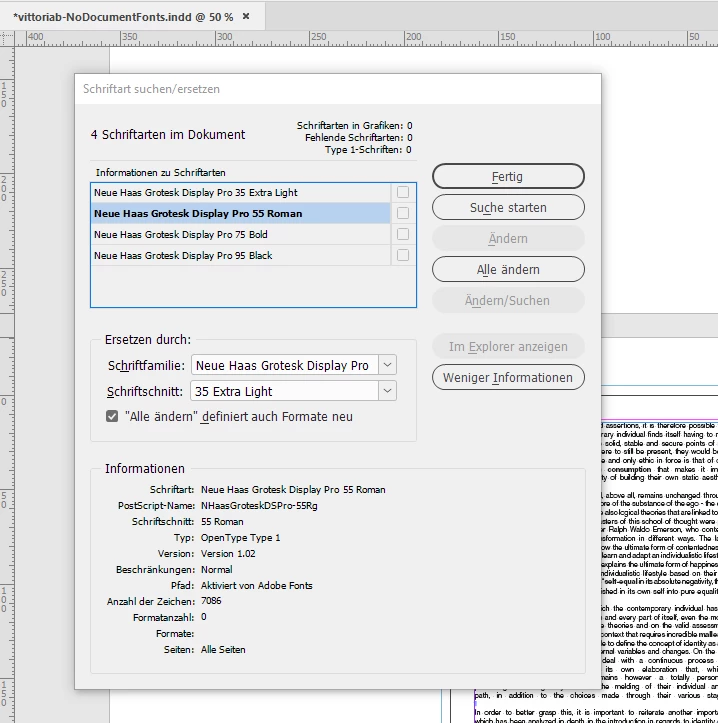
And this family also has substitutions for all the missing styles. I substituted all missing styles with Neue Haas Grotesk Display Pro and had no issue with exporting to PDF:


Regards,
Uwe Laubender
( Adobe Community Professional )

6 replies

Community Expert
August 22, 2022

Hi @Vittoria B. ,

below a download link with your renamed document where I substituted the missing font styles with the activated ones from the Neue Haas Grotesk Display Pro, also added the exported PDF that is showing no issues and some screenshots from my German InDesign 2022:

https://www.dropbox.com/s/0625z5hlauo56sd/220822-1-SubstitutedWithNeueHaasDisplayPro.zip?dl=1


Regards,
Uwe Laubender
( Adobe Community Professional )

LaubenderCommunity ExpertCorrect answer
Community Expert
August 22, 2022

Hi Brad,

thank you for this analysis of the issue.

I'm on Windows 10 and in my Windows system the font family is not installed:


The thing is that InDesign 2022 did not indicate that the missing font is available on Adobe Fonts when I opened the sample file from @Vittoria B. . So I did not look after the font at Adobe Fonts. Neue Haas Grotesk family is indeed at Adobe Fonts and I activated it to test the activated fonts against the sample document.


Problem is, the Find Fonts… all the used styles are not available in the activated font family:

Now I could substitute the missing "Regular" with "55 Roman" and "Bold" with "75 Bold", but "Black" and "Extra Light" are still missing. But wait, there is a second Neue Haas family at Adobe Fonts, the Neue Haas Grotesk Display Pro.

And this family also has substitutions for all the missing styles. I substituted all missing styles with Neue Haas Grotesk Display Pro and had no issue with exporting to PDF:


Regards,
Uwe Laubender
( Adobe Community Professional )

Vittoria B.
Known Participant
August 22, 2022

Thank you so much for this in depth analysis! I really appreciate it. I tried the Neue Haas Grotesk Display Pro font family available at Adobe Fonts, but the 55 Roman still looked quite different from the Neue Haas Grotesk Text Pro Regular that I had intended on using. Therefore, I took on Brad's advice and just change to a different font. Thank you for your time.

Willi Adelberger
Community Expert
Community Expert
August 19, 2022

You should give some allowance in the Justification dialogue:

Word spacing and Letter Spacing and Justification is technically not possible.

Vittoria B.
Known Participant
August 19, 2022

Ok, so I tried giving some allowance and the result is the same. Attached are the new Justification settings and the end result.

Community Expert
August 19, 2022

Hi @Vittoria B. ,

downloaded your InDesign document and had a look.

My guess is, and it only can be a guess, because I do not have the needed font files:

It might be an issue with the combination of a fully justified text and hyphenation disabled.


I would try to switch the paragraph composer from the Adobe Composer to the Adobe Single Line Composer. Also add and apply custom paragraph styles to the text. Do not solely work with style overrides of the Basic Paragraph Style.


Regards,
Uwe Laubender
( Adobe Community Professional )

Vittoria B.
Known Participant
August 19, 2022

Hello, 
Thank you for taking a look at my file. 
I tried that too, attached are the updated Justification settings: unfortunately the result is still the same.

Brad @ Roaring Mouse
Community Expert
Community Expert
August 19, 2022

Opening your PDF I get the error that the fonts were not properly embedded. This is causing your display issue.

In fact, if you select Edit PDF in Acrobat and either select your font again, or even a different one, all your text is still there. (You can also see this if you open your PDF in Illustrator)

So, what's causing this? Not sure. One possible:

Are you on Windows 11 by any chance now, but used to be on Win 10 using these fonts? In both OS's Neue Haas was a font bundled with the OS, however, the version in Win 11 is slighly different in naming conventions. I'm wondering if there are multiple copies of this font on your system which is confusing the PDF Export chain.

Did you get these fonts from somewhere other than Windows/Microsoft?

Other than that, when I open your file with the fonts installed (although I'm on Mac), it exports just fine.

Brad @ Roaring Mouse
Community Expert
Community Expert
August 19, 2022

What settings are using for Export?

Can you upload one page from one of the "bad" PDFs? I'd like to poke at it

Vittoria B.
Known Participant
August 19, 2022

I will attach the settings I use to export, and a "bad" PDF, where you can see both how Neue Haas Grotesk Text Pro (OTF) works just fine when Bold and Black, and how it has missing letters when Regular.

Community Expert
August 18, 2022

Hi @Vittoria B. ,

could you share a sample InDesign page?

What kind of PDF do you export?


Thanks,
Uwe Laubender
( Adobe Community Professional )

Vittoria B.
Known Participant
August 18, 2022

Hello Uwe, 
Thanks for reaching out to me!
Of course, I'll attach a sample of a few pages.
I've tried exporting both Adobe PDF (Interactive) and Adobe PDF (Print). The preset is High Quality Print.
I've also noticed that the issue occurs only when I export the whole document. If I export a few pages at a time, the text looks just fine.

Thanks.

Peter Spier
Community Expert
Community Expert
August 18, 2022

You muight want to try exporting the file to .idml and opeing that, resaving as .indd with a new name (DO NOT Overwrite your current file, just in case), and see if that exports better. You may also have better luck if you reboot the computer, open InDesign, and do the export before launching anything else.