
Participant
January 31, 2022
Answered

Issue installing Indesign server trial

  • January 31, 2022
  • 4 replies
  • 930 views

Hi!


I couldn't see a specific part of the forum for Indesign Server, so I am posting it here.

Hope that is corret.


So like the subject says, i'm having trouble to install Indesign Server trial on our windows server.

I get the "Update required" message.
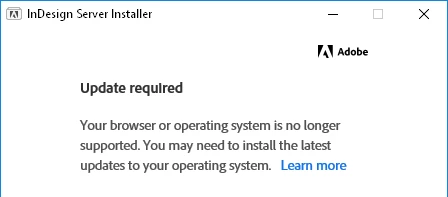


I have followed the steps on the "Learn more" page and more.

What I have tried so far is:

  • Run windows update to make sure it's up to date
  • Update acrobat/cloud to the latest versions
  • Added the registry file found on the "Learn more" page. Which makes sure that IE11 doesnt open in the wrong mode. I also added "Set-up.exe" and "Adobe Installer.exe" to the list of exceptions for good measure.
  • Installed latest version of Edge and changed it to the default browser.


Even after this it still isn't working.

I had hoped it would work after changing to Edge instead, but I think it might still be trying to use IE11.

Since when I click the "Learn more" link it still opens it up in IE11. 


Any suggestions on things I could try would be greatly apprieciated!


This topic has been closed for replies.
Correct answer Nilorn

Solution curtesy of Roddy from the Indesign team.


The older installers rely on a now unsupported version of IE as part of the sign-in.

The work around for the older installers is by running the installer from the command line passing the silent flag.


So navigate to the directy containing "Set-up.exe". Run "Set-up.exe --silent=1" and it will install IDS without the UI in the default location "C:\Program Files\Adobe\".


Once it is installed you need to get the Provisioning Toolkit and start the trial using that.

Instructions on how to do that in this link 

https://helpx.adobe.com/ie/indesign/release-note/indesign-server-december-2019-15-release-notes.html


InDesign server 15.1.1 and up use a different installation process so this solution applies to 15.0.

4 replies

NilornAuthorCorrect answer
Participant
February 4, 2022

Solution curtesy of Roddy from the Indesign team.


The older installers rely on a now unsupported version of IE as part of the sign-in.

The work around for the older installers is by running the installer from the command line passing the silent flag.


So navigate to the directy containing "Set-up.exe". Run "Set-up.exe --silent=1" and it will install IDS without the UI in the default location "C:\Program Files\Adobe\".


Once it is installed you need to get the Provisioning Toolkit and start the trial using that.

Instructions on how to do that in this link 

https://helpx.adobe.com/ie/indesign/release-note/indesign-server-december-2019-15-release-notes.html


InDesign server 15.1.1 and up use a different installation process so this solution applies to 15.0.

Inspiring
April 25, 2023

Greetings. Any chance you would know what the command line argument is for InDesign Server 2017? I tried --silent=1 and it didn't seem to work.

Community Expert
February 1, 2022

Hi @Nilorn,

Did you verify if your computer meets the minimum system reuirements for the IDS version you are trying to install. See the following link for details

https://helpx.adobe.com/indesign/kb/system-requirements-indesign-server.html

-Manan

-Manan
NilornAuthor
Participant
February 2, 2022

Hi Manan,


Thank you for your reply!


I checked the system and as far as I can tell it meets the requirements.

It is Windows server 2016. Has 8gb of ram. A 64bit processor. Internet access etcetera.

NilornAuthor
Participant
February 1, 2022

Also tried disabling IE11 under features. Still no luck 😞

NilornAuthor
Participant
January 31, 2022

Forgot to add that I have disabled TLS 1.0 and 1.1 and made sure that 1.2 is available.