Participant
November 27, 2020
Answered

Issue related to page numbering

  • November 27, 2020
  • 1 reply
  • 217 views

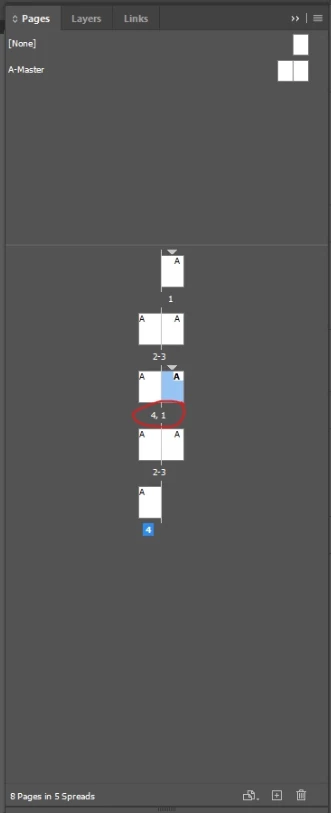
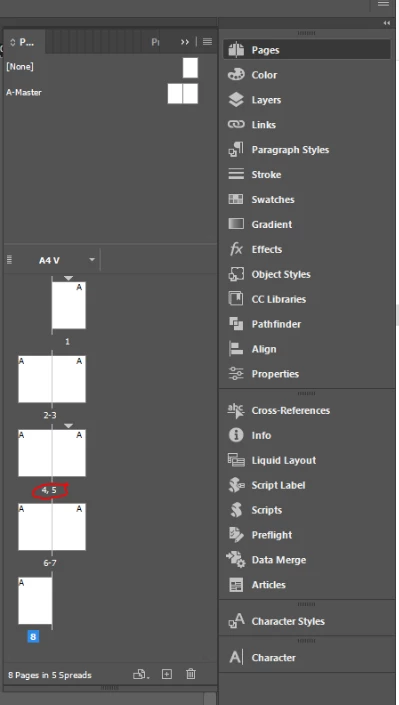
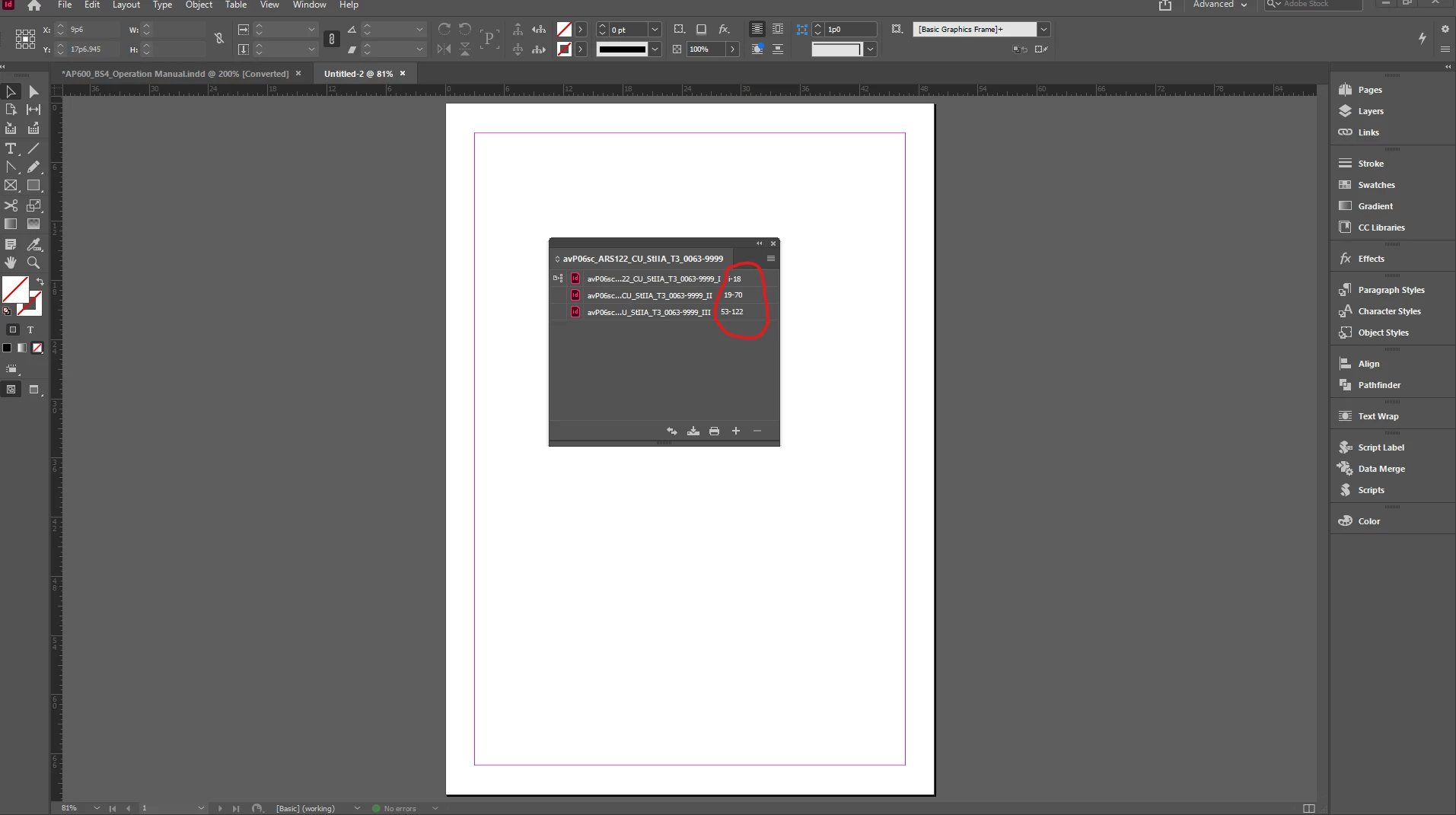
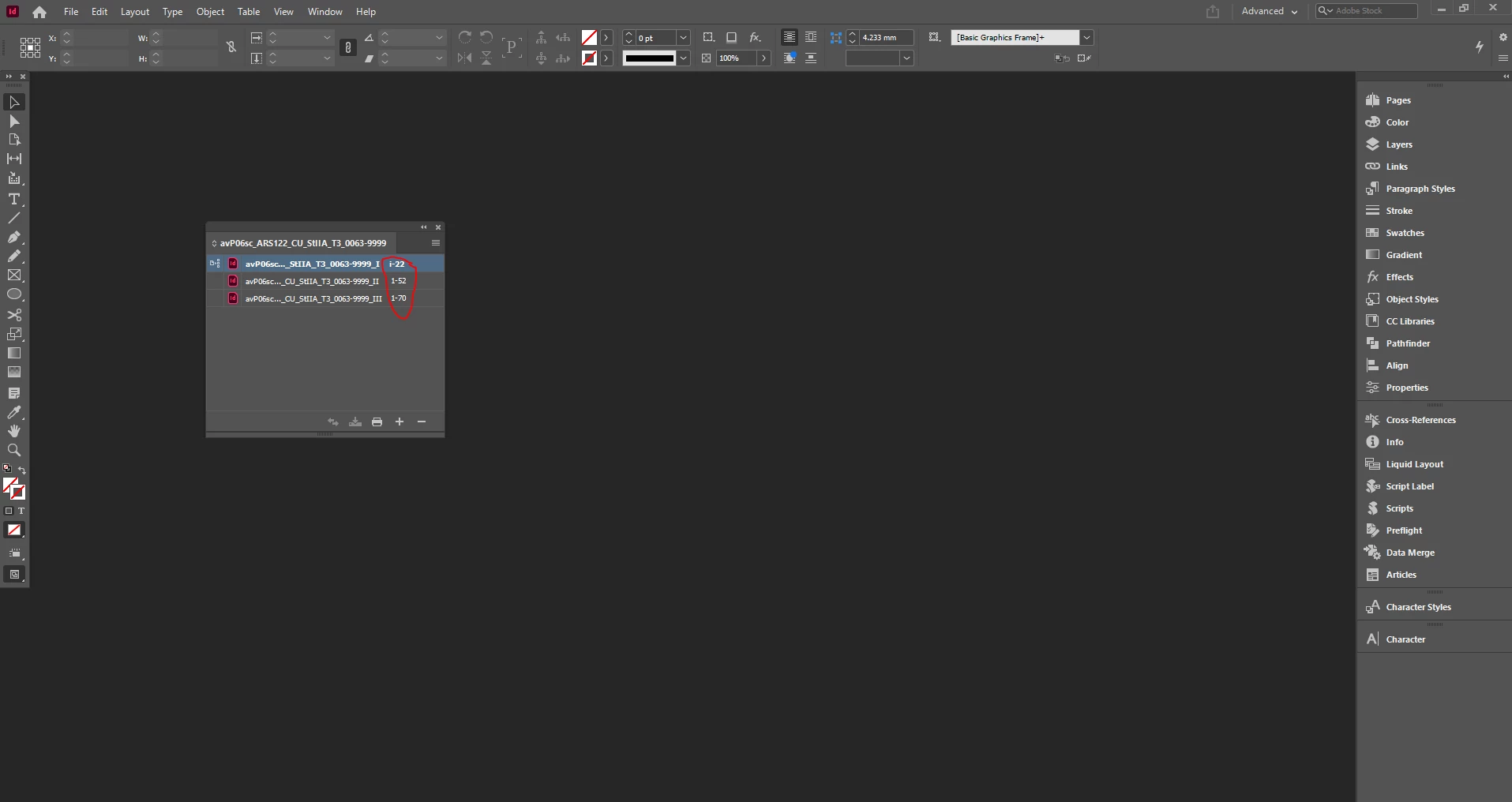
While combined documents for book, facing issue related to page numbering. Have udated all the page numbering functions but ist not working in my system. Me and my collegue are using  same version  InDesign2021. His software is working properly but for same version am facing issue realred to page numbering.

After applying number and section break page number must start with no. 1 page but its not happening in my system. see the attachments.
This topic has been closed for replies.
Correct answer Laubender

Hi Deepak5CC0,

make your documents and your book file available for download.

Put in on Dropbox or a similar service and share the downlaod link.

This issue can be resolved. I suspect a wrong setting of the Numbering & Section option of the start pages in your documents.


It may help to read this here:

Number pages, chapters, and paragraphs in a book
https://helpx.adobe.com/indesign/user-guide.html/indesign/using/creating-book-files.ug.html


Regards,
Uwe Laubender

( ACP )

1 reply

LaubenderCommunity ExpertCorrect answer
Community Expert
November 27, 2020

Hi Deepak5CC0,

make your documents and your book file available for download.

Put in on Dropbox or a similar service and share the downlaod link.

This issue can be resolved. I suspect a wrong setting of the Numbering & Section option of the start pages in your documents.


It may help to read this here:

Number pages, chapters, and paragraphs in a book
https://helpx.adobe.com/indesign/user-guide.html/indesign/using/creating-book-files.ug.html


Regards,
Uwe Laubender

( ACP )