Participating Frequently
August 13, 2021
Answered

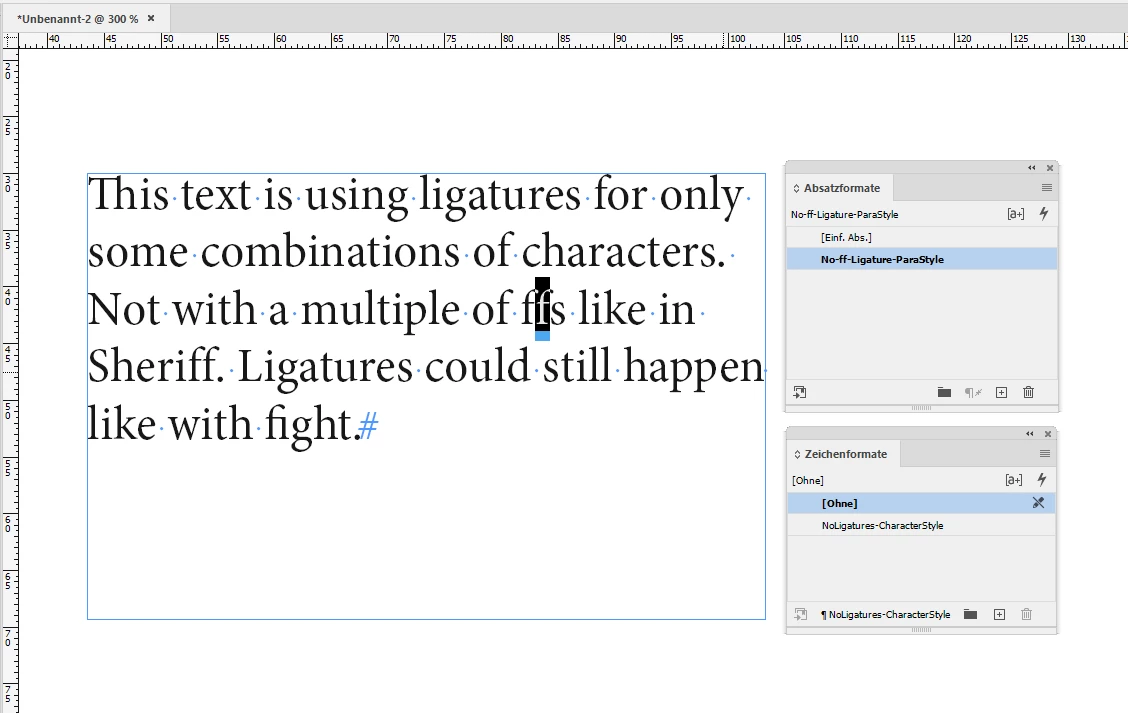
Issue when I type/paste a word that was two ff's like offer, one is hidden

  • August 13, 2021
  • 3 replies
  • 225250 views

I do fix it going to the character window and unselecting Ligatures, saved it, then when I open the file again, is hidden the second f. Does somebody knows how to fix it permanently?
This topic has been closed for replies.
Correct answer Laubender

Alright.

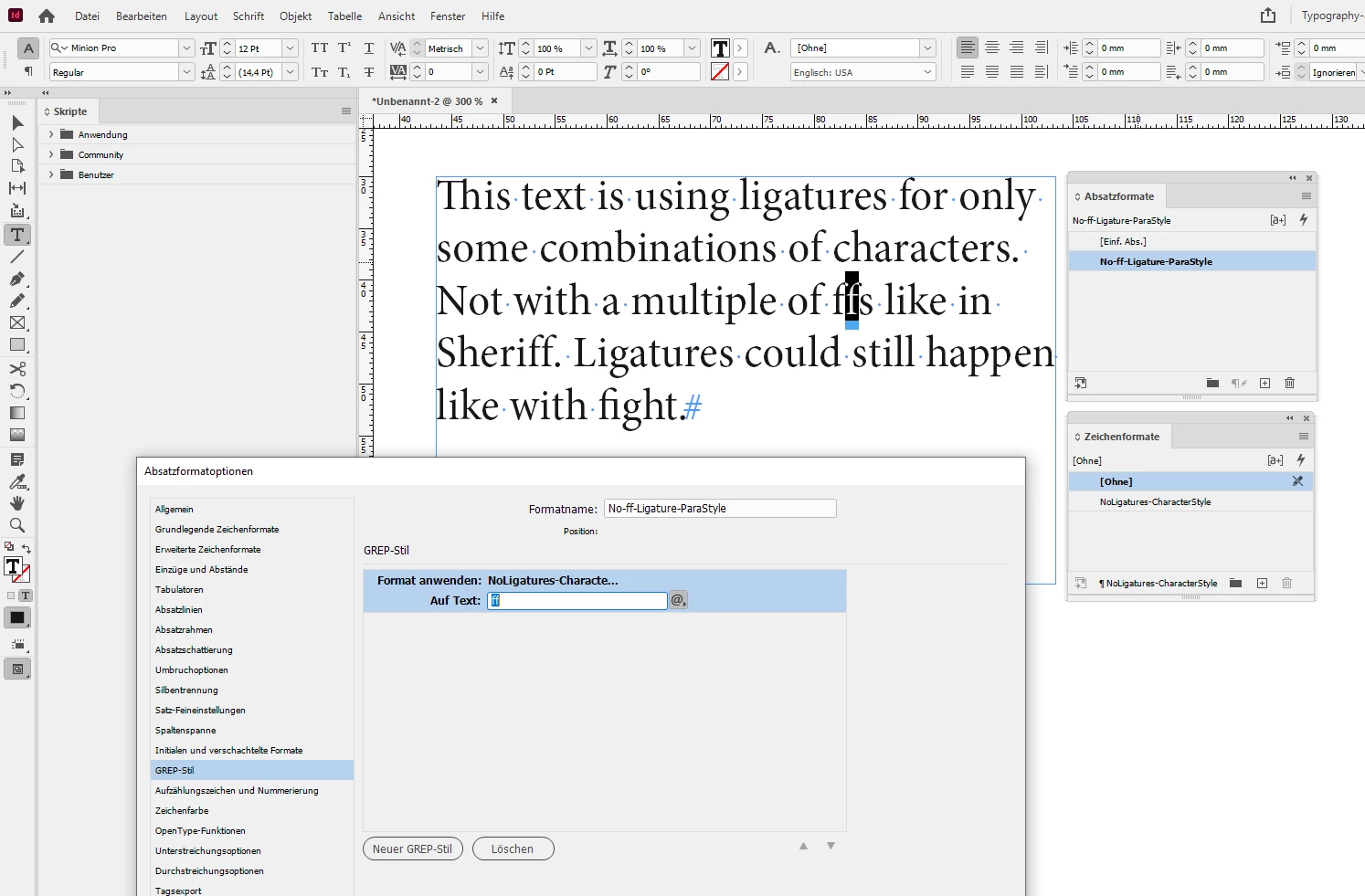
Then you could control this with a GREP Style in the applied paragraph style(s).

Scroll down to section "Create GREP styles":

https://helpx.adobe.com/indesign/using/drop-caps-nested-styles.html


The GREP pattern is simply

ff

In the applied character style feature Ligatures is turned off.


From my German InDesign 2021:


Ligatures is NOT checked in the character style:


Regards,
Uwe Laubender

( ACP )

3 replies

LaubenderCommunity ExpertCorrect answer
Community Expert
August 16, 2021

Alright.

Then you could control this with a GREP Style in the applied paragraph style(s).

Scroll down to section "Create GREP styles":

https://helpx.adobe.com/indesign/using/drop-caps-nested-styles.html


The GREP pattern is simply

ff

In the applied character style feature Ligatures is turned off.


From my German InDesign 2021:


Ligatures is NOT checked in the character style:


Regards,
Uwe Laubender

( ACP )

Participating Frequently
August 16, 2021

Hello,


Ok, I did follow your instructions, so far so good, it doesn't applied when I don't have a file open, I will be checking it.

I will let you know how we go.


Thank you, Danke

Community Expert
August 16, 2021

Please show some screenshots of the issue.

Try a different font as well. Also: use the Story Editor Window and select the two ff's. Then open the Glyphs panel and let us see what's the Glyphs panel says.


Thanks,
Uwe Laubender

( ACP )

Participating Frequently
August 16, 2021

Hello, where is the Story Editor Window?

Community Expert
August 16, 2021

When a text frame or text is selected press Ctrl + y ( Windows ) or Cmd + y ( Mac ).

On a German keyboard use Strg + y ( Windows ) or Cmd + y ( Mac ).


Regards,
Uwe Laubender

( ACP )

Bill Silbert
Community Expert
Community Expert
August 14, 2021

Does this continue to happen if you try using another font? Are you also saying that the f's look correct when you first type or paste them in but are no longer so when you close and reopen the file? In order for anybody to provide help please provide more detailed information about exactly what is happening and also what version of InDesign and what operating system that you are using.

Participating Frequently
August 16, 2021

Hello,


The InDesign version is 16.3, at work I used it in a pc, at home in my iMac last version too, the font that I used is named Wuerth, it belongs to the Wurth group, I am not allow to change the font, seems like this issue didn't happen until now. Well, I tried other font types and it only show with our font type.