Inspiring
March 14, 2023
Question

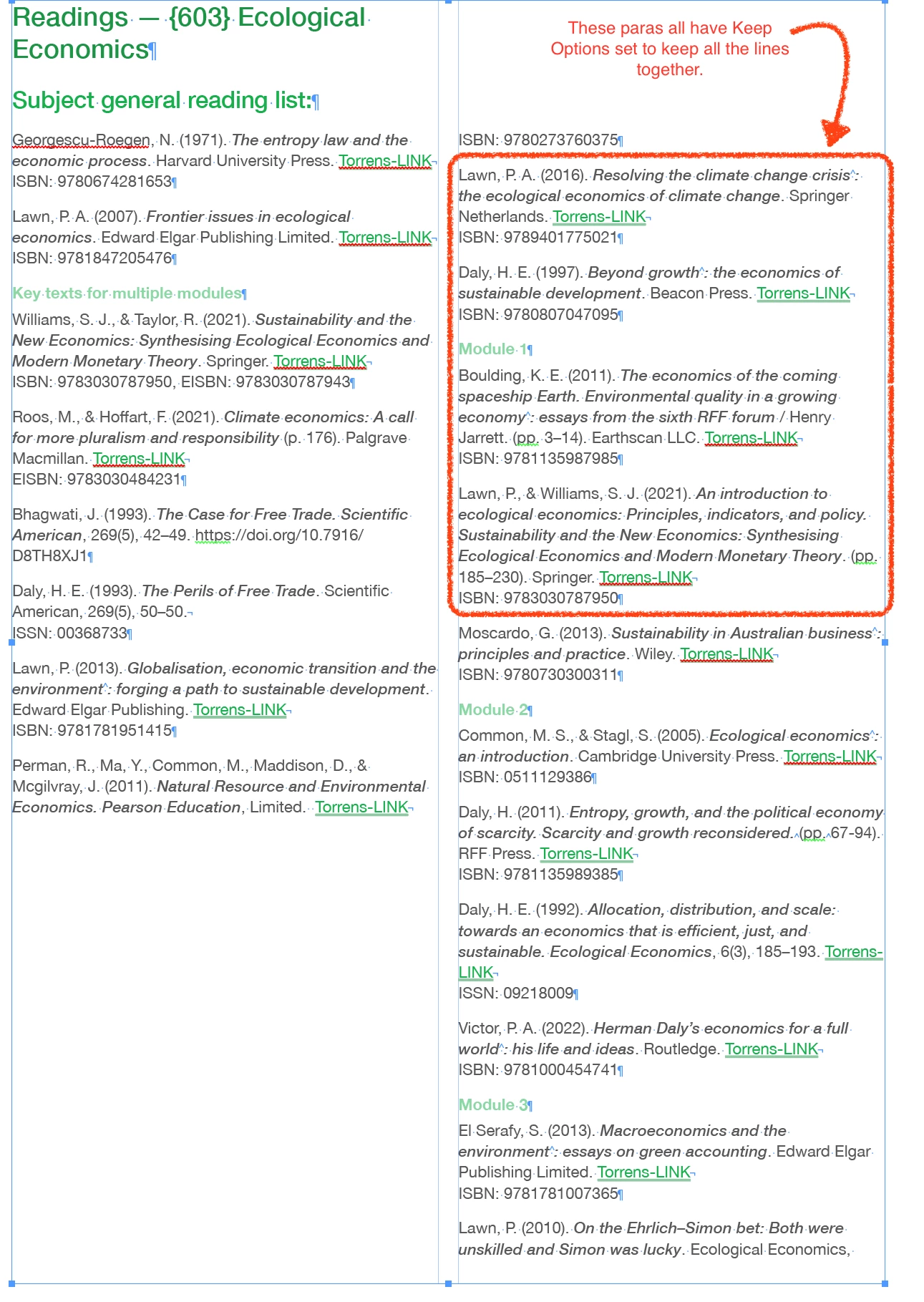
issue with Keep Options… keep all lines together forcing paras to next column

  • March 14, 2023
  • 4 replies
  • 1817 views

I have a soft return (\n) in my citiations listings between the citation and the ISBN numbers.

I'm looking for a way to hold them with the citation text so they don't split over columns and frames.

Keep Options usually works for me with no issues — even if I occasionally have to mess around to remind myself of the quirks. I'ts not working for me here. Either as style for all the citation listsings or just the one that is breaking over the columns. Each time I fix one, it needlessly breaks the paragraph before it at the soft reutrn. No idea why this is happening, I've iterated settings many times. Changing "All lines" to "Starting 7 lines" doesn't make any differene.

Here are some pics to exlpain and I've uploaded a extract from my INDD file, which hopefully is an accurate copy of what is going on.
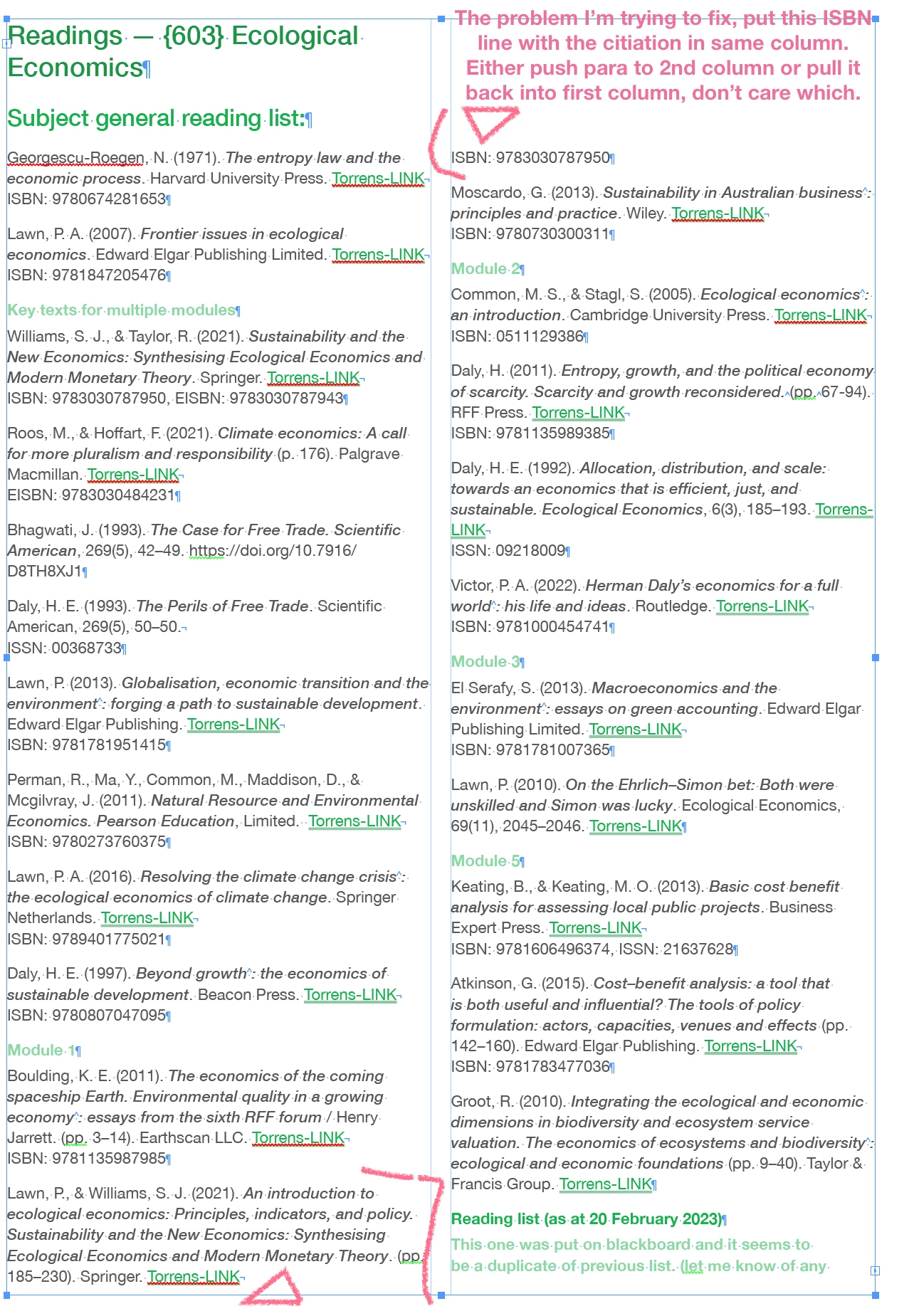
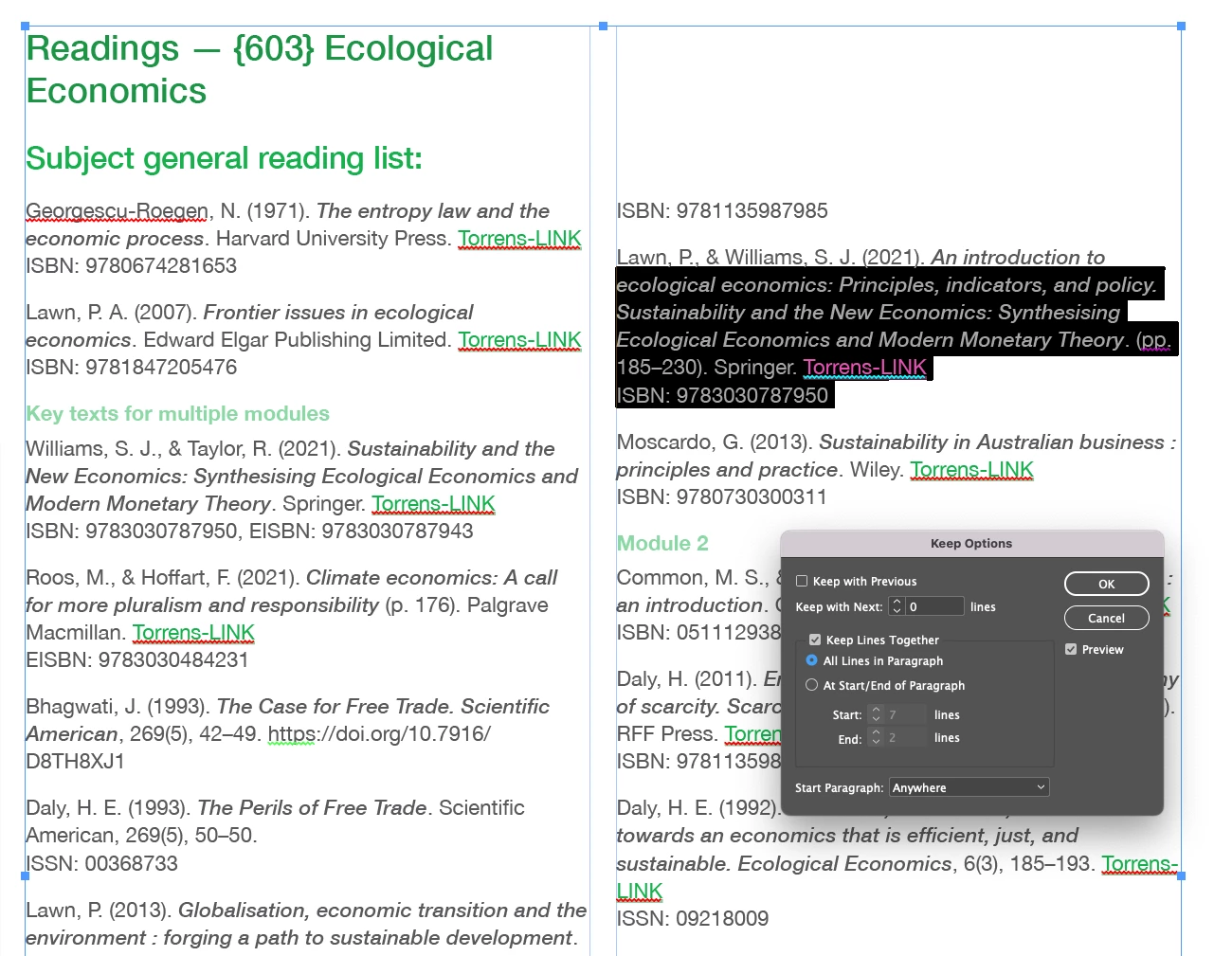
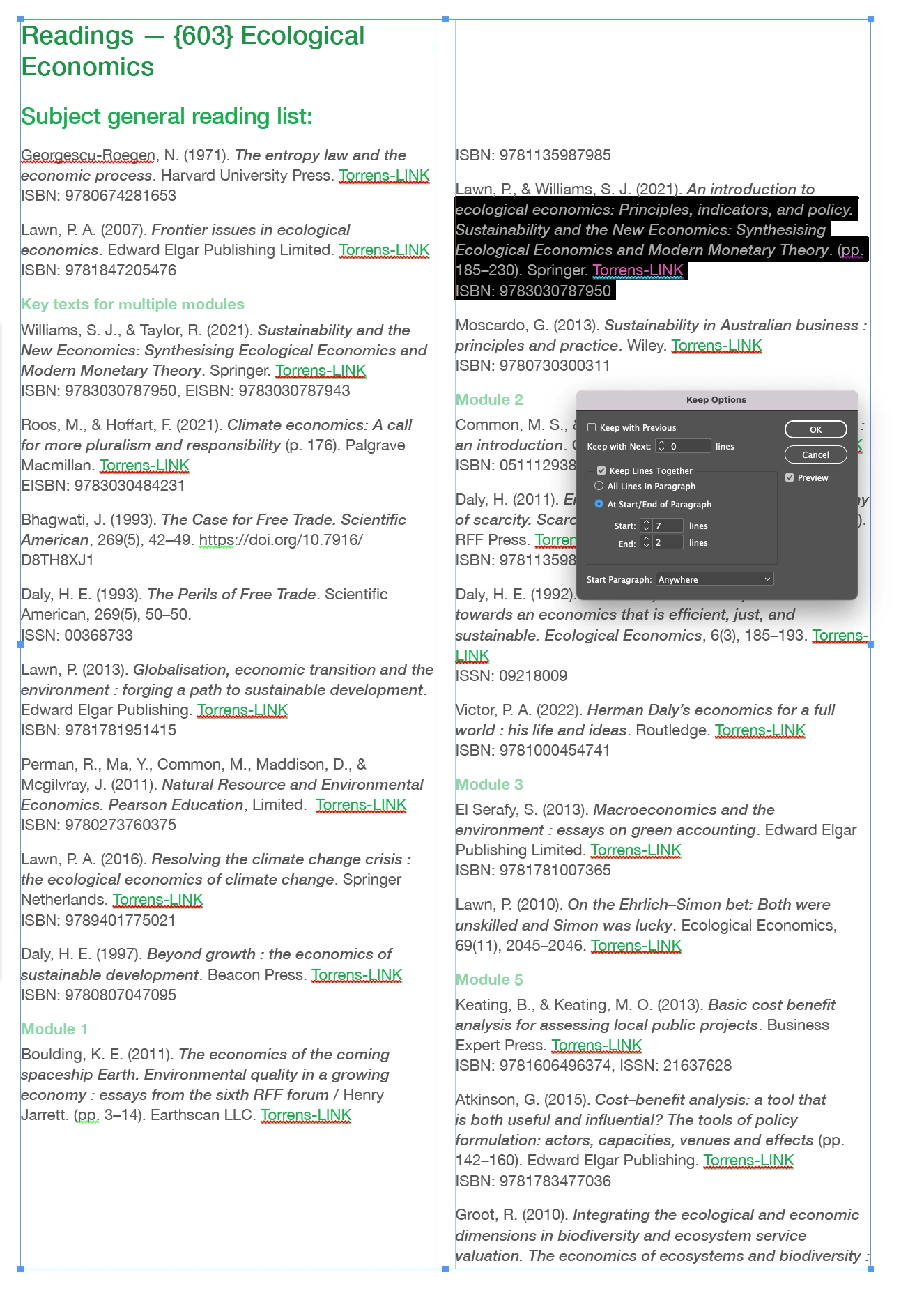


Must be something I'm doing wrong… but what?! There's no logical explaantation that I can see for why INDD would have half a column of empty space when there is no Keep With Previous… (or next) set to true. never had this issue before that I recall, though I know this setting can create issues if not used carefully.

INDD File attached

This topic has been closed for replies.

4 replies

BobLevine
Community Expert
Community Expert
March 14, 2023

I'm with James and Peter on this. Paragraph styles...set up and used properly...are the only way to handle this. It seems that you're looking for some kind of magic bullet to use on a manual basis. None exist.

James Gifford—NitroPress
Legend
March 14, 2023

Soft returns should never be used in page formatting.

Use paragraph styles with proper spacing and keep options set.


Inspiring
March 14, 2023

in 40 years of DTP sometimes in fast paced environments in advertising with million dollar jobs having to be set same day/night… nobody has ever, ever said that to me. I already have too many paragraph styles for such a simple document, it would double!


Peter Spier
Community Expert
Community Expert
March 14, 2023

I have to pretty much agree with James here. A pair of paragraph styles set as each other's next style would pretty well automate entering all those listings, with only the occasional need to switch to a different style for a section heading (which could be done with an assigned keyboard shortcut.

I would set the ISBN style to keep with previous 1 line and have probably no keep options for the citation style.

Inspiring
March 14, 2023

more often than not, posting to a forum leads to self-discovery!

this is one of those cases. I tihnk there were some pesky Keep with Next n lines set to 2 lines on a couple of paragraphs that was stopping the solution. Attached is fixed file for those who this might help at some future occassion.

Inspiring
March 14, 2023


Inspiring
March 14, 2023

infuritaingly, I selected all the citations and then deselected Keep with Previous just to be sure none existed. Then hit CMD + OPT + 'K' again and selected Keep All Lines Together and it worked with Preview on. Then I undid it to try and find the offending paragraph… and repeating this same "select all citations (grey text)" and setting to Keep All Lines Together doesn't work now…… agh!