
Issue with origin position when moving objects
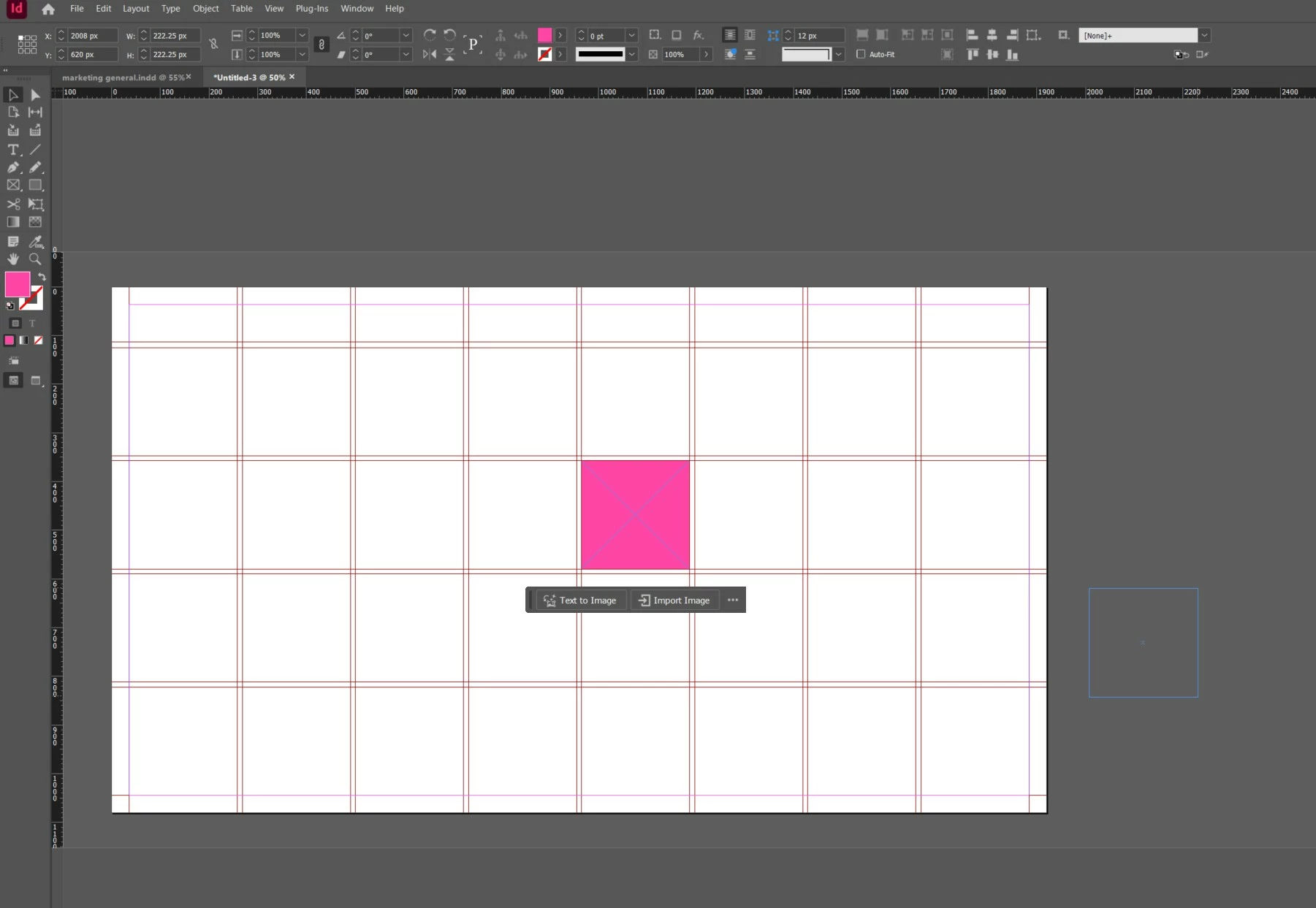
I'm having real trouble with InDesign with moving objects or text frames. When I use Select to click and drag /move anything, rather than it move from it's current location, it seems to automatically relocate and move from a position way over to the right/down???
I have tried resetting my preferences. The only way I have resolved the problem was to uninstall and reinstall the software completely... This solved the problem for about 10min but the issue has come back?!!
Any help much appreciated as I have failed to find anything about this problem online. The screenshot I have shown is where I have used Select and clicked in the centre of the square (blue outline shows where it then 'jumps' to).
The problem started with both versions I had installed of InDesign.
It's not an issue with my mouse as I have no problems with other software including Adobe Photoshop etc.
PLEASE HELP!!! THANKS


 AdChoices