Participant
October 7, 2024
Question

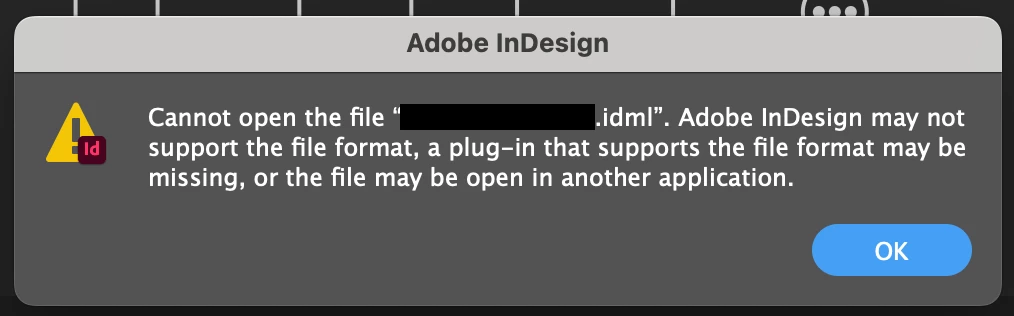
Issues Opening .idml File in InDesign 2024
  • October 7, 2024
  • 3 replies
  • 905 views

I've been having problems with a file that crashes InDesign 2024 when I insert a cross-reference.  I saved the file to .idml but can't open it. I get the message above. 


<Title renamed by MOD>

This topic has been closed for replies.

3 replies

Participant
October 8, 2024

So, what you all are saying is there is no hope. 😞

Robert at ID-Tasker
Legend
October 8, 2024
quote

So, what you all are saying is there is no hope. 😞


By @mónicas87614672


Can you share your file? Can be on priv if you prefer - please click my nickname.


Dave Creamer of IDEAS
Community Expert
Community Expert
October 8, 2024

I would siggest sharing both the .indd and the .idml files. 

David Creamer: Community Expert (ACI and ACE 1995-2023)
Robert at ID-Tasker
Legend
October 7, 2024

@mónicas87614672


Can you share your IDML file? Can be on priv if you prefer - please click my nickname.


Or, as a quick test - please change the extension - or add - ".zip" at the end - and check if it opens. IDML is a ZIPed archive. 


It probably won't tell you much what is inside - but at least will rule out corruption of the IDML file.


Participant
October 7, 2024

I tried changing the extension to .zip and was unable to open the file. Message said it was in an "unsupported format".


Robert at ID-Tasker
Legend
October 7, 2024
quote

I tried changing the extension to .zip and was unable to open the file. Message said it was in an "unsupported format".


By @mónicas87614672


Then it looks like IDML file is corrupted. 


James Gifford—NitroPress
Legend
October 7, 2024

It's possible the file is so corrupted even the export to IDML won't allow the app to restructure and clean it up. That's... bad.


Does the file use linked assets? Have you tried moving the file and/or assets and loading it without relinking (at least, as an initial step)?


Do you know the history of the versions and platforms used to create the original, last-known-good version? That might point to a solution.

Participant
October 7, 2024

I did move the file and opened it without relinking, still had the same problem. This problem file was created from a previous file, just updated some edits from the client. It all worked well until I tried to update the cross-references.