

dublove
Legend
September 28, 2024
Question

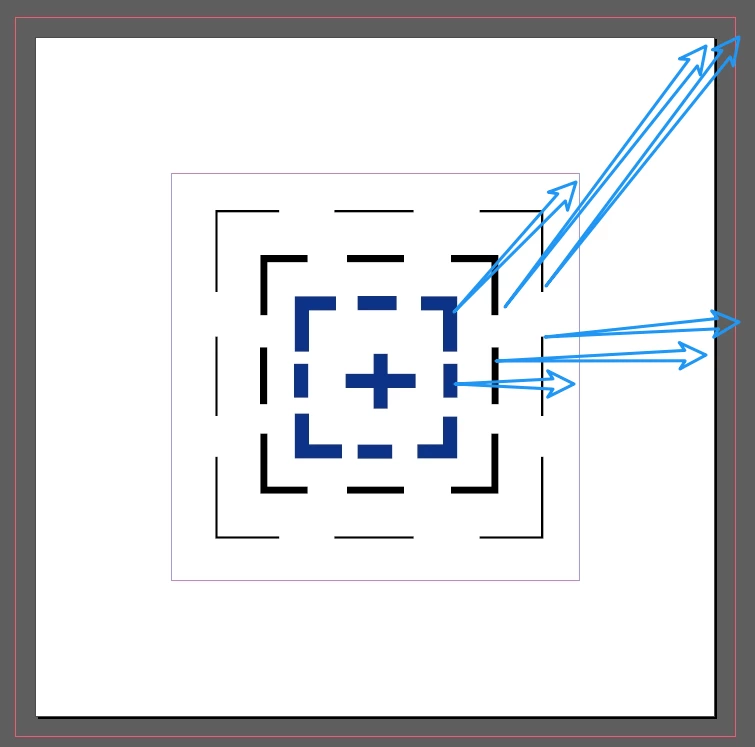
It would be nice to have a tool like this on the control bar.

  • September 28, 2024
  • 1 reply
  • 793 views

Sometimes I find it a bit slow to switch to the aligned faceplate.
This is because alignment faceplates are generally aligned to selections by default. It's a pain in the arse to change it.


Quickly align margins, plate centre, bleed tool.
Also wish adobe would add an align to reference line feature.
 

This topic has been closed for replies.

1 reply

Robert at ID-Tasker
Legend
September 28, 2024

But you can Snap to Guides and use Smart Guides. 


In order to perform action(s) you describe - you would have to have extra pallet open - and then select object and click icon. 


For me, personally, selecting an object and moving it is fast and convenient enough.


And I don't have to waste screen's real estate. 


But if you have to do it so often - it can be easily scripted - but then you'll need multiple scripts anyway - and multiple keyboard shortcuts if you prefer to use keyboard. 


Or UXP Script can create a pallet with icons. 


Barb Binder
Community Expert
Community Expert
September 29, 2024

Hi @dublove:


For sure, take a moment to vote for the bleed addition to the Align panel using the link provided by @Eugene Tyson. That's where to log feature requests. Align to bleed is missing from the Align to: list.


On the community forums, our job is to explain features as they exist today. And as a trainer, that's my day job. My observation is that Align panel frustration normally stems from not understanding how it works.


I'm showing align to selection, align to key object, align to the page edges and then grouping and moving the object to the bleed lines with the Shift+ arrow keys in this 22 second video. If that still seems like too much work/taking too long, then @Robert at ID-Tasker's suggestion of looking into a script is the only other option to solve this today


~Barb


~Barb at Rocky Mountain Training
James Gifford—NitroPress
Legend
September 29, 2024

I don't find the Align panel too badly arranged (although I agree align to bleed would be quite useful!) It's the Control Bar implementation that wastes too much space and leaves the alignment mode a bit cryptic and detached. Me, I'd put three drop-downs: one for Mode, one for Align, one for Distribute, and a bit more obviously "connected" than the running jumble of little this-or-that icons for several collateral functions.