

Italics (and superscript, and…) won't stop in imported MS Word .docx file
Importing MS Word files into InDesign has always been twiddly. Both for myself and for others in my organization, I need to import files and update them regularly. One big challenge over the years has been dealing with italic and superscripted text. I have figured out how to have similarly-named styles in Word (yes, I know that my MS Word paragraph styles should be "based on: none") and in InDesign to allow automatic mapping to occur without having to have a customized import mapping. And after exporting a .rtf file from InDesign, I have even figured out how to apply MS Word paragraph styles to outline-numbered paragraph styles so the exported RTF has the same numbering as in InDesign.
For some projects, I just edit directly in InDesign.
But for my teaching handouts (I'm a med school professor), I have to use Word to create the text file, and then Place it, as I need to use EndNote to create and format bibliographic references. Here is the first section of one of my handouts in MS Word:

And here is what I get when I Place the file in InDesign:
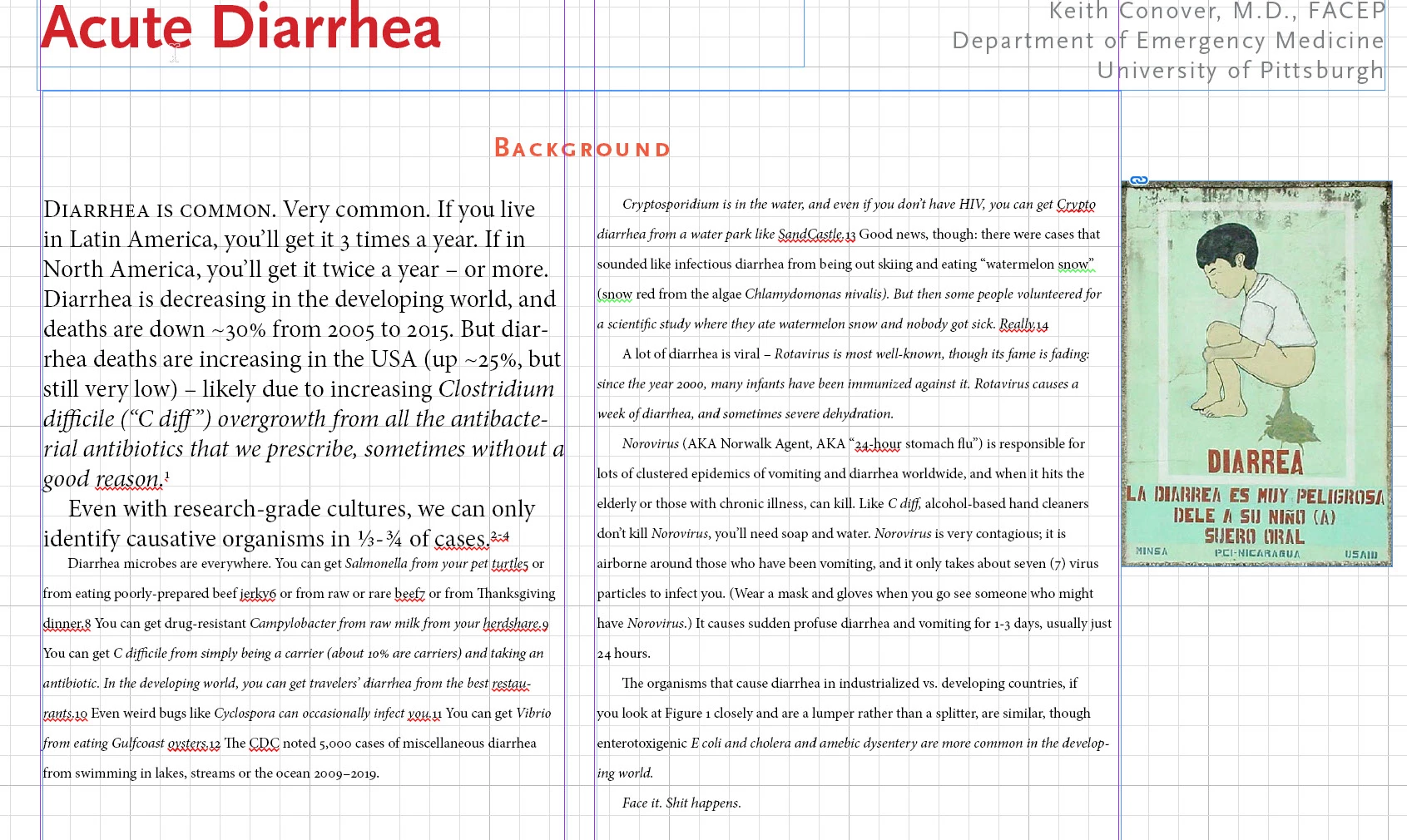
This has been going on for maybe 10 years. I've been fixing it manually each time I update the Word file.
I thought about the recommendations to not use Word's builtin italic and superscript and the like, and create MS Word Character Styles for italic and superscript and the like, but it looks like MS Word has already created some character styles, which may be the source of the problem:
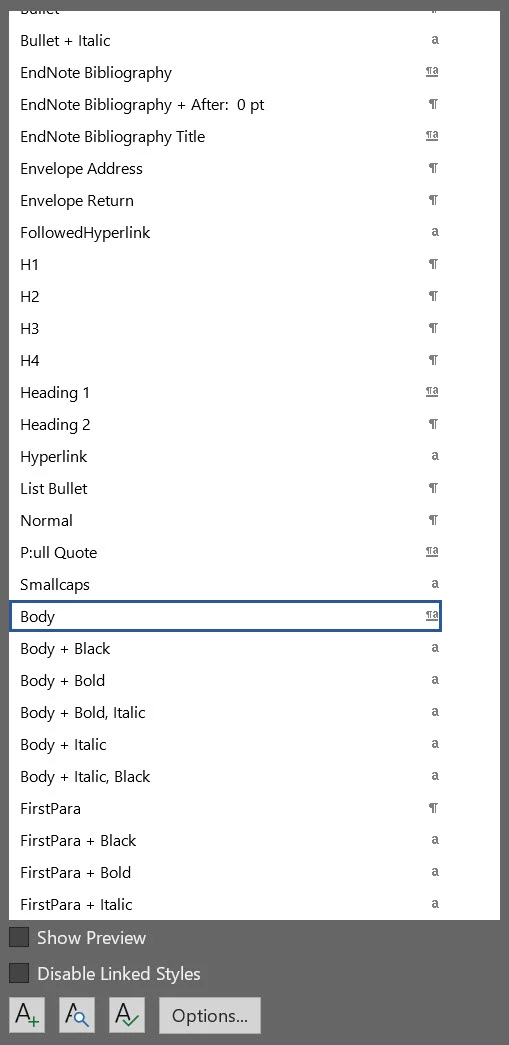
If anyone can offer any insight into what's going on, I would appreciate it.
Thank you.
 AdChoices