
Inspiring
February 13, 2023
Answered

Jagged edges on round objects

  • February 13, 2023
  • 3 replies
  • 1906 views

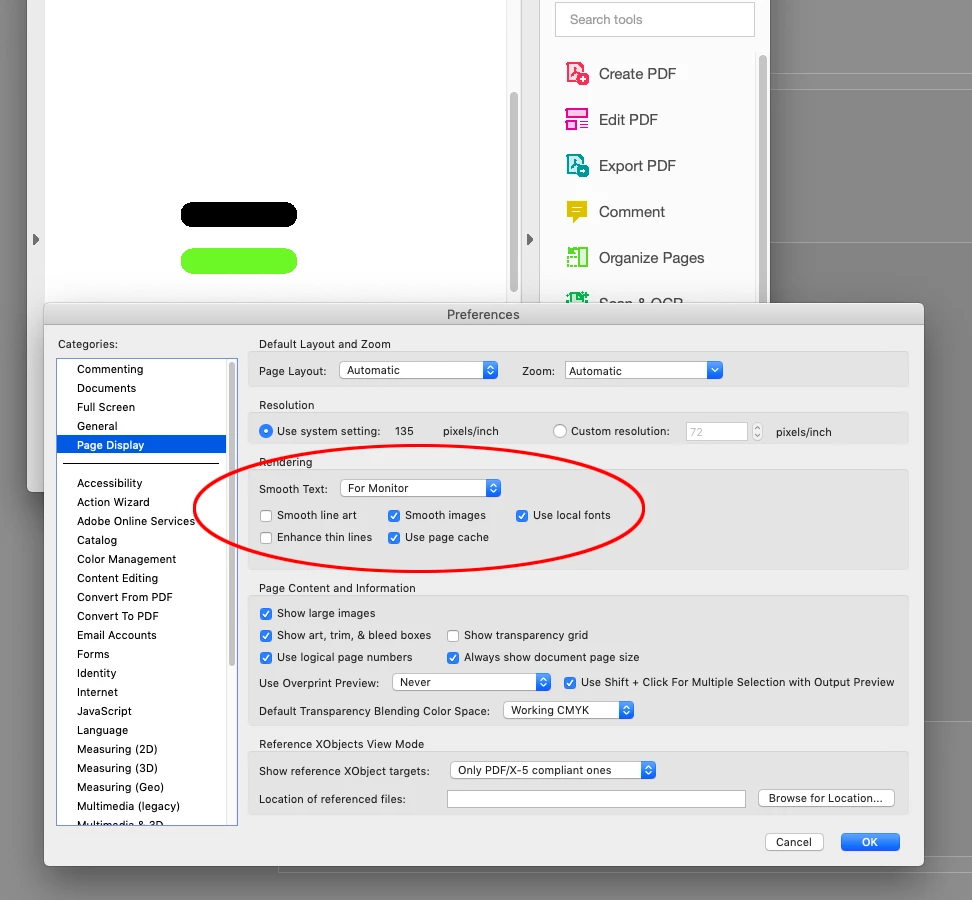
Round ending of the line is jagged when exporting interactive PDF. In Indesign they look nice. 
These are all linestyle round cap. I used Paragraph rules.
300 ppi, but it is not raster effect. All vector. When I zoom in acrobat it look very clean.
It looks ugly on all practical zoom levels in arcrobat.
If the second page that user sees is ugly, then they may get bad vibes from this design.

Is there any anti-alias setting or something I could turn on in preferences?
This topic has been closed for replies.
Correct answer rob day

Is there any anti-alias setting or something I could turn on in preferences?
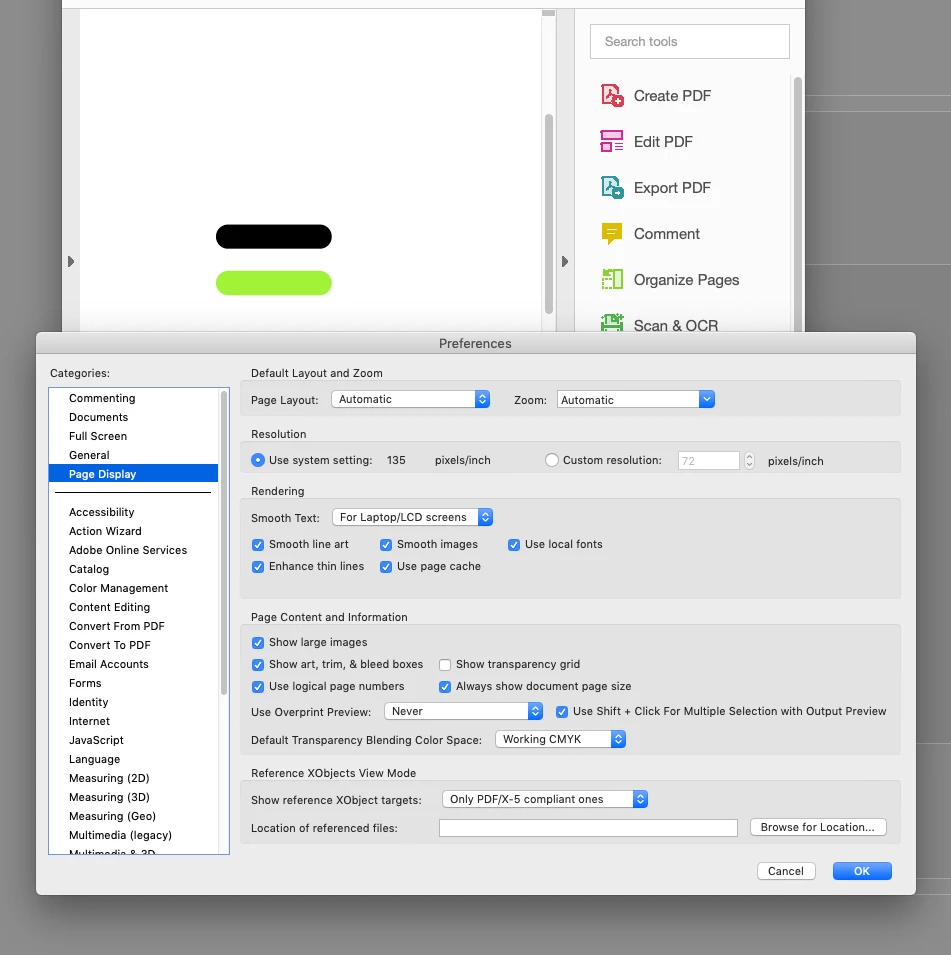
 

Hi @Sorontar , If you are viewing in AcrobatPro or Reader, it has its own Anti-Aliasing settings:


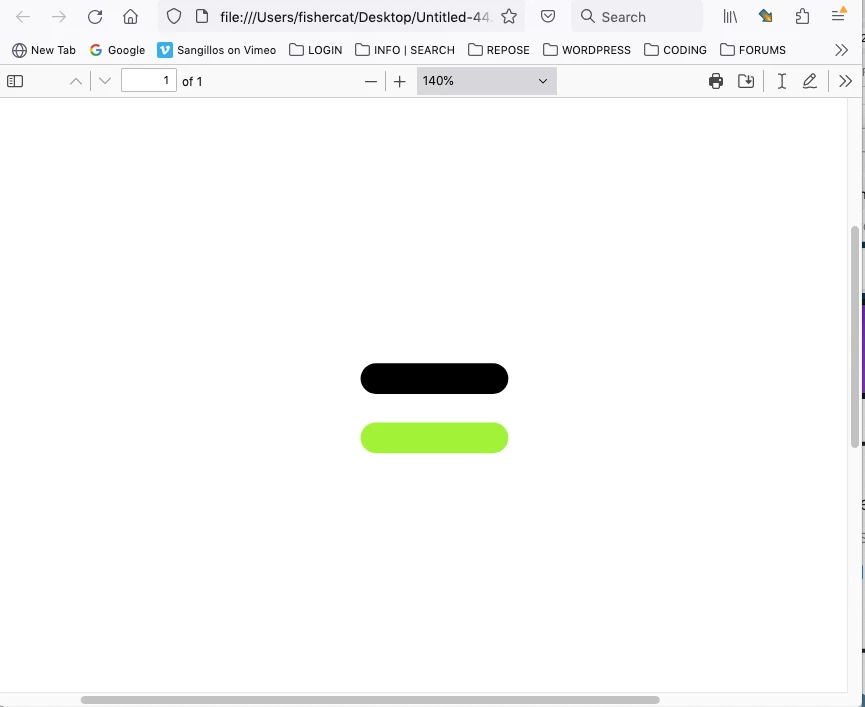
Here’s the same PDF in Firefox:


3 replies

rob day
Community Expert
rob dayCommunity ExpertCorrect answer
Community Expert
February 13, 2023

Is there any anti-alias setting or something I could turn on in preferences?
 

Hi @Sorontar , If you are viewing in AcrobatPro or Reader, it has its own Anti-Aliasing settings:


Here’s the same PDF in Firefox:


SorontarAuthor
Inspiring
February 14, 2023

In browser it looks fine, that is good.


Bill Silbert
Community Expert
Community Expert
February 13, 2023

I was able to recreate the issue you have using paragraph rules. It seems that Interactive PDFs don't treat this method very well and do show some jagginess. Try using a more manual way to make the rounded edge shape such as using corner options on a regular text frame (make the corner radius of the two right corners equal to half of the height of the frame to make the right end circular). This object will function as a regular text frame, allowing you to keep the text within it editable in InDesign. You can then make it into an inline graphic within the text frame containing the rest of your text. I tested this method and it appears clean in the interactive PDF.

Steve Werner
Community Expert
Community Expert
February 13, 2023

If you're concerned with the appearance of an exported PDF file, why don't you post a copy of the PDF file we can look at. JPEG images are inherantly bit-mapped and don't show the smoothness or lack of smoothness of a PDF.

SorontarAuthor
Inspiring
February 14, 2023

Sorry, I did not notice that uploaded jpg gets so heavily compressed here.