

Question
Javascript InDesign Menu Keyboard Shortcuts
I have created the InDesign Javascript below that puts a menu called Studio in the main InDesign menu bar and has several paths to scripts that can be run from the menu. I would also like to be able add keyboard shortcuts to the menu items but the menu does not appear in the Keyboard Shortcuts Product Area?
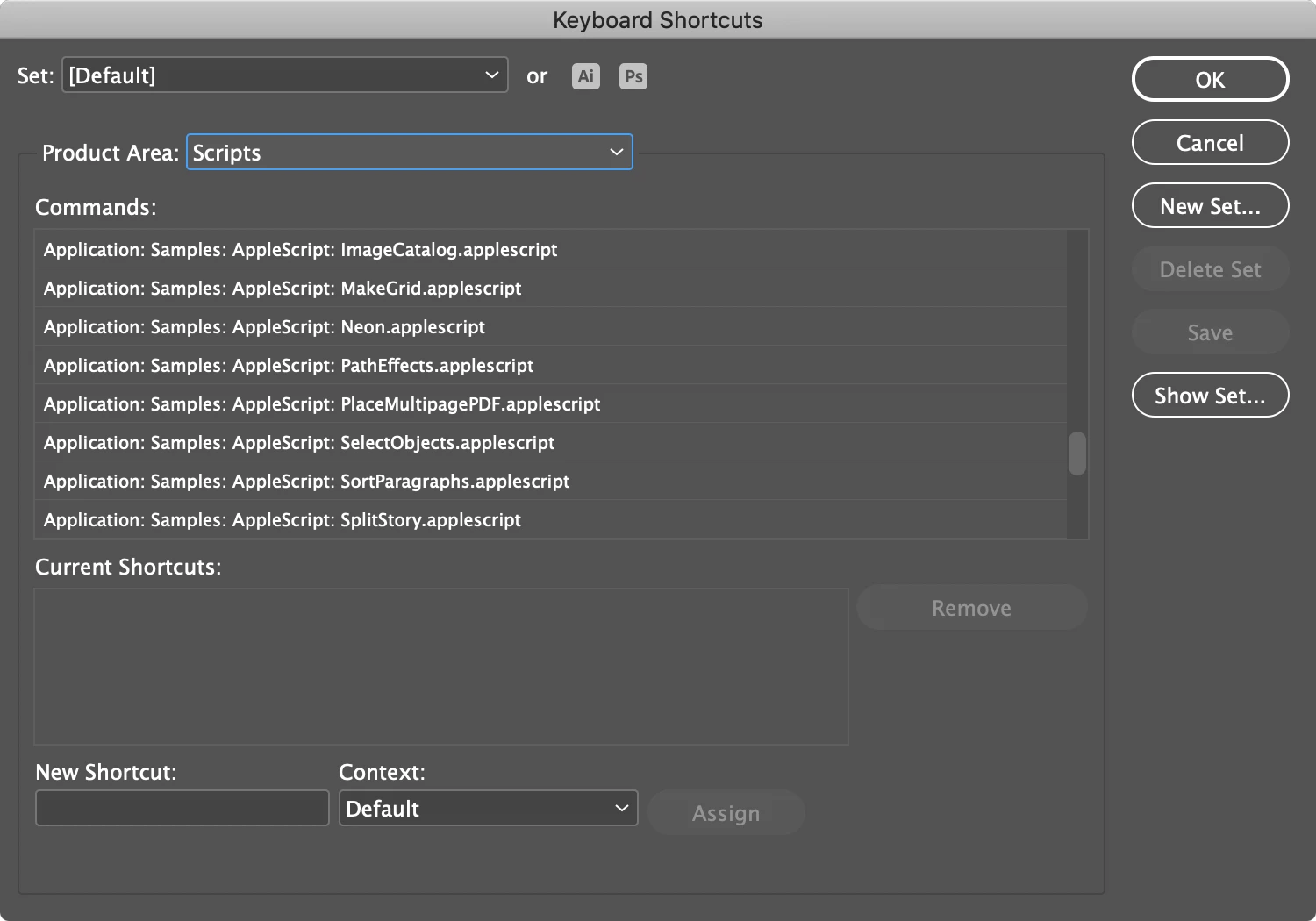
I can see the menu Items at the bottom of the Keyboard Shortcuts: Product Area: Scripts and add a keyboard short cut but the shortcut is lost each time InDesign restarts.
#targetengine "Studio Menu"

var FTCScriptsMenu = app.menus.item("$ID/Main").submenus.item("Studio");

if (!StudioScriptsMenu.isValid) {
    StudioScriptsMenu = app.menus.item("$ID/Main").submenus.add("Studio");
}

// Function to run a script file with error handling
function runScript(scriptFilePath, scriptLanguage) {
    try {
        app.doScript(scriptFilePath, scriptLanguage);
    } catch (e) {
        alert("This script is not available.\nEither this script was not installed or it has been moved, renamed, or deleted from the InDesign 'Scripts Panel' folder."); // Display the error message in a dialog
    }
}

// Cool Script One
var scriptAction4 = app.scriptMenuActions.add("Cool Script One");
var eventListener4 = scriptAction4.eventListeners.add("onInvoke", function() {
    var scriptFilePath4 = "/Applications/Adobe InDesign 2022/Scripts/Scripts Panel/FTC Scripts/Cool Script One.jsxbin"; // Replace with the actual path to script file
    runScript(scriptFilePath4, ScriptLanguage.JAVASCRIPT);
});
var menuItem4 = StudioScriptsMenu.menuItems.add(scriptAction4);

// Add a menu separator
var separator = StudioScriptsMenu.menuSeparators.add();

// Cool Script Two
var scriptAction11 = app.scriptMenuActions.add("Cool Script Two");
var eventListener11 = scriptAction11.eventListeners.add("onInvoke", function() {
    var scriptFilePath11 = "/Applications/Adobe InDesign 2022/Scripts/Scripts Panel/FTC Scripts/Cool Script Two.jsxbin"; // Replace with the actual path to script file
    runScript(scriptFilePath11, ScriptLanguage.JAVASCRIPT);
});
var menuItem11 = StudioScriptsMenu.menuItems.add(scriptAction11);
I have other third party scripts that have custom menus but they also appear under the Keyboard Shortcuts: Product Area but i am not sure how this is achieved in the Javascript?
Any help appreciated.
 AdChoices