yerkanian
Inspiring
June 21, 2024
Answered

KDP publishing error - bleeds and background color

  • June 21, 2024
  • 3 replies
  • 7787 views

Hello,

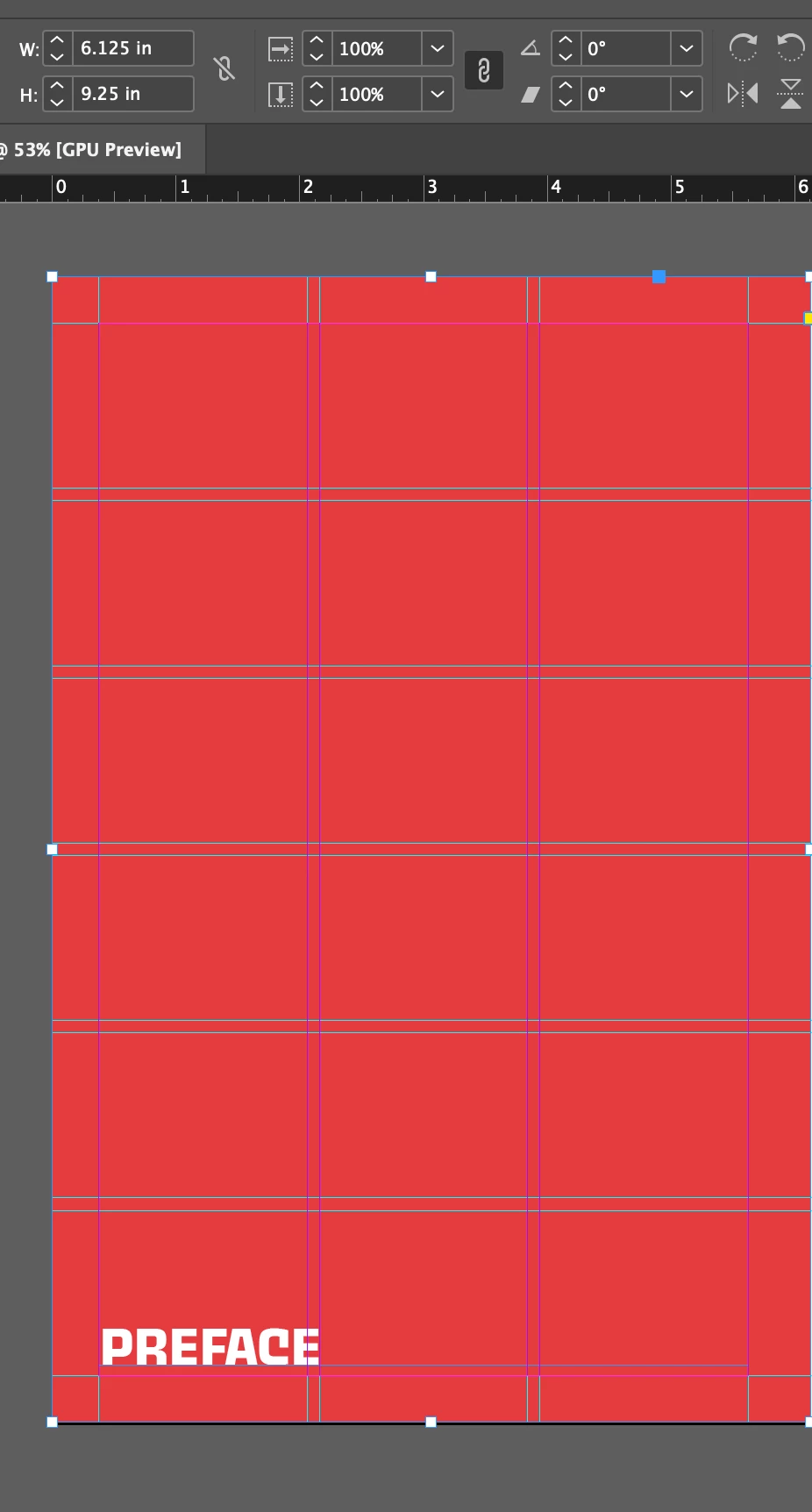
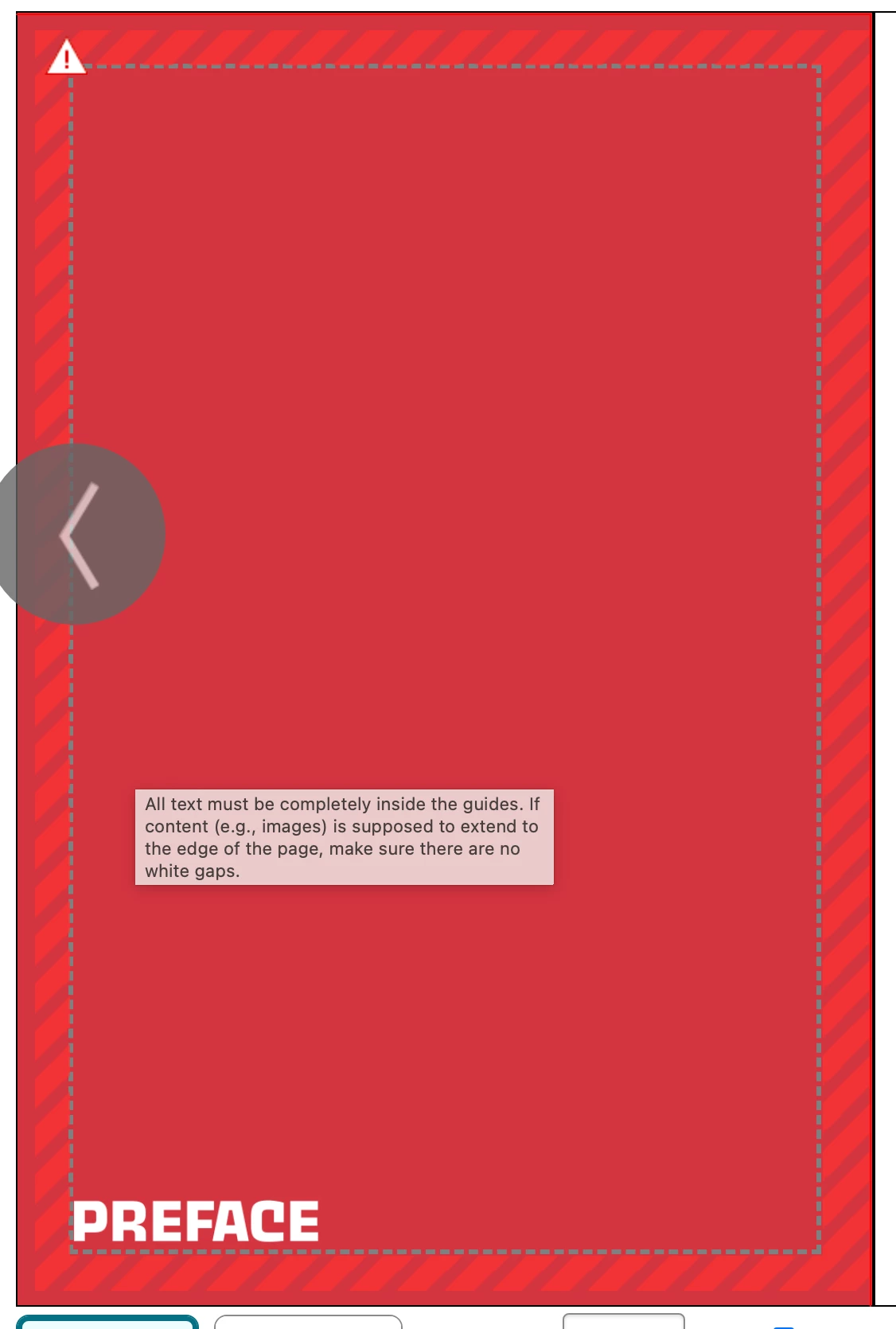
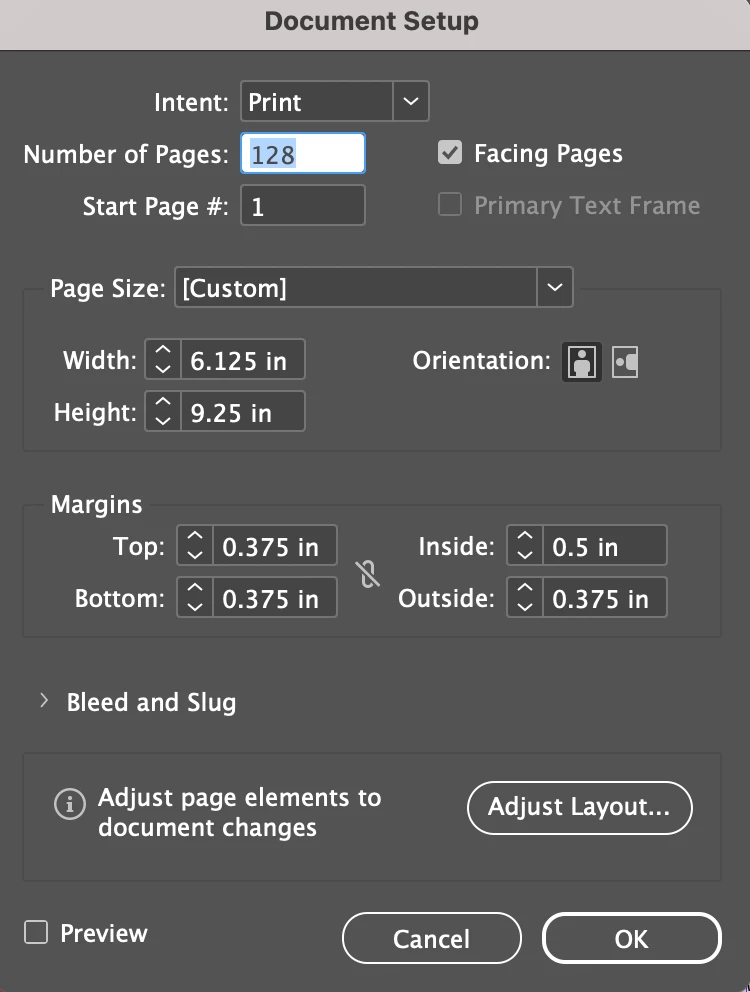
I'm having issues with the KDP previewer regarding a couple of chapter pages that have a background color (a solid color shape). My book is 6x9", and since there are these pages that have a background color that extends to the edges, the document is set to 6.125x9.25" with bleeds. The margins are correct and exceed the minimum requirements.

When I remove the background color (delete the shape), the error goes away, but I want to keep the background color for design purposes.

How can I resolve this issue? Did I do something wrong?

I've attached screenshots of the document setup, the actual document, and the KDP preview.

Thanks in advance for your help!
Correct answer yerkanian

Looks like the text frame for the word PREFACE is right on the margin guide, do you get the error if you move the frame further inside?


I thought so in the very beginning, and tried moving the text. I deleted the text box for the test, and the error is still there. 
The only thing that makes the errors go away is deleting the red shape. 

3 replies

Participant
October 22, 2024

Found a solution for having the same issue. The bleed settings were NOT selected accurately in KDP lol! Select Bleed (PDF only).

James Gifford—NitroPress
Legend
October 22, 2024

Yes, you have to select bleed, then submit pages that are the exact trim+bleed size, and all content has to be within the trim size margins. An awful lot of people have trouble putting these pieces together, and that's not one of KDP's poorer areas of guideline/explanation. Getting any of it wrong will generate misleading errors, though  — claiming more bleed is needed when the problem is live content outside the print margins, etc.

Known Participant
January 5, 2025

I've tried everything to get the bleeds to work and keep getting an error. I know I have the trim size, margins and bleed correct in InDesign. I'm suspecios the problem is in the way I have Acrobat Export set up. It is hard to find a good resource on what boxes and settings should be checked for KDP. 


rob day
Community Expert
Community Expert
June 21, 2024

Hi @yerkanian , you say your book’s trim is 6" x 9", but you have added the bleed to the trim—the setup should be this:


The .375" margin is the distance to the trim, because you have included the bleed with the page dimensions the distance from the margin to the trim is actually .25"


yerkanian
yerkanianAuthor
Inspiring
June 21, 2024

Hi @rob day 
That's the KDP's requirment, to include the bleeds into the actual document size and not as settings in the indesign. Their system doesn't recognize PDF's bleeds. 

James Gifford—NitroPress
Legend
June 21, 2024

Uh, no. You have to set up a page trim size, and then specify bleeds on top of that. You can't just combine them in one page size.


If even one page has bleeds, and you've specified bleeds in the upload, all of the pages can (should) have bleeds defined, even if they're empty.

James Gifford—NitroPress
Legend
June 21, 2024

Okay, first know that KDP's proofing system can be maddeningly erratic and capricious. The smallest thing can trigger a fault, whether it makes sense or not, and one kind of fault can trigger an unrelated error. (A common one is "you must increase your bleed area" when trhe problem is actually what it considers live content outside the live-content margins.)


Looking at your examples, I'd check two things: make sure the background rectangle is *exactly* the bleed size, right on the bleed lines. It can't be larger or smaller or misaligned. I'd also bump that PREFACE in a tad from both live margins; it looks a little close to the left margin. Best to make sure the text box is within that margin as well, by bringing it to within a whisker of the bottom and keeping that slight space below.


I will say your left margin looks way too small. An inch is nominal for perfect binding; much below 0.75 inch and the book will be difficult to spread enough to read easily.

yerkanian
yerkanianAuthor
Inspiring
June 23, 2024

Eventually, I surrendered to KDP and removed the red background. I was able to proceed without errors. 

James Gifford—NitroPress
Legend
June 23, 2024

I surrendered to KDP and removed the red background


Is there any chance the Content of the frame you used for the background color was set to Text and not Graphic or Unassigned?


Clever thought, but I doubt it. KDP analyzes submissions from a very peculiar perspective and I doubt any fine differences in the PDF from this choice (Graphics v Text frame) would even come to their attention.


I suspect it's another case where more or less conflicting rules generate an error over some subtle aspect of an inside margin/bleed/nonbleed.