
pvpnk
Participant
October 18, 2023
Answered

Keine Übernahme der Einstellungen von 18.5 auf 19.0

  • October 18, 2023
  • 2 replies
  • 373 views

Trotz Auswahl "Übernahme der Einstellungen von älteren Versionen" funktioniert die Migration nicht. Es erscheint die Fehlermeldung: 
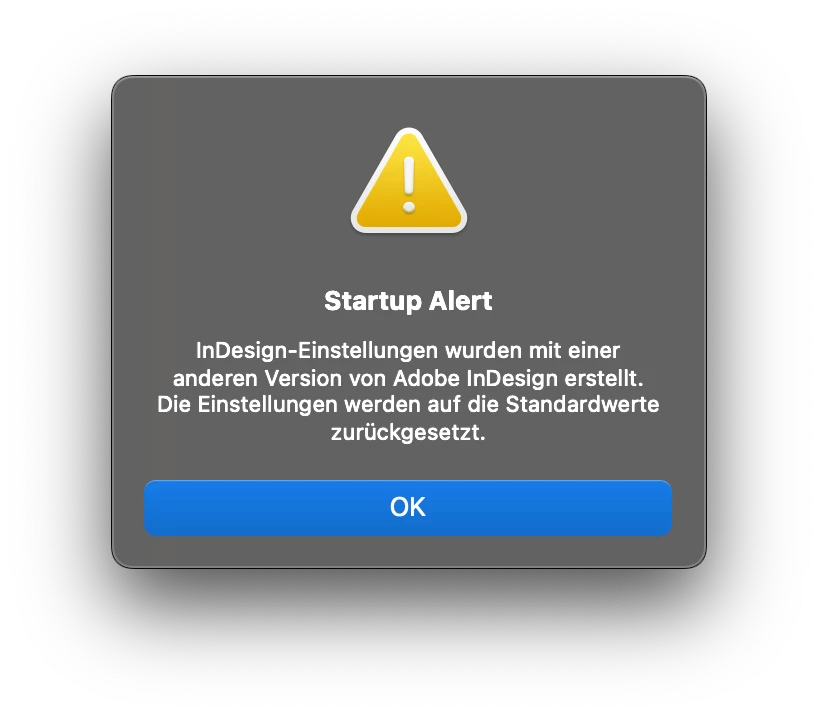
InDesign 19.0 (2024) ist somit komplett "nackt". Die neue Version kann daher nicht genutzt werden. Lösungen? System macOS Sonoma.


This topic has been closed for replies.
Correct answer Eugene Tyson

This is a know issue and being investigated


You can find the bug report here

https://indesign.uservoice.com/forums/601180-adobe-indesign-bugs/suggestions/47338013-installing-indesign-2024-wiped-all-my-preferences


And there's many other bug reports related to this

You can

Rollback to a previous InDeisgn version
https://helpx.adobe.com/download-install/using/install-previous-version.html#:~:text=Open%20the%20Creative%20Cloud%20desktop,down%20list%2C%20select%20Other%20Versions.


Keep an ey out of updates


2 replies

Participant
October 25, 2023

Typisch Adobe: Preise erhöhen und Service noch weiter runterschrauben, als er vorher schon war.
Auch ich musste InDesign komplett neu einrichten. Supportunterstützung? Fehlanzeige!

Community Expert
October 25, 2023

See above posts for reporting bugs and rolling back.

There is support - you're just accepting it.

Eugene TysonCommunity ExpertCorrect answer
Community Expert
October 18, 2023

This is a know issue and being investigated


You can find the bug report here

https://indesign.uservoice.com/forums/601180-adobe-indesign-bugs/suggestions/47338013-installing-indesign-2024-wiped-all-my-preferences


And there's many other bug reports related to this

You can

Rollback to a previous InDeisgn version
https://helpx.adobe.com/download-install/using/install-previous-version.html#:~:text=Open%20the%20Creative%20Cloud%20desktop,down%20list%2C%20select%20Other%20Versions.


Keep an ey out of updates