
Inspiring
July 12, 2022
Answered

Large document acting strange

  • July 12, 2022
  • 9 replies
  • 2133 views

I have a 96-pag dociment that is acting very stragely and I would like to nip this problem in thr bud before it gets worse.

It simply takes as long as 20-30 seconds to open or close or to switch to another document. I even tried renaming it and saving to another location but that didn't help. When I am workin on the document itself it works fine.

  Any suggestions?
This topic has been closed for replies.
Correct answer Dave Creamer of IDEAS

Your file opened up very quickly and I was able to switch between documents without issue. 

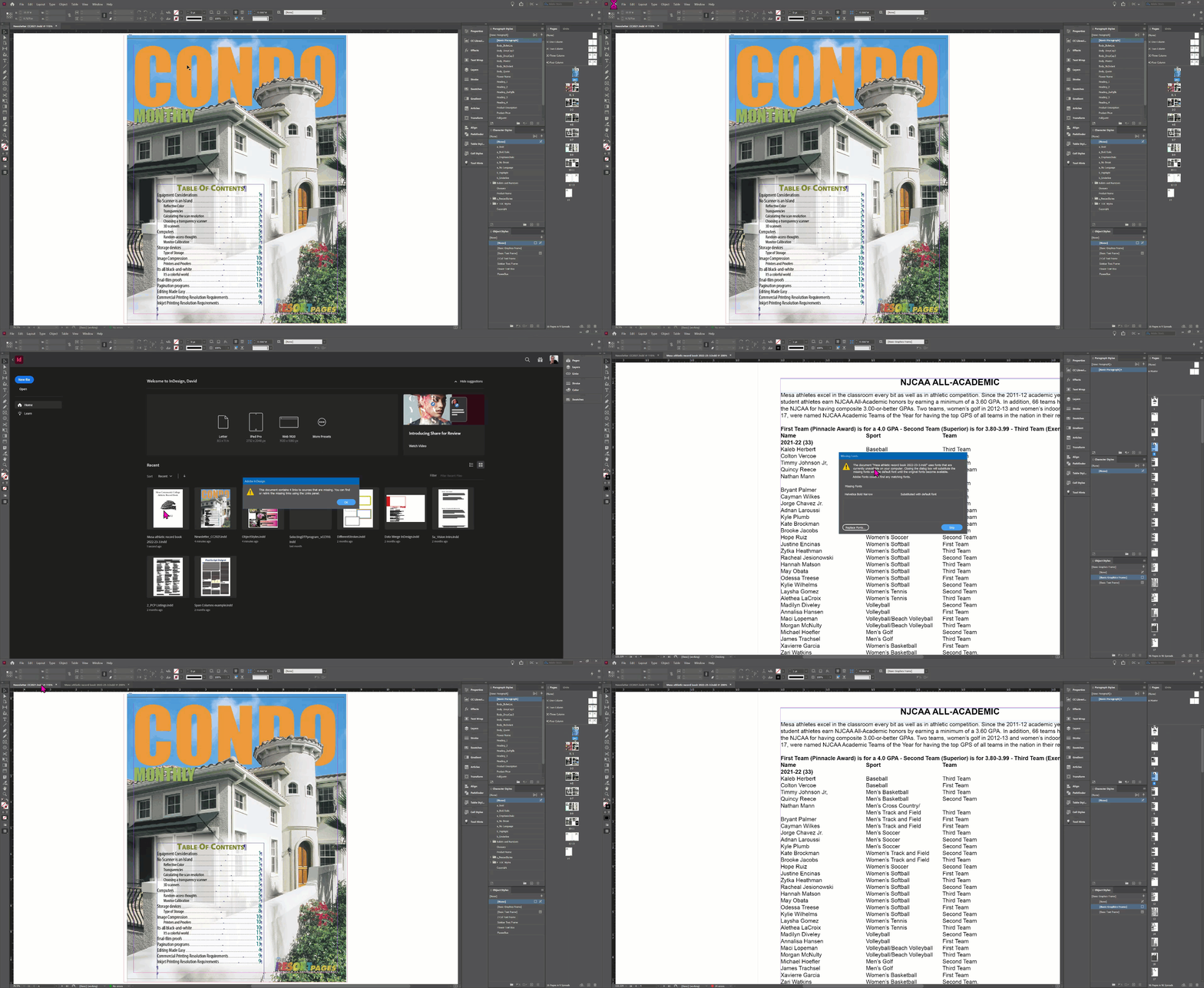
The animated GIF below is close to actual time (assuming it plays correctly online). It only took seconds to open your file. I suspect the issue is in your setup.

9 replies

Dave Creamer of IDEAS
Community Expert
Dave Creamer of IDEASCommunity ExpertCorrect answer
Community Expert
July 21, 2022

Your file opened up very quickly and I was able to switch between documents without issue. 

The animated GIF below is close to actual time (assuming it plays correctly online). It only took seconds to open your file. I suspect the issue is in your setup.

David Creamer: Community Expert (ACI and ACE 1995-2023)
Mesa316Author
Inspiring
July 21, 2022

  Thanks Dave.

  When you say the issue is probably in setup, is there anything I can do to fix it? As I think I mentioned earlier I first started this document arounf 2016 but this problem has only cropped up in the last few weeks.

Dave Creamer of IDEAS
Community Expert
Community Expert
July 21, 2022

Sorry--by "your setup", I meant your computer system. Did anything change recently--network storage, video driver updates, etc.?


David Creamer: Community Expert (ACI and ACE 1995-2023)
Derek Cross
Community Expert
Community Expert
July 21, 2022

Mesa316
8GB of RAM is insufficient - consider upgrading to at least 16GB. And, as asked previously, how much spare hard disk capacity do you have - these resources make a significant difference to processing speed.

Mesa316Author
Inspiring
July 21, 2022

I have 448 GB of hard disk capacity available, a litte more than 48% of total capacity. The document is about 5 GB since it is about 99% simply text and tables.

Dave Creamer of IDEAS
Community Expert
Community Expert
July 21, 2022

Derek is referring to RAM, not hard drive space. Both are important. 


You have enough storage space, but your RAM could be causing problems, as Derek suggests.


I would be happy to take a look at it if you want to email it or a link to me. Message me and I'll send my email.


David Creamer: Community Expert (ACI and ACE 1995-2023)
Jens Trost
Inspiring
July 21, 2022

Just a guess, but do you use GREP styles?

I've had similar problems when adjusting numbers and whitespaces via GREP in a 100+ pages catalog full of tables and numbers... not a good idea in hindsight... it slowed the document down tremendously.

Mesa316Author
Inspiring
July 21, 2022

I probably do not use GREP, since I don't even know what it is. That said, I might be using it without even knowing.

  Sounds like yout catalog might be similar to my doument. Mine is an athletic record book with virtually no grphics at all, just a logo on the front and back covers.

Willi Adelberger
Community Expert
Community Expert
July 12, 2022

Put the whole file history here. You get the file history, when you hold the command / ctrl key and  go to the About InDesign… Menu

Write the protocol, either copy its content or place it here.

Mesa316Author
Inspiring
July 20, 2022

Sorry to have not responded. I have beeb out of town for a few days.

I am using InDesign ver. 17,3 on a laptop with Windows 10. It has 8 GB of RAM.

Other than the fact that it takes about 25 seconds to switch tabs the document is working fine. No other docs seem to be affected. I am just concerned that some problem is beginning,

The doc was originally created in 2016 and has been continually updated since. It contians virtually no graphics and has only three links. It is about 99.99% text.

Altough U have been using ID since early in the PageMaker days, I am virtually computer illiterate.

Diane Burns
Inspiring
July 20, 2022

Did you try saving it in .idml format and re-opening it, as suggested earlier. Also, sometimes just doing a Save As gets rid of file bloat.

Willi Adelberger
Community Expert
Community Expert
July 12, 2022

Show us an extended screenshot of the link panel, so we can see:

  1. Linked Files
  2. File type
  3. Linked or Embedded
  4. Path of files
Dave Creamer of IDEAS
Community Expert
Community Expert
July 12, 2022

Here are some suggestions on troubleshooting ID files:

https://www.ideastraining.com/TutorialsAndTips/TroubeshootInDesign.html


However, I would jump to Test A with this file. 


David Creamer: Community Expert (ACI and ACE 1995-2023)
Peter Spier
Community Expert
Community Expert
July 12, 2022

Is it stored on the local hard drive, or a network location?

Derek Cross
Community Expert
Community Expert
July 12, 2022

Which version of InDesign and OS?

How much RAM and spare hard disk capacity do you have?

It might be worth resetting your InDesign preferences.

If you've been working on the document for some time save it as an IDML document, to clear out the crud that builds up, then incrementally rename it and then open it as an InDesign document again.

Diane Burns
Inspiring
July 12, 2022

In addition to Derek's helpful suggestions, can the document be broken into smaller files, then put together using the Book panel/feature?

Rishabh_Tiwari
Legend
July 12, 2022

Hi @Mesa316 ,


We're so sorry to hear about the trouble. Please try the suggestions shared here and in case if this doesn't help, please share a few more details like:


  1. The version of InDesign and OS.
  2. Is this happening on a specific file or multiple files?
  3. A screenshot of the Activity Monitor/Task Manager capturing the memory utilization by the InDesign Process.


Regards

Rishabh