
Leading Settings for 2nd+ lines of text inconsistent


Hi everyone. I would love some help please.
I'm having little problem sorting out Leading in my inDesign document. It relates to inconsistent Leading in small headers that I am using with other 'standard' paragraph text.
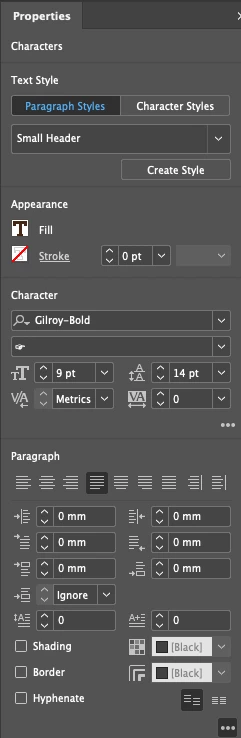
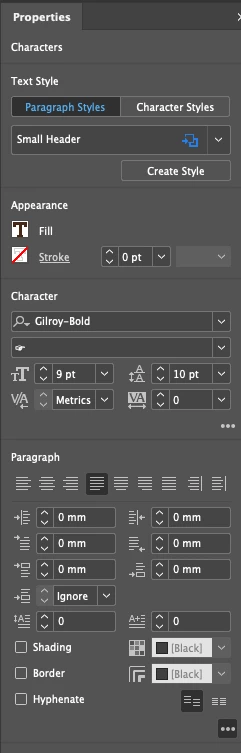
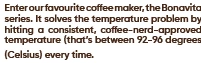
The subsequent images are of three headers that all have these settings. The third is the only one that actually reflects the settings. lines 1-4 show the desired Leading but the last line doesn't.
If you look at the above images, the two settings panels show my settings for the first line of the header and my settings for the subsequent lines of the header. (I only want to alter Leading between the header lines and not with previous text.)
The first image, on the other hand, does not relect the Leading settings ascribed for the headings. It remains at 14pts despite it being set at 10pts. In the second image, lines 1-4 are fine, but the last but the last line has 14pts still (please note that removing the parentheses makes no difference).
Can anybody please suggest anything I can have a look at here?
Thanks so much.
Chloe
 AdChoices