
Left aligned table cell text moves in exported PDF
Hi
I have a strange issue, that I've not noticed before.
I have a wall planner, that is built with a table in InDesign. Within the table are the dates, aligned left. Below some of the dates are text boxes depicting the holiday (in orange).
I noticed in the PDF, created for printing, that the holiday text, that is left aligned to the number, didn't align for some reason. I drew a straight line down the numbers and text box as a test...
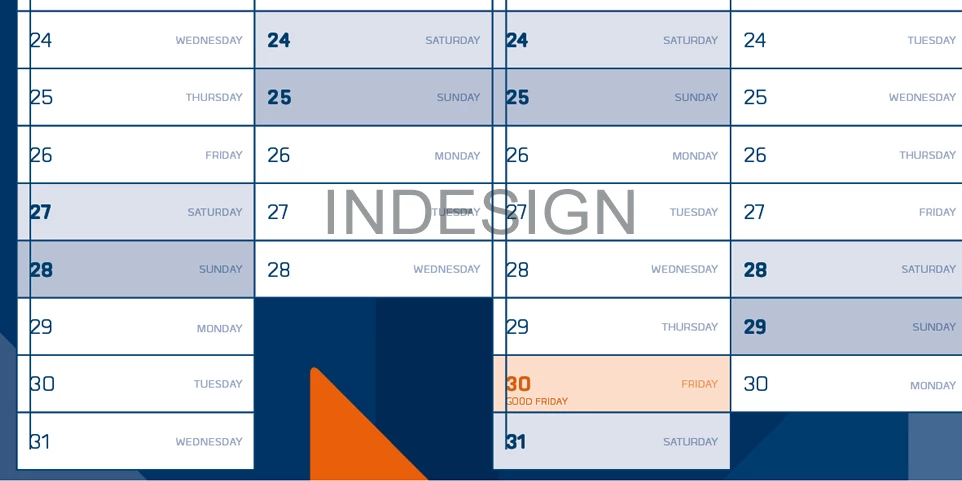
... yet when the PDF is produced, the numbers seem to wander out after each cell...
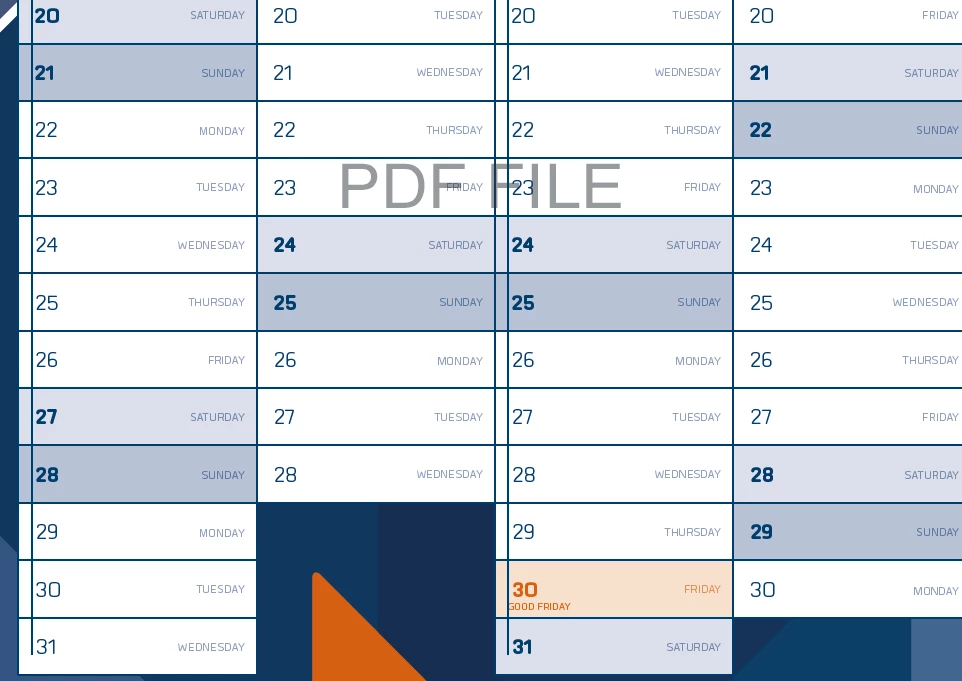
The numbers seem to move over by 0.1mm in each cell, until the last number is about 2mm away from the left edge/line, where it should be aligned.
Does anyone know how this happens? Is there a setting that does this incremental indenting automatically?
Any help will be useful, as I need to get this to print ASAP.
Kindest regards
Glynn
 AdChoices