
Line Height Spacing Between Heading and Body Copy
- April 4, 2022
- 1 reply
- 4671 views
Hi there,
I am looking for some help in interpreting what brand style guides mean when they talk about various line heights/leading for body copy, headings, etc, because I am creating my own guidelines and want to understand how this aspect is actually implemented. I understand that leading and line height are different, but for the purposes of my understanding, I'm sort of just going by what Illustrator/InDesign refer to as leading.
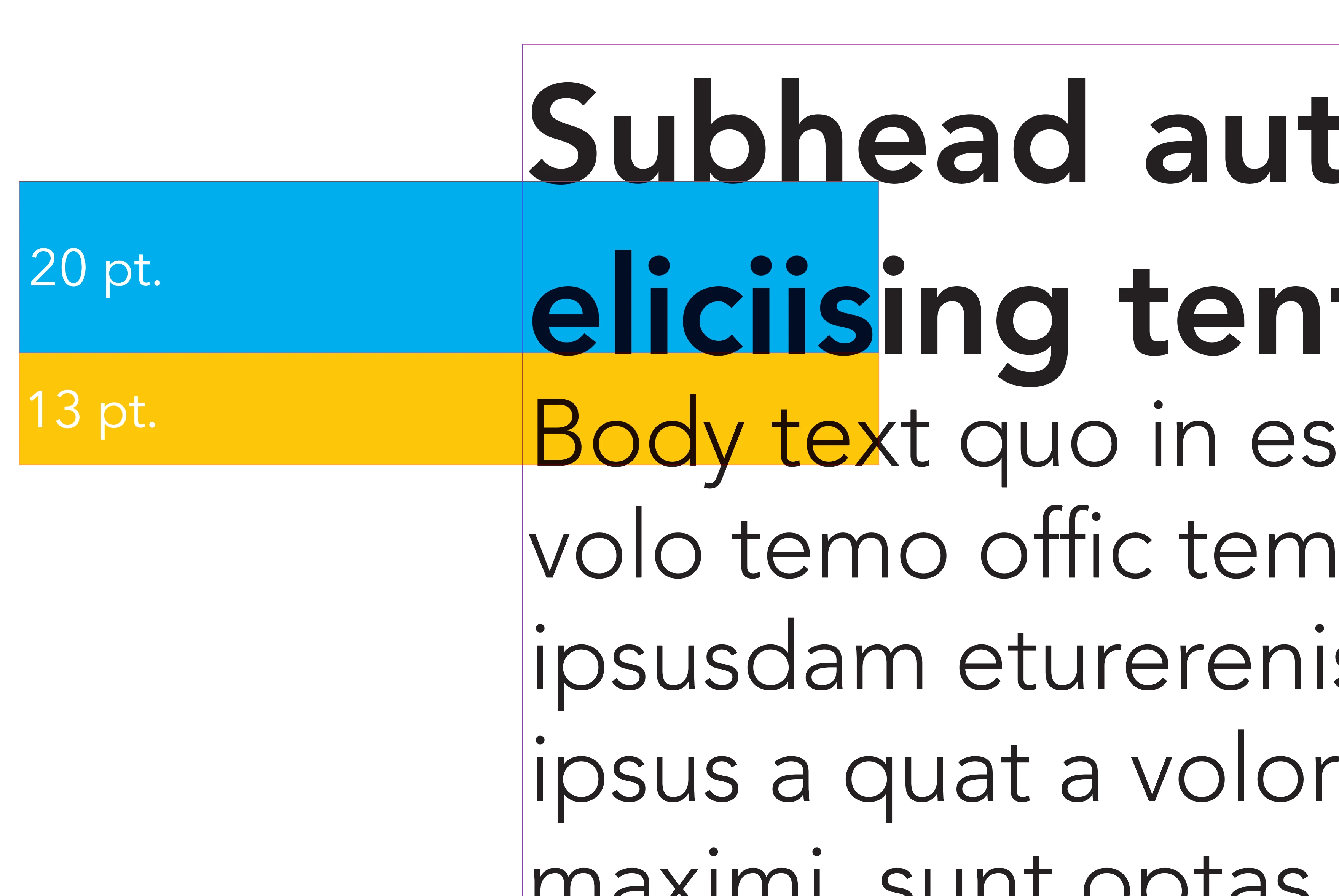
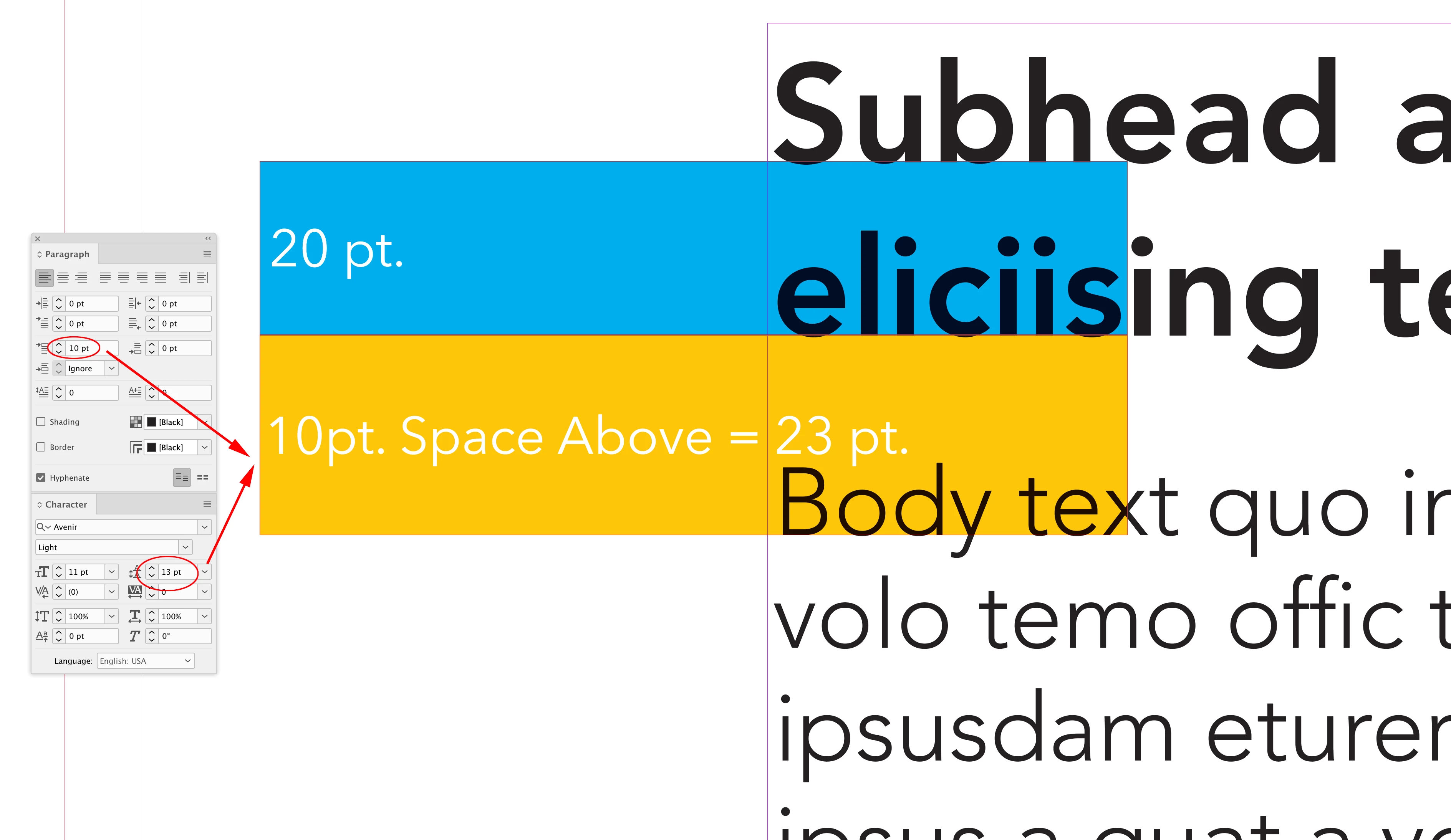
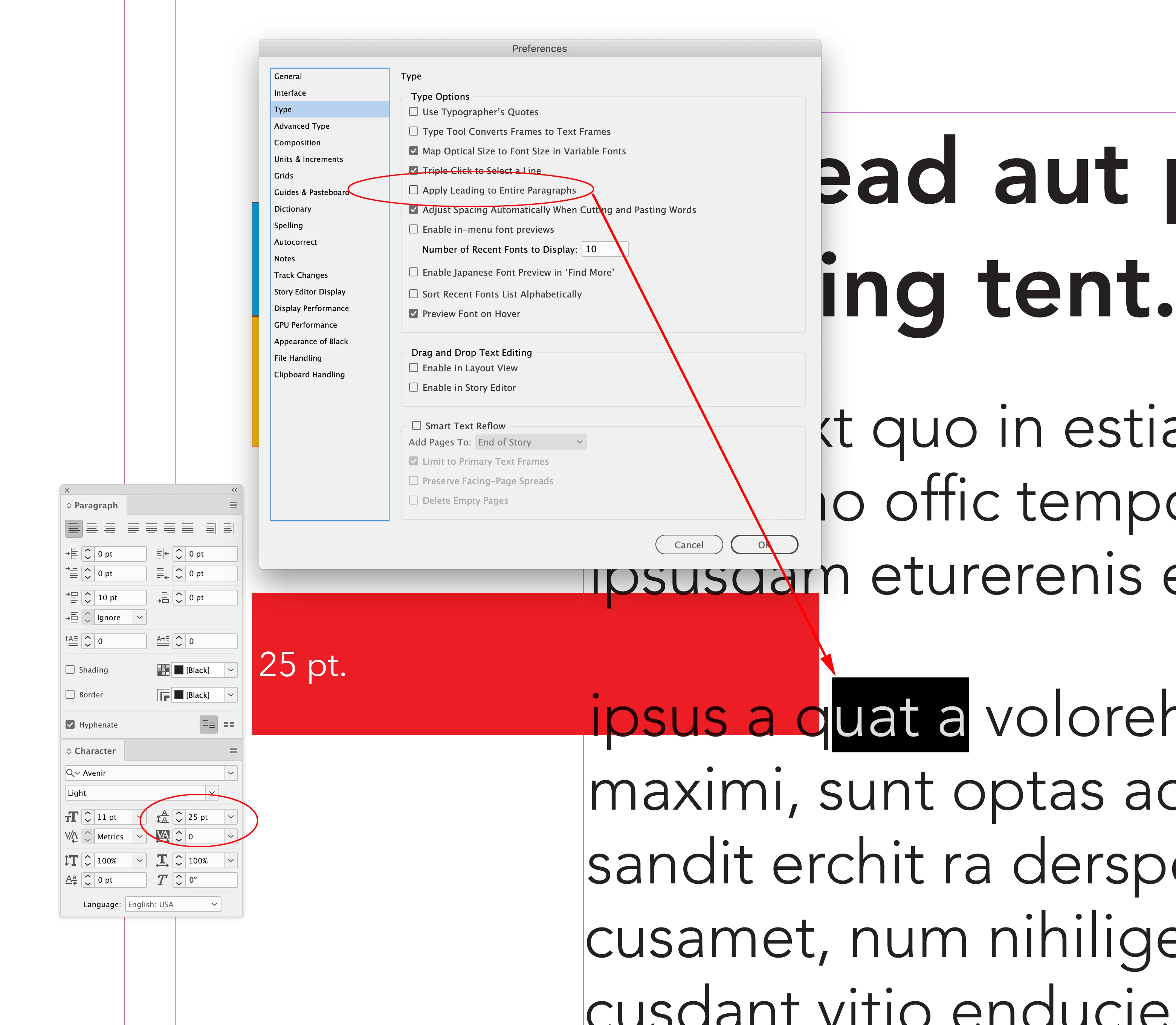
What I am trying to understand specifically is the space between heading and body copy. In the first screenshot, there is a sub-heading and body copy. The sub-heading is listed as '16/20', and the body copy is listed as '11/13'. I understand that means that the body copy has leading of 13, but what has defined the space between the sub-heading and the copy? Is that the linespacing of the sub-heading, so '20'?. I thought maybe that might refer to if it was a dual line heading. The second screenshot is when I tried that out, but the space between body copy and sub-heading is definitely proportionately smaller than in the example. The way I achieve my space between heading and body though is probably wrong - I don't know how to use paragraph styles in InDesign, so I just change the leading of the very first line of copy to be a lot larger than the rest, to create that gap.
My other question is more about applicaiton - when you see this font stuff in style guides, what is it actually meant to be used in? As in, if I have to do an A3 printed ad, I'm obviously not going to use body copy of size 14. So is it meant to be just used for like.. articles or something?
I guess TL:DR version: is any of the info in the first screenshot explaining how much space should be between heading and body copy? If not, how do you decide that? Also, how do you implement that in a better way than changing the leading of the first line of body copy?
Thanks so much in advance!
 AdChoices