
New Participant
January 23, 2019
Answered

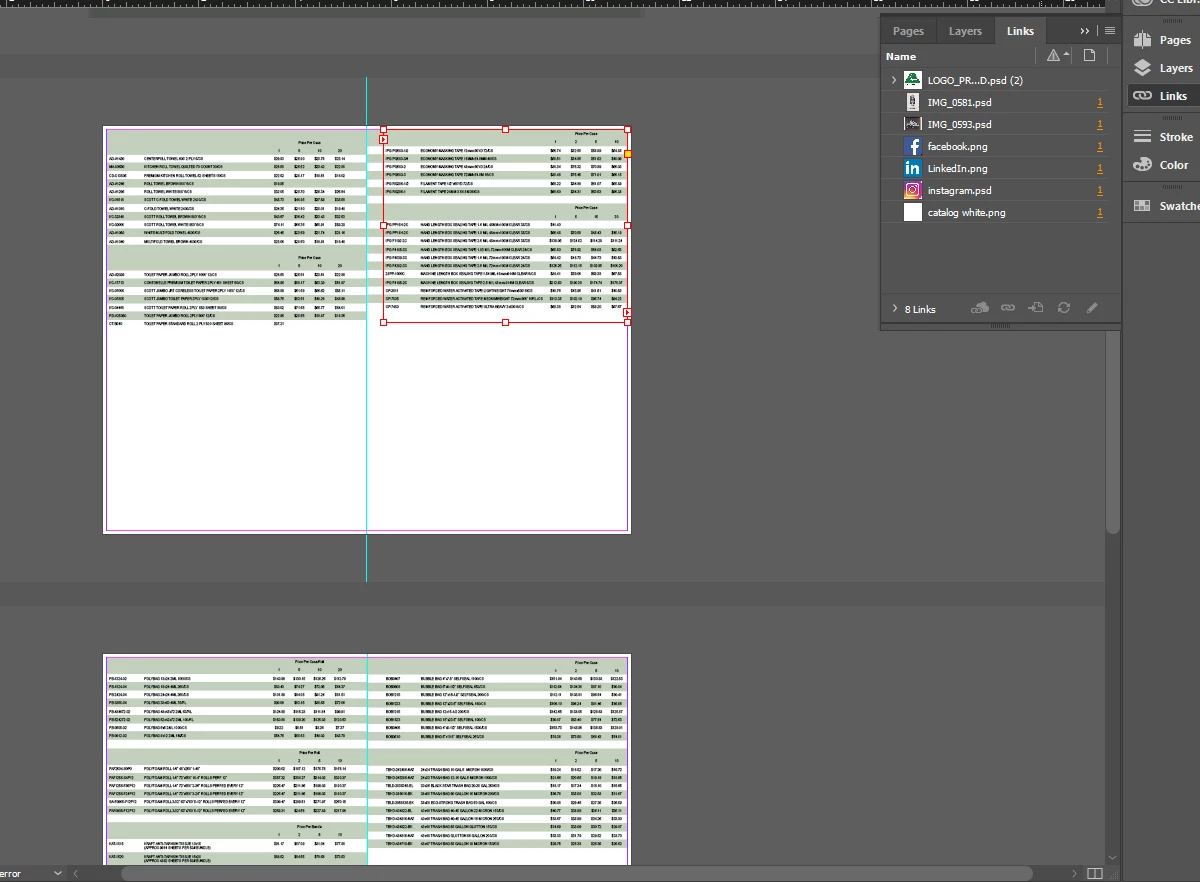
Links Panel not showing a placed file?

  • January 23, 2019
  • 2 replies
  • 1081 views

I placed an excel file into my document and made the layout adjustments I needed. I then made updates to the excel file, saved and closed the excel file, and re opened the Indesign File to re-link in the document. The excel file is now not populating in the links panel; it shows that there are 8 files linked, but it is only populating my 7 image files and not the excel file.
This topic has been closed for replies.
Correct answer winterm

Preferences > File Handling.

In Links section you can turn ON Create Links When Placing Text and Spreadsheet Files. It's OFF by default.

2 replies

Adobe Expert
January 16, 2023

"Why isn't this Preference for File Handling STICKY?"


Hi @Darrin Hunter ,


File Handling > Links

[ ] Create Links When Placing Text and Spreadsheet Files

is a document specific preference.


You can turn it on/off per open document.

Or you can it turn it on/off when no documents are open for all new documents you are creating.


Regards,
Uwe Laubender
( Adobe Community Expert )

winterm
wintermCorrect answer
Brainiac
January 23, 2019

Preferences > File Handling.

In Links section you can turn ON Create Links When Placing Text and Spreadsheet Files. It's OFF by default.

Participating Frequently
January 13, 2023

Why isn't this Preference for File Handling STICKY?

When I check the box for "Create Links When Placing Text..." and then QUIT InDesign, and RELAUNCH, it is now UNCHECKED in the Preferences File Handling dialog box.
InDesign v. 18.1 (x64)

Steve Werner
Adobe Expert
January 13, 2023

You can make a Feature Request in InDesign User Voice website:


https://indesign.uservoice.com/forums/601021-adobe-indesign-feature-requests