

Amybeth M. ACI G7
Community Expert
Community Expert
July 11, 2022
Answered

Links panel showing wrong Icc profile?

  • July 11, 2022
  • 2 replies
  • 988 views

Wondering if someone can help me with this.

All of my applications are sycronized with Bridge for Gracol 2013 CMYK  (CRPC6)  and I have converted all of my images from RBG using Convert to Profile  in Photoshop 2021

Using Indesign 2018 because that is the version my company (enterprise is on)

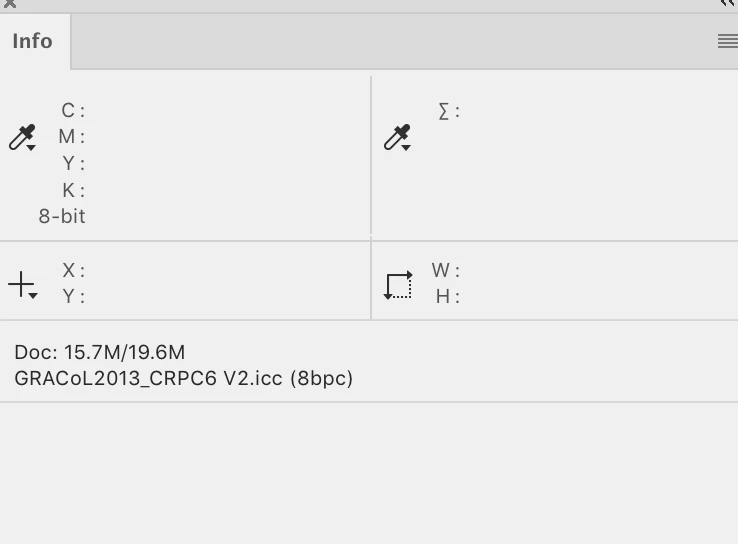
My info palette in Photoshop shows the profile as Gracol 2013 but for about 10 images even though they are CMYK the ICC profile in Indesign link palette says 

Just wondering where that is coming from ?

I cant for the life of me find it inside the photoshop file either ?
+ Adobe RGB (1998) (override)
+ sRGB IEC61966-2.l (override)

Document CMYK
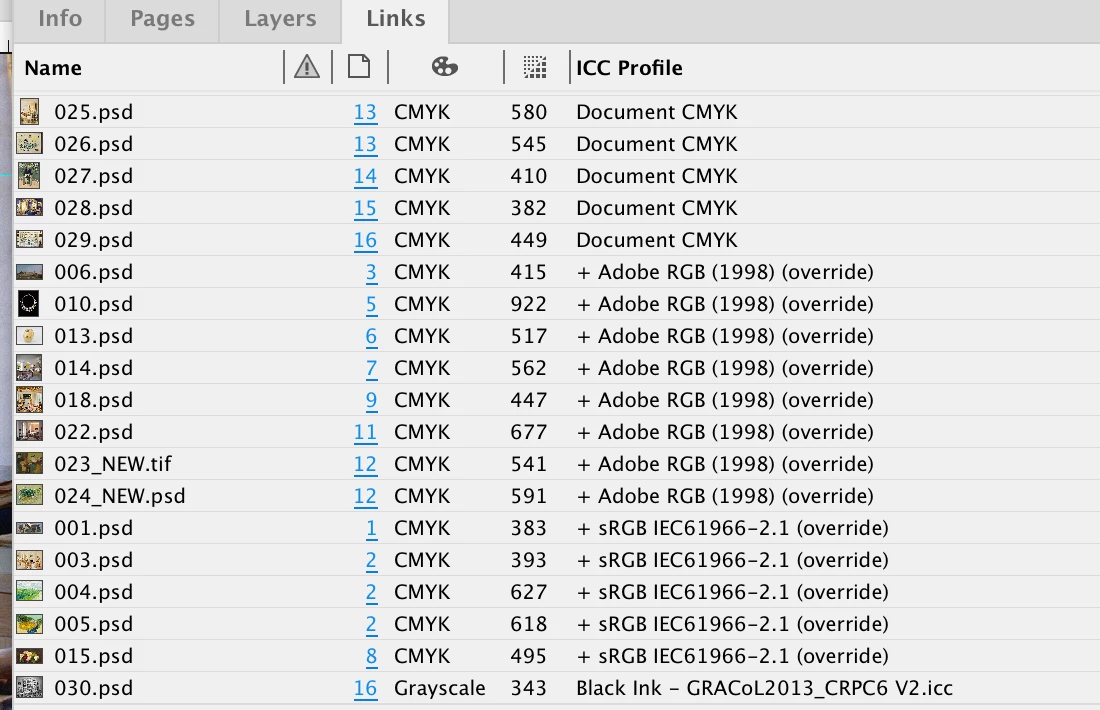
Black Ink - GRACol2013_CRPC6 V2.icc

This topic has been closed for replies.
Correct answer rob day

Hi @Amybeth M. ACI G7 , you can override a selected image’s profile via Object>Image Color Settings—the plus symbol means the profile has been overridden. You can also use Image Color Settings to remove the override. If your output is to GRACoL 3013 and the images were converted to GRACoL in Photoshop, you’ll want to remove the overrides.

2 replies

rob day
Community Expert
rob dayCommunity ExpertCorrect answer
Community Expert
July 11, 2022

Hi @Amybeth M. ACI G7 , you can override a selected image’s profile via Object>Image Color Settings—the plus symbol means the profile has been overridden. You can also use Image Color Settings to remove the override. If your output is to GRACoL 3013 and the images were converted to GRACoL in Photoshop, you’ll want to remove the overrides.

Amybeth M. ACI G7
Community Expert
Community Expert
July 11, 2022

Thank you, I am G7 certified and I actually never new that this option was availble when you right click. Appreciated !


Amybeth MACI G7 Certified Expert
Amybeth M. ACI G7
Community Expert
Community Expert
July 12, 2022

Just as an FYI, I had the RGB file as a smart object, then converted to profile, because that is my workflow, and when I flattened the smart object, or converted the RGB with out the smart object the override was not there. Just facinating because not something I see every day ! Thanks again for steering me in the right direction.

Amybeth MACI G7 Certified Expert
Willi Adelberger
Community Expert
Community Expert
July 11, 2022

Leave the images in RGB with profile.


What output profile has the document? What are the color policy settings?

Amybeth M. ACI G7
Community Expert
Community Expert
July 11, 2022

They preflight CMYK, they output intent is PDF X/4 and Gracol 2013 and they pass as CMYK, just wondering why the embedded? Icc profile shows up RGB when I open them they are Gracol, Googling and I think it may have to do with the oriinal profile ? before I converted to my CMYK working space? Regardless they are currently CMYK and I use the links palette to "live" preflight, Many many years of prepress !

Amybeth MACI G7 Certified Expert
Amybeth M. ACI G7
Community Expert
Community Expert
July 11, 2022

I am just wondering why it says "override" in the links palette? 

because te origin was not SRGB im guessing. ? Thank you for your input.

Amybeth MACI G7 Certified Expert