maxwelld33750467
Participant
September 18, 2024
Answered

Lists that follow numerically from unnumbered headings

  • September 18, 2024
  • 1 reply
  • 609 views

Hello, 


I'm trying to create a list that will follow from a heading without a number. Here's an example:


HEADING 


1.1       ifbajibvjsnalj

1.2      bvljfbnlajvndsj

1.3      andsvjonavaj


ANOTHER HEADING


2.1     ansvnaljnvvn

2.2    fn;okk;mfv;kfma

2.3    vn;akofvv;k


ANOTHER HEADING AGAIN


3.1      asdnlsnokjsnvsko;vn

3.2      adf;vpadfm;kmvkf


Is there a way of doing this? 


It seems that as soon as you lose the number in the heading when you enter Paragraph Styles, the numbers in the list follow on from each other. 


I'm by no means an advanced Indesign user. I'm an architect, but use Indesign to put doc's together. So, have a pretty sketchy knowlegdge of the programme. So, please, no super techy answers! 


Thanks so much! 


This topic has been closed for replies.
Correct answer Robert at ID-Tasker

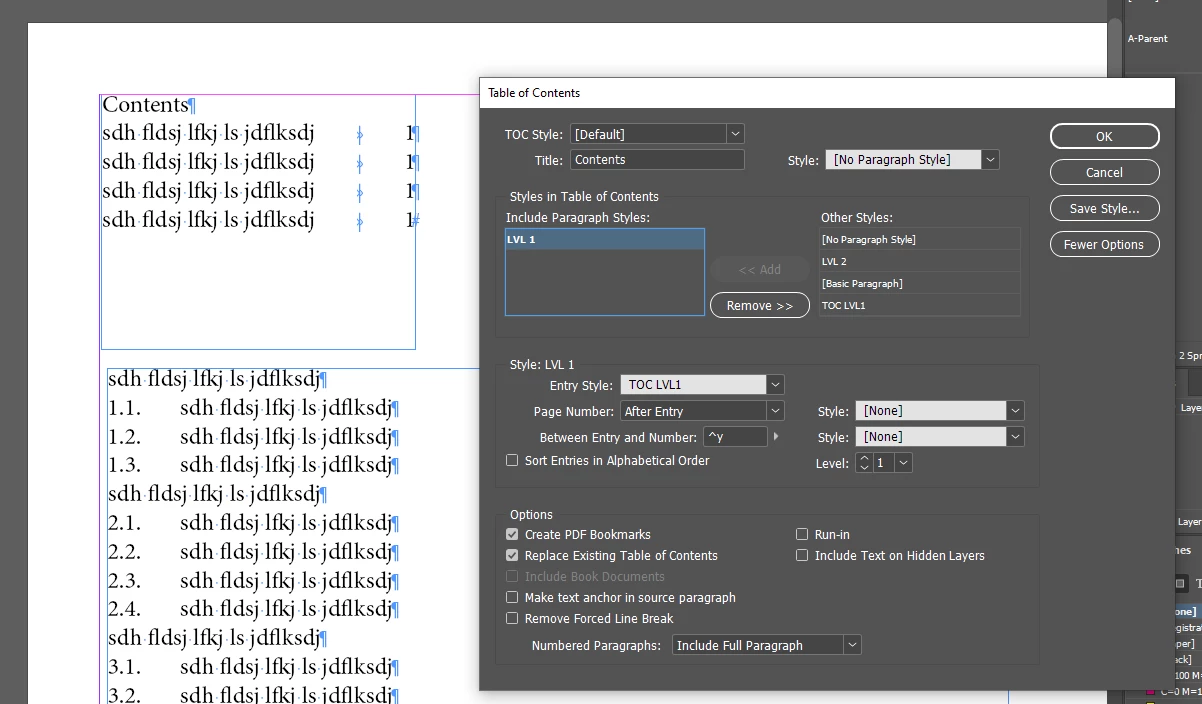
BUT - will you be using this 1st level in the TOC?


AND - will you be exporting ePUB?


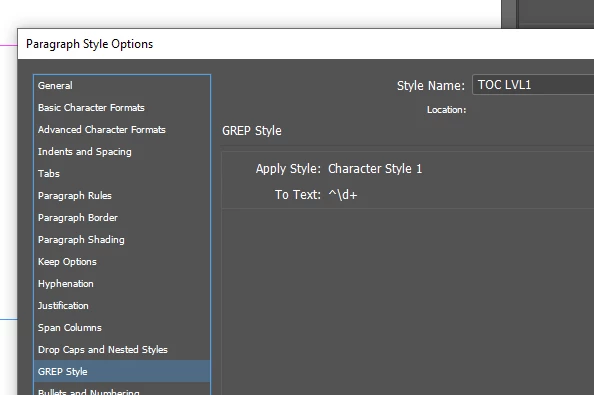
For TOC - it's still easy:


But if you want to export to ePUB - then I think you'll have to restart numbering manually - without using 1st level?

Or modify TOC before export and remove numbers in the 1st level?


Or maybe @James Gifford—NitroPress can pitch in?


1 reply

Robert at ID-Tasker
Legend
September 18, 2024

You need to make your heading style as a 1st level of numbering list - and remove numbers in the definition of the ParaStyle. 


Then make you list - 2nd level with restart after higher level.


Or you can restart manually:


https://www.rockymountaintraining.com/adobe-indesign-restart-numbered-lists-automatically/ 


maxwelld33750467
Participant
September 18, 2024

Thanks! 

I'm still having trouble! 

It would help if I knew what the circumflex and hash symbol are supposed to represent in the 'Number' box in the paragraph styles bit. 


So I've created a set of styles grouped together as a 'multi level' list. Everything works as it should. But, when I tweak the format of the Level 1 list (the main heading) to 'None' to lose it's number, the next level in the list loses the number of the first level. See screenshot below. 


Any ideas? 


James Gifford—NitroPress
Legend
September 18, 2024
quote

EPUB doesn't support any kind of multilevel numbering; it would have to be converted to text (which is an option). Basically, if you can't do it in a web page, you can't do it in EPUB.


By @James Gifford—NitroPress


So the numbers would've to be removed from the 1st level - after converting to text? 


I didn't look closely at the actual question; just noting that numbering in EPUB has to conform to HTML models or be converted to "dead" text, after which I suppose it could be modified. The difference in how numbering is handled in Word/ID and EPUB is a big stumbling block for heavily numbered texts.