.random..
Inspiring
March 21, 2025
Answered

Live Corner Radius Controls like in Illustrator

  • March 21, 2025
  • 1 reply
  • 796 views

Hi Adobe team,

I'd love to request a feature for InDesign that already works beautifully in Illustrator:
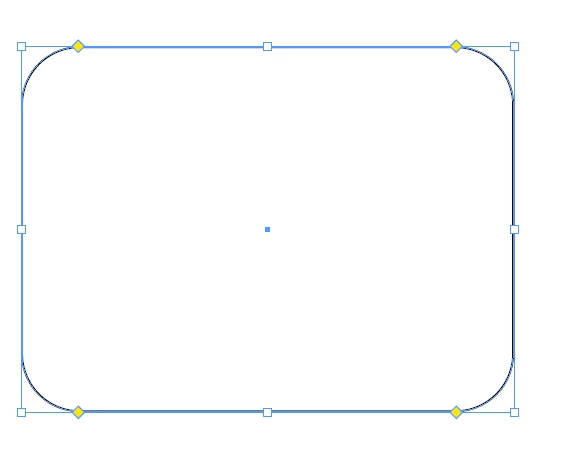
the ability to round rectangle corners directly by dragging the corner widgets inside the shape.

In Illustrator, this feature is extremely intuitive — just grab the small circle in the corner and drag it inward to round the edges. It's fast, visual, and allows for fluid design work.

Currently in InDesign, adjusting corner radius feels clunky and hidden in menus. Bringing the same interactive corner control from Illustrator to InDesign would massively improve workflow for layout designers who often work with rounded shapes.

Thanks for considering this upgrade — it would make a big difference!

Daniel
Correct answer Eugene Tyson

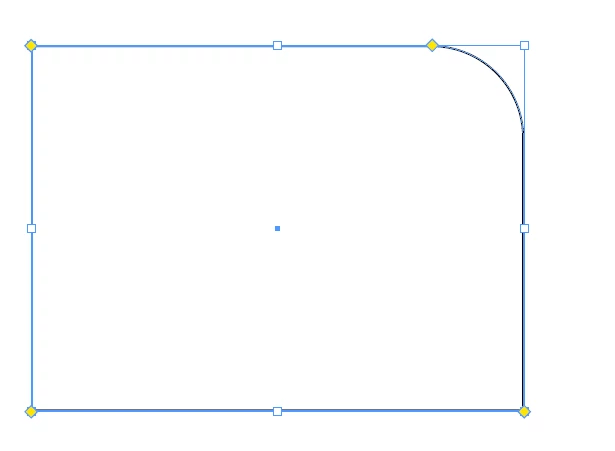
The Yellow Dot - click it


Drag one corner to move all


Hold down shift - then click and drag the node


Is this what  you're looking for?

Let us know - thanks

1 reply

Eugene TysonCommunity ExpertCorrect answer
Community Expert
March 21, 2025

The Yellow Dot - click it


Drag one corner to move all


Hold down shift - then click and drag the node


Is this what  you're looking for?

Let us know - thanks

.random..
.random..Author
Inspiring
March 21, 2025

The only downside is that as soon as you apply a transformation to the object — even just scaling up or down — the corners get converted to curves and can’t be edited anymore.

Community Expert
March 22, 2025

You're right – I double-checked and the live corners don’t disappear just because of a transformation. I initially thought that was the cause, so thanks for pointing it out.

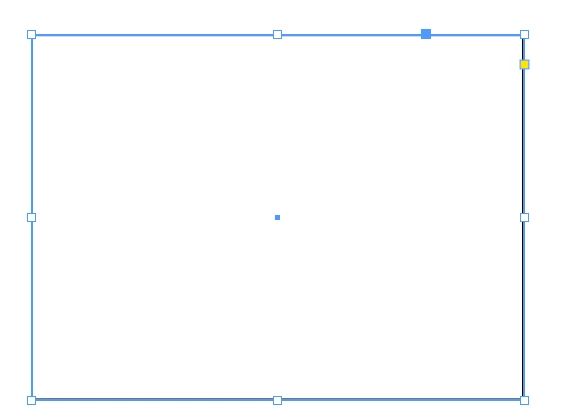
What actually causes it is when you click on the shape with the Direct Selection Tool (the white arrow). As soon as you do that, InDesign converts the rectangle into a regular path with anchor points, and the live corner handles disappear. It's a bit sneaky, because it happens instantly and can go unnoticed.

So the transformation wasn't the problem – it was me editing the shape directly with the white arrow.


Maybe it could be reversed with a script... need to explore that one. 


For rounded corner elements that are pristine - you could do it with Object Styles 

Then if you lose your corner editing, convert the shape back to a rectangle and apply the Object Style. 


How often are you losing your rounded corners? What's the context here? Is it a bigger issue? 


Love to know more why this is becoming an issue for you, maybe something else can be done.