

dublove
Legend
November 8, 2024
Question

Looking for a good script? One click to hold up to type area, columns, and pages?

  • November 8, 2024
  • 3 replies
  • 1211 views

Sorry, I feel guilty.

I don't know how to express it.
Translations are sometimes wrong because of language differences.


The idea is actually very simple, but very useful.
Hopefully the images and scripts share a script.
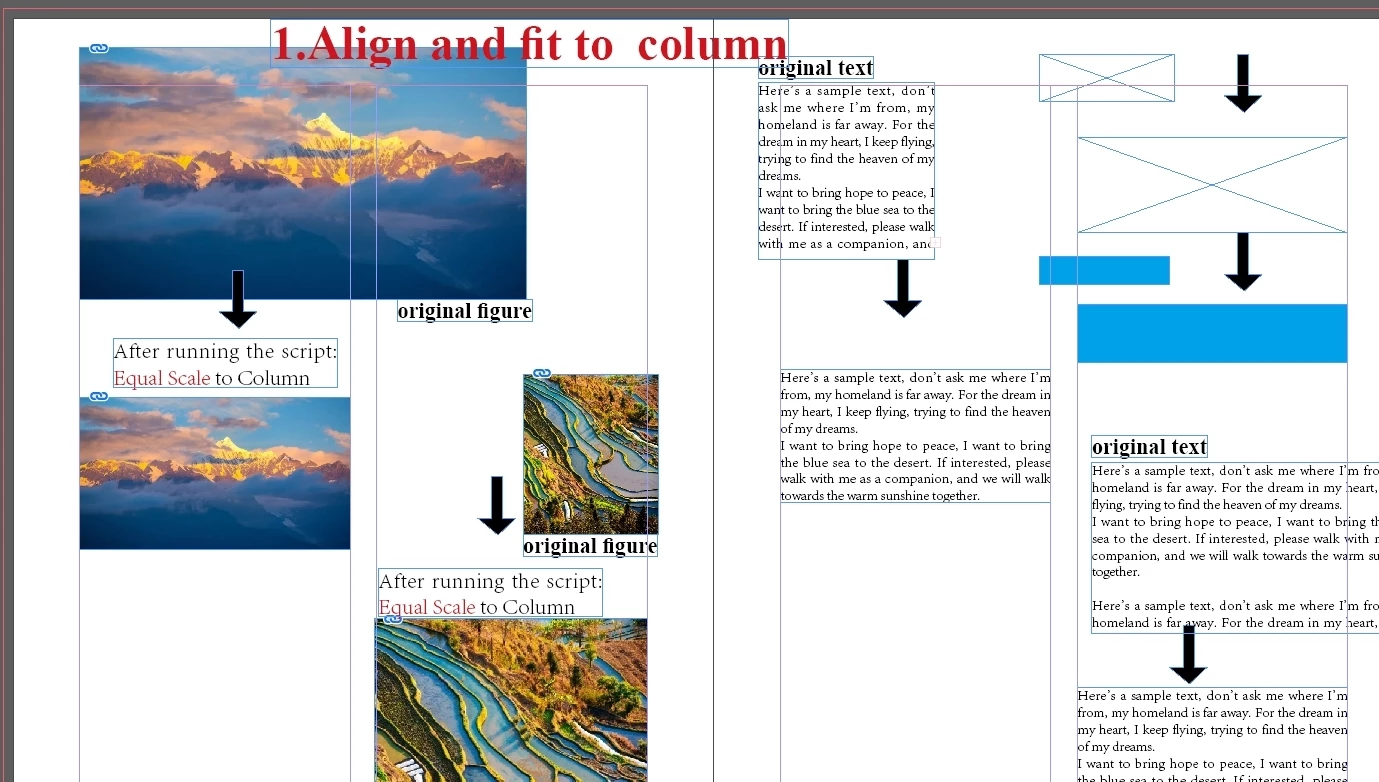
There is three cases: Fit  to  columns, type area( layout area? ) and page margins


If it's a text frame, it aligns to the column width.
If it's an image, it's scaled up or down to the column width.


In my sample, pages 2-8, 1-3 scenarios are provided.


3 replies

Robert at ID-Tasker
Legend
November 9, 2024

@dublove


My ID-Tasker will do this easily - either on the current selection or pre-filtered objects from the document(s) - and a lot more - but isn't free.


dublove
dubloveAuthor
Legend
November 10, 2024

Finding other desirable alternatives

brian_p_dts
Community Expert
Community Expert
November 8, 2024

I also wrote a script that automatically aligns all objects to their nearest margin, column grid or page edge: 

https://www.designtimesolutions.com/#scripts

dublove
dubloveAuthor
Legend
November 9, 2024

Your script is not responding.

dublove
dubloveAuthor
Legend
November 19, 2024

I assume you have selected at least one object, as indicated in the instructions and accompanying video. Or, you know, you could just setup object styles and configure them the way you want and hockey them. 


The posting is common, quickly help top.
What a useful skill, but there is no response from the gods, for the benefit of thousands of working people.
I hope Adobe will come with this feature someday.

brian_p_dts
Community Expert
Community Expert
November 8, 2024

Use Object Styles