Inspiring
January 6, 2021
Answered

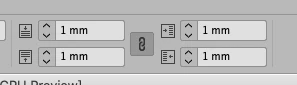
Looking for a solution in tables to change in a whole document the 4 cell insets?

  • January 6, 2021
  • 2 replies
  • 716 views

I need to change in a document (one per page) with many tables the 4 cell insets to a new measure.

It is possible?

Thanks


This topic has been closed for replies.
Correct answer CamiloU

Clarification: Table styles can apply cell styles automatically to the header/footer, first column, middle columns, and last column. It cannot apply cell styles automatically to rows. 

For that, one would indeed need to do it manually--or use a script or plugin. 

Some script references:

https://community.adobe.com/t5/indesign/how-to-apply-a-table-cell-style-based-on-grep-search/td-p/5170783?page=1

https://community.adobe.com/t5/indesign/script-to-find-amp-replace-cell-style-of-a-specific-cell/td-p/10628616?page=1

Some plugin options:

https://www.woodwing.com/en/smart-styles-adobe-indesign-plugin

https://www.65bit.com/software/easycatalog/ (They make a "lite" version, but I would have to check to see if it has the options you need.)


Palala Fog, Try this


if(app.activeDocument.stories.everyItem().tables.length>0)
{
app.activeDocument.stories.everyItem().tables.everyItem().cells.everyItem().bottomInset = 1.3;
app.activeDocument.stories.everyItem().tables.everyItem().cells.everyItem().topInset = 1.3;
app.activeDocument.stories.everyItem().tables.everyItem().cells.everyItem().leftInset = 1.3;
app.activeDocument.stories.everyItem().tables.everyItem().cells.everyItem().rightInset = 1.3;
}

2 replies

Inspiring
January 7, 2021

Hi,


Your tip is a big one discover. 
It worked perfectly for almost all files!
 (Just for two documents couldn't be applied: if you have the line of code will be splendid)

I am not marking for the moment «correct answer» dreaming other solution is possible, although yours seems fine...


Dave Creamer of IDEAS
Community Expert
Community Expert
January 7, 2021

You don't need any code. Just create another Cell style that fits your other two documents, select the cells, and click the Cell style.

David Creamer: Community Expert (ACI and ACE 1995-2023)
Inspiring
January 7, 2021

Him Creamer:

Thanks. The idea is to modify all the cells with a new measure.

It is a huge file with 300 tables...

Think that the best path is to use a line of scripting.

Also, ID not always applies cell styles via the Table style menu.


Thanks.


Dave Creamer of IDEAS
Community Expert
Community Expert
January 6, 2021

Assuming you did not use Table and Cell styles, every table uses at least the Basic Table style (unless you set it to No Table Style when creating it). 

However, table styles do not have a default Cell style assigned. Make a new Cell style (I called my "Cell Insets") and assign it under the Basic Table style.

Edit your cell style insets and all the tables should update. However, if you previously manually edited the insets, the style setting won't remove the override. 

David Creamer: Community Expert (ACI and ACE 1995-2023)
